
Mang tầm nhìn sáng tạo của bạn vào cuộc sống vớiTrình tạo hình ảnh Grok
Trình tạo ảnh AI tối ưu giúp biến lời nhắc văn bản thành hình ảnh chất lượng cao, sẵn sàng tải xuống.
Mở khóa toàn bộ tiềm năng của trình tạo hình ảnh Grok. Dễ dàng chuyển từ tạo văn bản thành hình ảnh sang chỉnh sửa hình ảnh bằng ngôn ngữ tự nhiên. Duy trì tính nhất quán hoàn hảo với tính năng kiểm soát hình ảnh tham chiếu, khám phá nhiều biến thể quảng cáo và xuất kết quả trực quan sẵn sàng tải xuống cho tất cả quảng cáo, phương tiện truyền thông xã hội và mô hình sản phẩm của bạn.

Prompt đã xác minh
Prompt đã xác minh
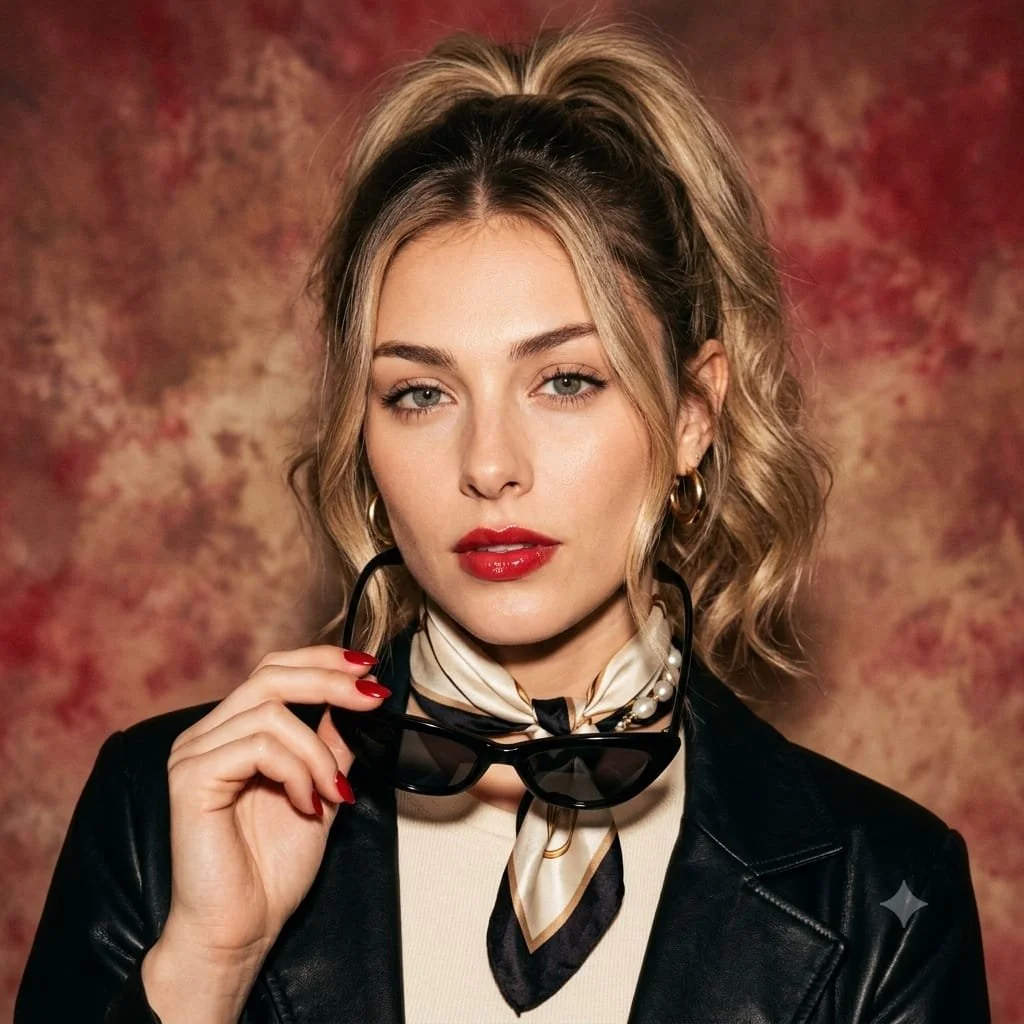
Use an uploaded adult portrait as the facial reference for a retro Italian-inspired studio image. Style the subject in a cream top, a dark leather jacket and a patterned silk scarf. Let one hand hold dark cat-eye sunglasses beside the face, with red nails as a small accent. Use loosely gathered hair, understated gold jewelry and a composed direct gaze. Place the portrait against a painterly warm red and cream background with soft cinematic light. Preserve realistic facial details and texture in a balanced square composition.
Use an uploaded adult portrait as the facial reference for a retro Italian-inspired studio image. Style the subject in a cream top, a dark leather jacket and a patterned silk scarf. Let one hand hold dark cat-eye sunglasses beside the face, with red nails as a small accent. Use loosely gathered hair, understated gold jewelry and a composed direct gaze. Place the portrait against a painterly warm red and cream background with soft cinematic light. Preserve realistic facial details and texture in a balanced square composition.
Prompt đã xác minh
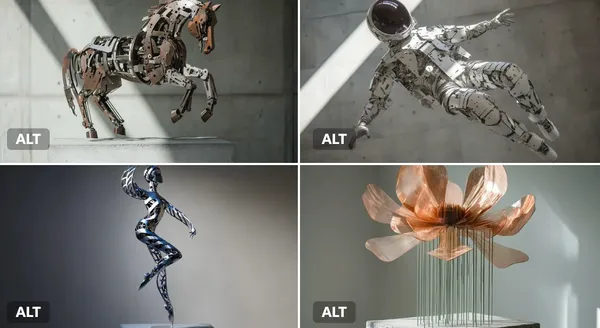
netic sculpture of a [subject], made of interlocking metal rods and panels in brushed [color1] and oxidized [color2]. Suspended in motion, with rotating parts casting mechanical shadows on a concrete pedestal.
netic sculpture of a [subject], made of interlocking metal rods and panels in brushed [color1] and oxidized [color2]. Suspended in motion, with rotating parts casting mechanical shadows on a concrete pedestal.
Prompt đã xác minh
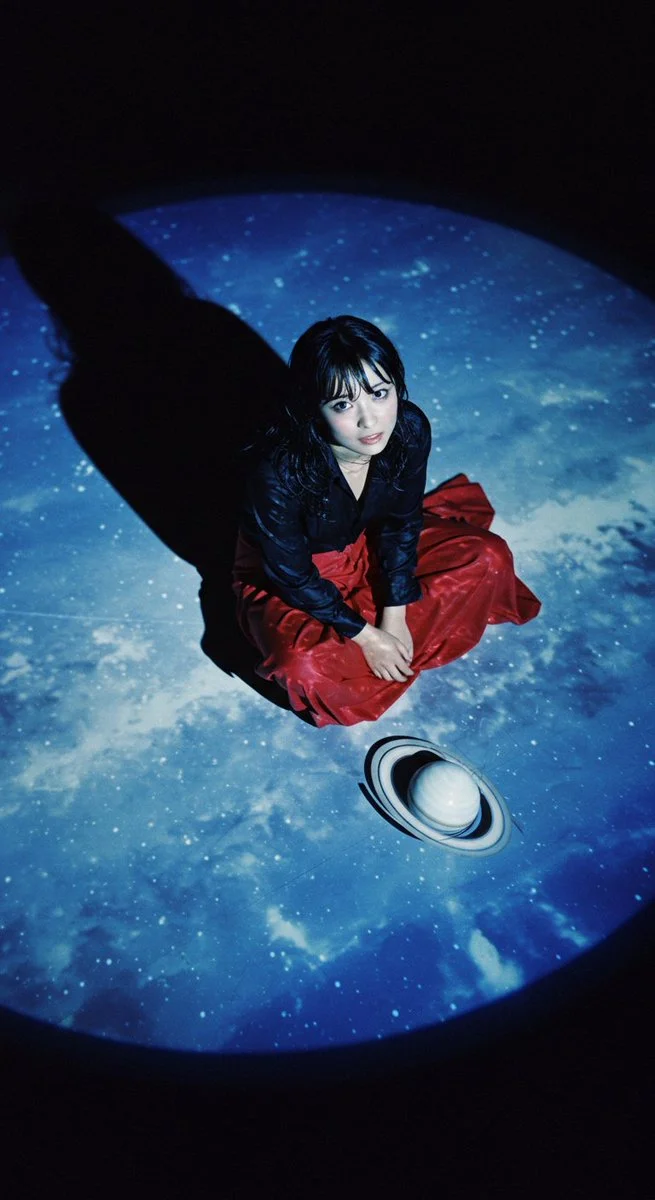
Close-up. Overhead shot from an extremely high vantage point, extremely low grain with iso100 film shadows on a Lomo LC-A. Realistic depth of field. Artistic composition. Overall bluish tones. Beautiful light and shadows. The black floor with the projected image of the blue sky that fills the screen. A very beautiful small-faced Japanese film actress with wet showy hair in a black dress shirt sitting cross-legged on the floor. She is wearing a long red skirt. Shiny black hair. Long eyelashes. Bright skin. Beautiful shining eyes. A smiling face. On the floor next to the actress is a white model of Saturn. The picture looks like a scene from a movie.
Close-up. Overhead shot from an extremely high vantage point, extremely low grain with iso100 film shadows on a Lomo LC-A. Realistic depth of field. Artistic composition. Overall bluish tones. Beautiful light and shadows. The black floor with the projected image of the blue sky that fills the screen. A very beautiful small-faced Japanese film actress with wet showy hair in a black dress shirt sitting cross-legged on the floor. She is wearing a long red skirt. Shiny black hair. Long eyelashes. Bright skin. Beautiful shining eyes. A smiling face. On the floor next to the actress is a white model of Saturn. The picture looks like a scene from a movie.
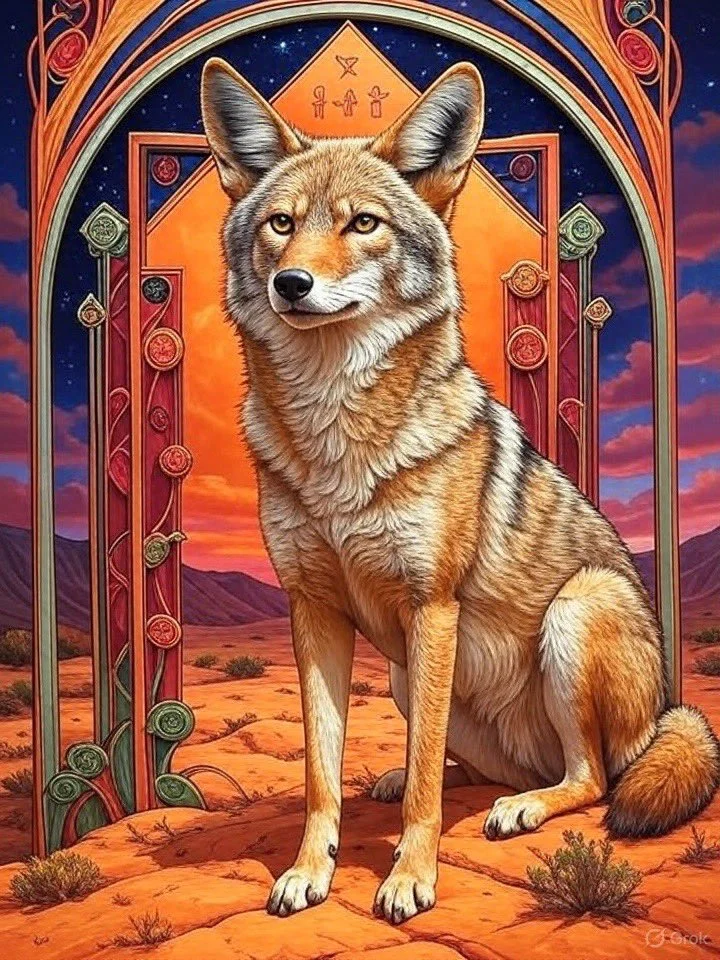
Prompt đã xác minh
A bison in the center of an array of colorful geometric shapes, surrounded by symbols representing different aspects like family and home. The artwork features warm colors in an oil painting style, with an Art Nouveau illustration showcasing ornate details and colorful patterns. The scene also includes a night sky and desert landscapes. The artwork should have a rich texture and a three-dimensional effect with intricate detailing.
A bison in the center of an array of colorful geometric shapes, surrounded by symbols representing different aspects like family and home. The artwork features warm colors in an oil painting style, with an Art Nouveau illustration showcasing ornate details and colorful patterns. The scene also includes a night sky and desert landscapes. The artwork should have a rich texture and a three-dimensional effect with intricate detailing.
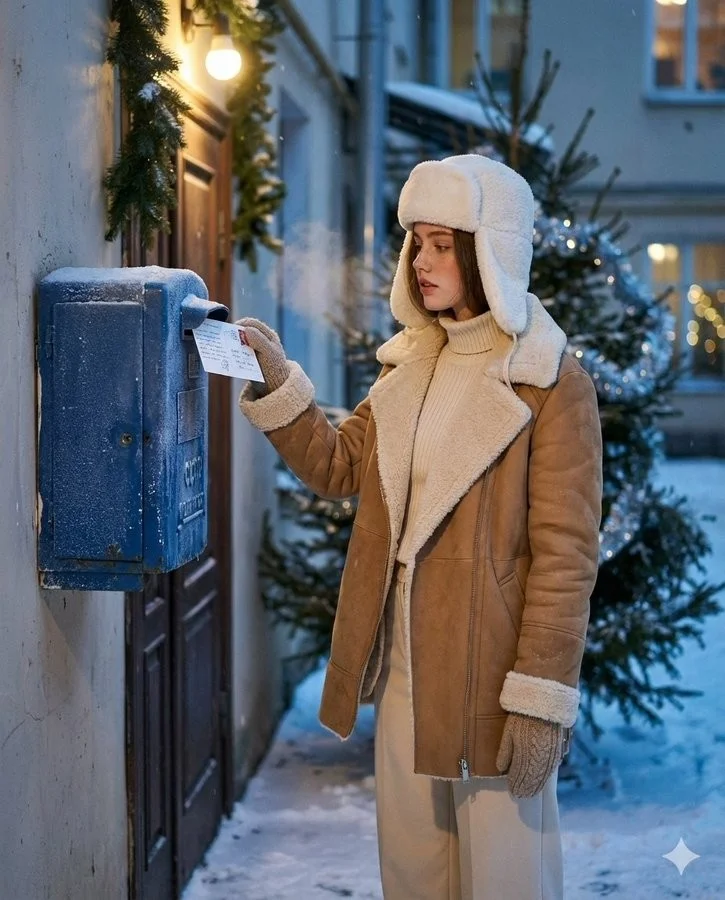
Prompt đã xác minh
Create an ultra-realistic winter scene of a woman identical to the uploaded face reference (strictly preserve her face 1:1 no stylization or beautification). Scene and Composition: Soviet blue street mailbox bolted to a brick entryway or plastered wall; dusk with soft falling snow. Vertical 4:5 from waist to head. The woman stands side-on, gently tucks a handwritten New Year postcard into the slot (stamp visible); a wisp of vapor breath. Background: courtyard garlands and a nearby fir with sparse silver tinsel; warm doorway bulb; faint bokeh from distant windows. Natural, candid, cinematic moment. Outfit: Camel/tan double-faced sheepskin coat with plush cream fleece on collar and turn-back cuffs; cream rib-knit turtleneck + matching wide-leg trousers: white wool ushanka; knitted mittens; dark-brown shearling ankle boots. Natural nude makeup with real skin micro-texture. Look and Light: Teal and orange tone: warm sodium doorway lamp as key; cool blue ambient fill from snow; soft rim on ushanka/fleece; gentle halation on bulbs; shallow DoF with fine 35mm grain (Canon AE-1/Fujifilm X100V Classic Chrome vibe). Color and Texture: Frost on mailbox metal, paper fiber of postcard, knit and shearling detail. True-to-skin tones; no smoothing.
Create an ultra-realistic winter scene of a woman identical to the uploaded face reference (strictly preserve her face 1:1 no stylization or beautification). Scene and Composition: Soviet blue street mailbox bolted to a brick entryway or plastered wall; dusk with soft falling snow. Vertical 4:5 from waist to head. The woman stands side-on, gently tucks a handwritten New Year postcard into the slot (stamp visible); a wisp of vapor breath. Background: courtyard garlands and a nearby fir with sparse silver tinsel; warm doorway bulb; faint bokeh from distant windows. Natural, candid, cinematic moment. Outfit: Camel/tan double-faced sheepskin coat with plush cream fleece on collar and turn-back cuffs; cream rib-knit turtleneck + matching wide-leg trousers: white wool ushanka; knitted mittens; dark-brown shearling ankle boots. Natural nude makeup with real skin micro-texture. Look and Light: Teal and orange tone: warm sodium doorway lamp as key; cool blue ambient fill from snow; soft rim on ushanka/fleece; gentle halation on bulbs; shallow DoF with fine 35mm grain (Canon AE-1/Fujifilm X100V Classic Chrome vibe). Color and Texture: Frost on mailbox metal, paper fiber of postcard, knit and shearling detail. True-to-skin tones; no smoothing.
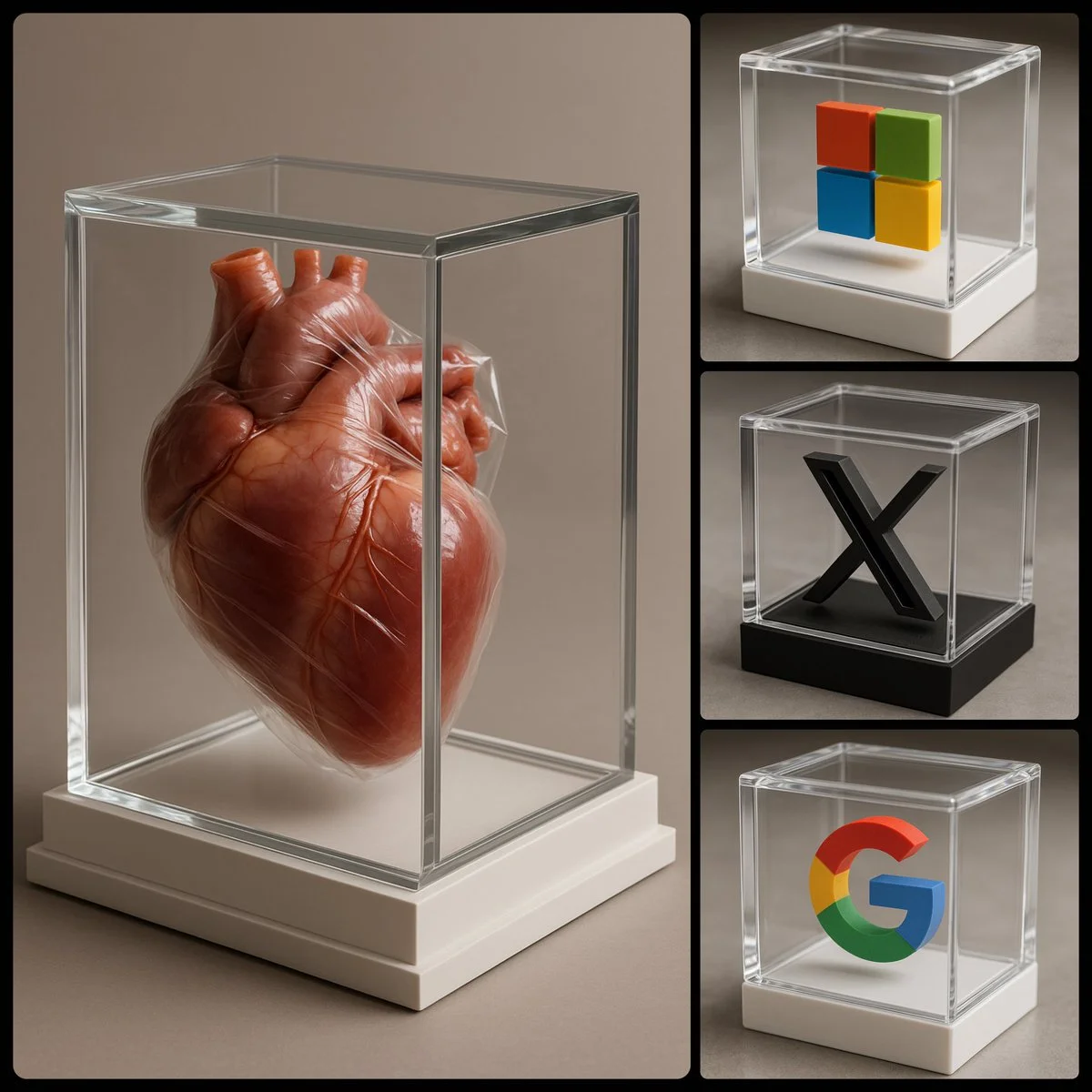
Prompt đã xác minh
photorealistic image of a [COLOR] 3D [SUBJECT] encased in a luxurious transparent box, viewed from an enhanced side angle to better reveal the 3D shape of the [SUBJECT]. The box should be white, exquisitely designed, featuring crystal-clear glass with refined, sharp edges
photorealistic image of a [COLOR] 3D [SUBJECT] encased in a luxurious transparent box, viewed from an enhanced side angle to better reveal the 3D shape of the [SUBJECT]. The box should be white, exquisitely designed, featuring crystal-clear glass with refined, sharp edges
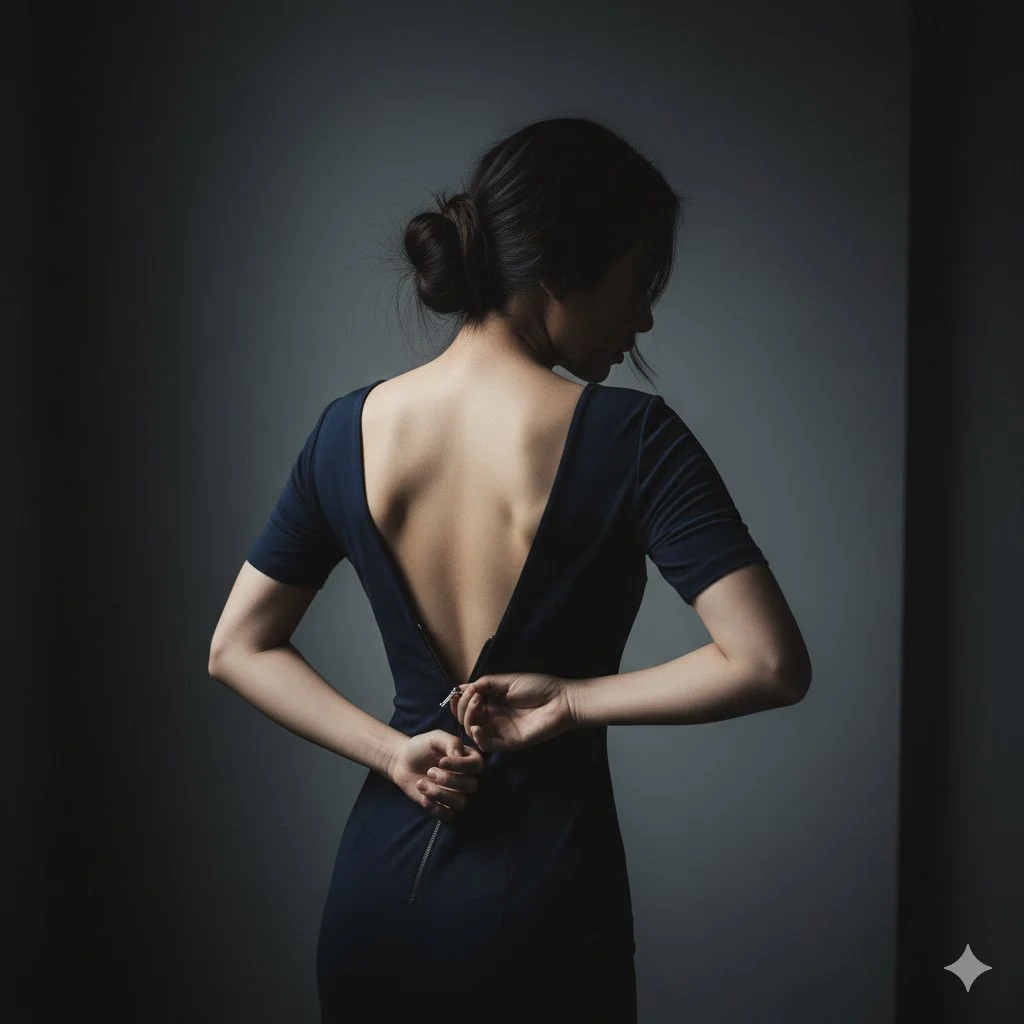
Prompt đã xác minh
{ "scene": { "location": "A minimalist, dark bedroom or dressing room", "background": "A simple, dark grey wall, out of focus" }, "subject": { "age": "adult", "description": "East Asian woman, elegant, hair in a loose bun with stray strands", "wardrobe": "A simple, dark-colored (e.g., black, navy) form-fitting dress", "accessories": "None", "pose": "Shot from behind, three-quarter view. Her own hand is reaching back, pulling the zipper down (e.g., to the middle of her back).", "expression": "(Face mostly obscured or in profile) Subtle, mysterious, ambiguous", "gaze": "Looking down at her hand or away from camera", "body_notes": "Photorealistic, realistic adult proportions; realistic hand and skin texture on back" }, "camera": { "sensor": "full_frame", "focal_length_mm": 100, "aperture_f": 2.8, "shutter_s": 0.01, "iso": 400, "white_balance_k": 4500, "distance_m": 2.0, "camera_height_m": 1.6, "framing": "Tight medium shot (head to waist), focusing on the hand, zipper, and back", "focus": "Manual focus on the hand and zipper" }, "lighting": { "key": "Dramatic side light (gridded strip light) to highlight the hand and spine", "fill": "Deep shadows, very low fill", "hair": "Subtle rim light", "notes": "Low-key, high-contrast, "storytelling" image" }, "color_grade": { "style": "Cinematic, moody, ambiguous", "palette": "Desaturated, cool tones, blacks, skin tones", "contrast": "High, "chiaroscuro"", "saturation": "Low" }, "makeup": { "eyes": "(Not visible)", "cheeks": "(Not visible)", "lips": "(Not visible)" }, "postprocess": { "retouch": "Maintain natural skin texture, add film grain", "clarity": "High clarity on the zipper and hand", "dodge_burn": "Dodge on the spine, hand, and zipper pull", "vignette": "Strong dark vignette" }, "art_direction": { "mood": "Sensual, ambiguous, mysterious, intimate, quiet", "keywords": ["photorealistic", "sensual", "ambiguous", "zipper", "low-key", "cinematic", "intimate"] }, "negative_prompts": [ "nsfw", "underage look", "text or logos", "plastic doll skin", "cg", "3d render", "anime", "warped hands", "extra fingers", "deformed limbs" ] }
{ "scene": { "location": "A minimalist, dark bedroom or dressing room", "background": "A simple, dark grey wall, out of focus" }, "subject": { "age": "adult", "description": "East Asian woman, elegant, hair in a loose bun with stray strands", "wardrobe": "A simple, dark-colored (e.g., black, navy) form-fitting dress", "accessories": "None", "pose": "Shot from behind, three-quarter view. Her own hand is reaching back, pulling the zipper down (e.g., to the middle of her back).", "expression": "(Face mostly obscured or in profile) Subtle, mysterious, ambiguous", "gaze": "Looking down at her hand or away from camera", "body_notes": "Photorealistic, realistic adult proportions; realistic hand and skin texture on back" }, "camera": { "sensor": "full_frame", "focal_length_mm": 100, "aperture_f": 2.8, "shutter_s": 0.01, "iso": 400, "white_balance_k": 4500, "distance_m": 2.0, "camera_height_m": 1.6, "framing": "Tight medium shot (head to waist), focusing on the hand, zipper, and back", "focus": "Manual focus on the hand and zipper" }, "lighting": { "key": "Dramatic side light (gridded strip light) to highlight the hand and spine", "fill": "Deep shadows, very low fill", "hair": "Subtle rim light", "notes": "Low-key, high-contrast, "storytelling" image" }, "color_grade": { "style": "Cinematic, moody, ambiguous", "palette": "Desaturated, cool tones, blacks, skin tones", "contrast": "High, "chiaroscuro"", "saturation": "Low" }, "makeup": { "eyes": "(Not visible)", "cheeks": "(Not visible)", "lips": "(Not visible)" }, "postprocess": { "retouch": "Maintain natural skin texture, add film grain", "clarity": "High clarity on the zipper and hand", "dodge_burn": "Dodge on the spine, hand, and zipper pull", "vignette": "Strong dark vignette" }, "art_direction": { "mood": "Sensual, ambiguous, mysterious, intimate, quiet", "keywords": ["photorealistic", "sensual", "ambiguous", "zipper", "low-key", "cinematic", "intimate"] }, "negative_prompts": [ "nsfw", "underage look", "text or logos", "plastic doll skin", "cg", "3d render", "anime", "warped hands", "extra fingers", "deformed limbs" ] }
Prompt đã xác minh
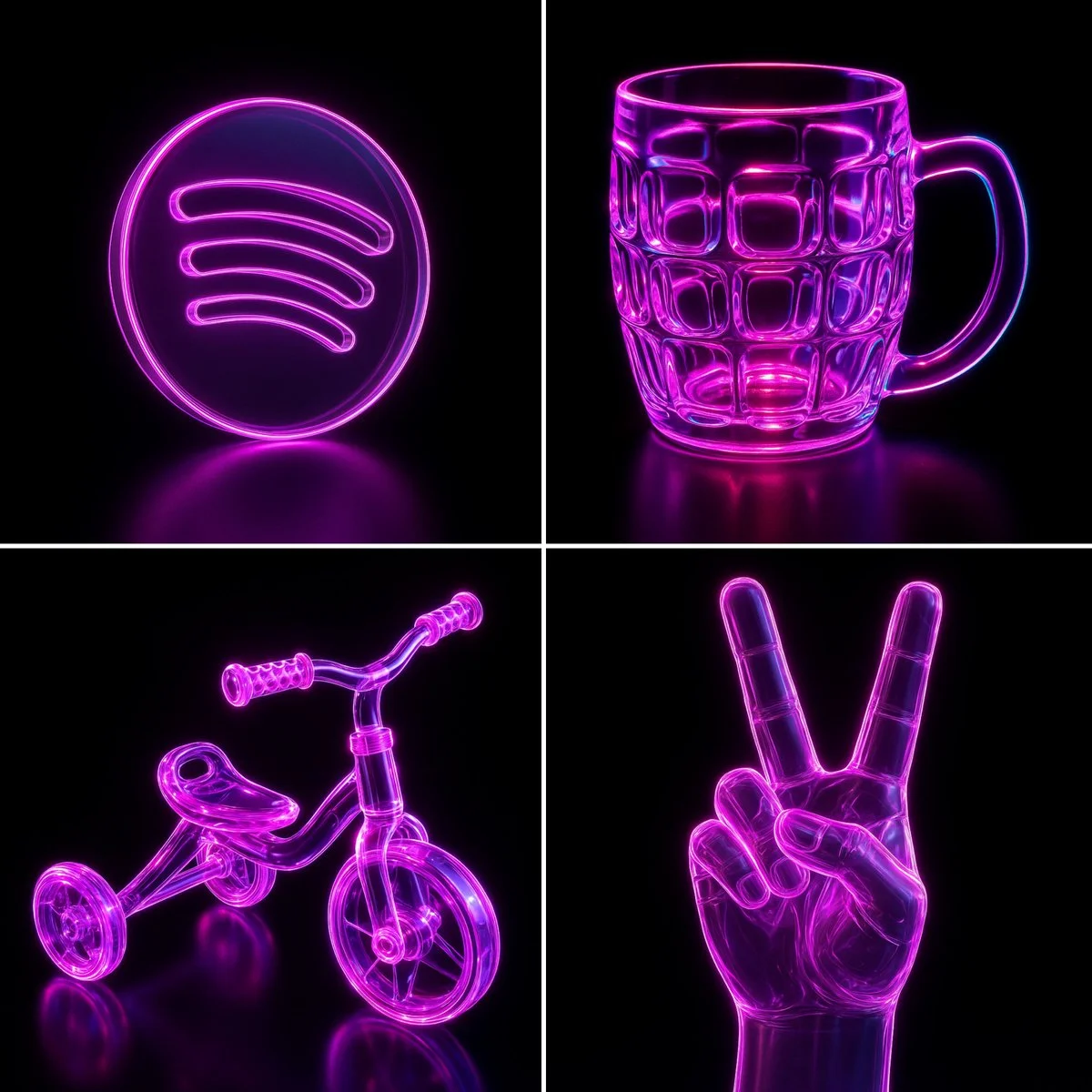
Recreate this image using the parameters from the JSON provided. { "name": "Neon Glass Glow", "style": { "material": { "type": "glass", "transparency": 0.92, "reflectivity": 1.0, "refractionIndex": 1.6, "color": "#ff00ff", "emission": { "color": "#ff66ff", "intensity": 0.8 }, "surfaceFinish": "glossy", "bloom": true, "detail": "high" }, "outline": { "enabled": true, "color": "#ffccff", "width": 1.8 }, "lighting": { "type": "studio", "keyLightColor": "#ffffff", "keyLightIntensity": 1.0, "fillLightColor": "#9900ff", "fillLightIntensity": 0.7, "rimLightColor": "#00ffff", "rimLightIntensity": 0.7, "shadows": "crisp" }, "background": { "type": "solid", "color": "#000000" }, "render": { "shadows": true, "antiAliasing": true, "superSampling": "4x", "resolution": "high", "depthOfField": { "enabled": true, "focusDistance": 0.8, "blurAmount": 0.1 } } } }
Recreate this image using the parameters from the JSON provided. { "name": "Neon Glass Glow", "style": { "material": { "type": "glass", "transparency": 0.92, "reflectivity": 1.0, "refractionIndex": 1.6, "color": "#ff00ff", "emission": { "color": "#ff66ff", "intensity": 0.8 }, "surfaceFinish": "glossy", "bloom": true, "detail": "high" }, "outline": { "enabled": true, "color": "#ffccff", "width": 1.8 }, "lighting": { "type": "studio", "keyLightColor": "#ffffff", "keyLightIntensity": 1.0, "fillLightColor": "#9900ff", "fillLightIntensity": 0.7, "rimLightColor": "#00ffff", "rimLightIntensity": 0.7, "shadows": "crisp" }, "background": { "type": "solid", "color": "#000000" }, "render": { "shadows": true, "antiAliasing": true, "superSampling": "4x", "resolution": "high", "depthOfField": { "enabled": true, "focusDistance": 0.8, "blurAmount": 0.1 } } } }
Prompt đã xác minh
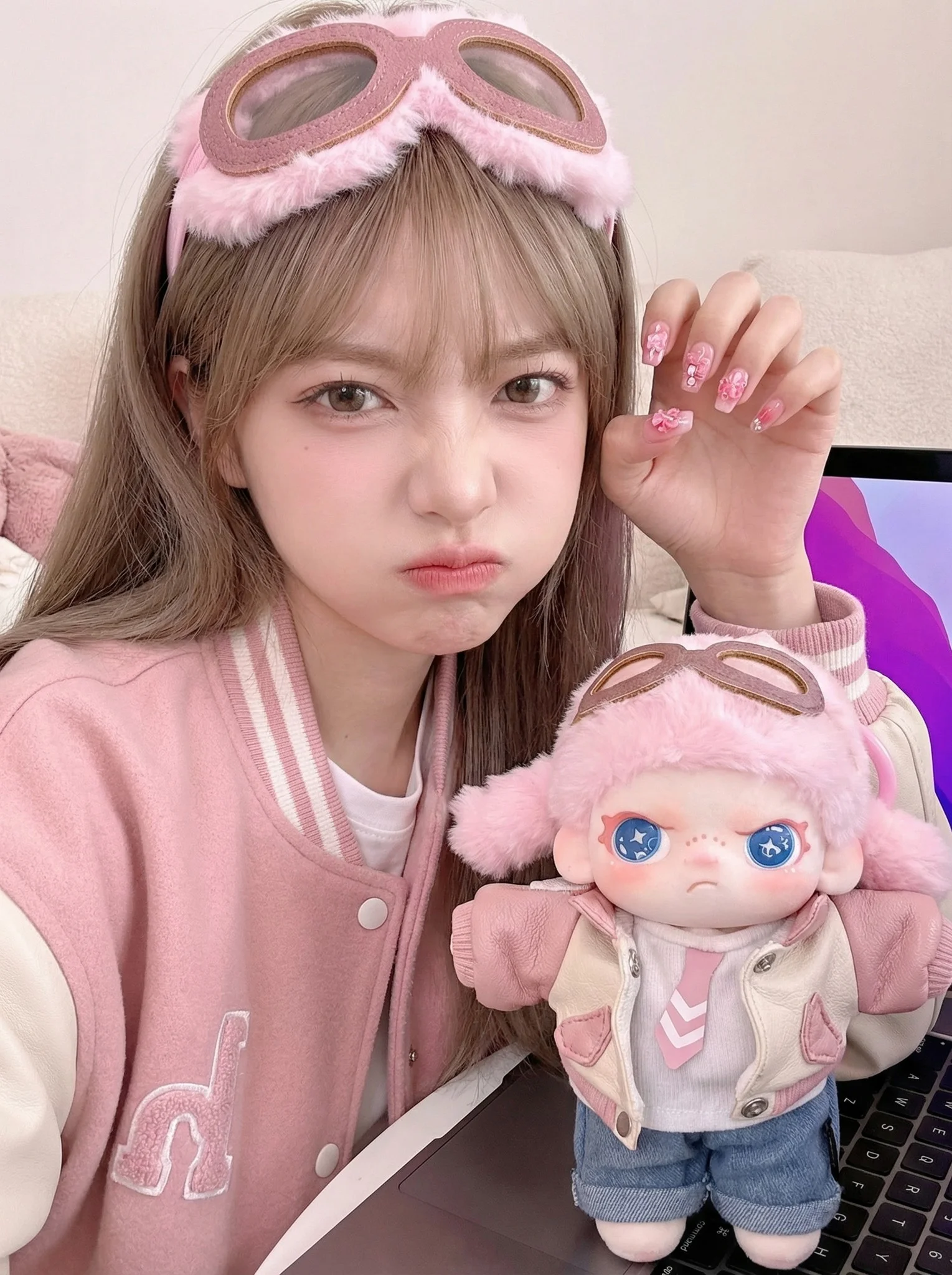
A side-by-side twinning portrait where the human subject consciously mimics the appearance and mood of the uploaded doll reference. A young woman styling herself to match the uploaded doll. She wears a life-sized version of the doll's outfit (specifically a pink varsity jacket and pink fuzzy goggles on her head). She is making an exaggerated pouty face, puffing out her cheeks and slightly furrowing her brows to perfectly copy the doll's petulant expression. Selfie-style close-up composition. The human subject occupies the left 60%, the doll occupies the lower right 30%. Blurred domestic setting, soft hint of a laptop screen with purple/blue glow behind the doll. 35mm equivalent lens. f/2.0 aperture. Deep depth of field to ensure both the human's mimicked expression and the doll's face are in focus. Eye-level, slightly high angle typical of selfies. Soft High-Key Lighting. Flattering, shadowless facial lighting. Millennial Pink, Soft Gold, Periwinkle Blue, Cream color palette. Fujifilm Classic Negative film simulation. Bratty-cute (Tsundere), whimsical, Gen-Z cutecore, playful mimicry vibe.
A side-by-side twinning portrait where the human subject consciously mimics the appearance and mood of the uploaded doll reference. A young woman styling herself to match the uploaded doll. She wears a life-sized version of the doll's outfit (specifically a pink varsity jacket and pink fuzzy goggles on her head). She is making an exaggerated pouty face, puffing out her cheeks and slightly furrowing her brows to perfectly copy the doll's petulant expression. Selfie-style close-up composition. The human subject occupies the left 60%, the doll occupies the lower right 30%. Blurred domestic setting, soft hint of a laptop screen with purple/blue glow behind the doll. 35mm equivalent lens. f/2.0 aperture. Deep depth of field to ensure both the human's mimicked expression and the doll's face are in focus. Eye-level, slightly high angle typical of selfies. Soft High-Key Lighting. Flattering, shadowless facial lighting. Millennial Pink, Soft Gold, Periwinkle Blue, Cream color palette. Fujifilm Classic Negative film simulation. Bratty-cute (Tsundere), whimsical, Gen-Z cutecore, playful mimicry vibe.
Prompt đã xác minh
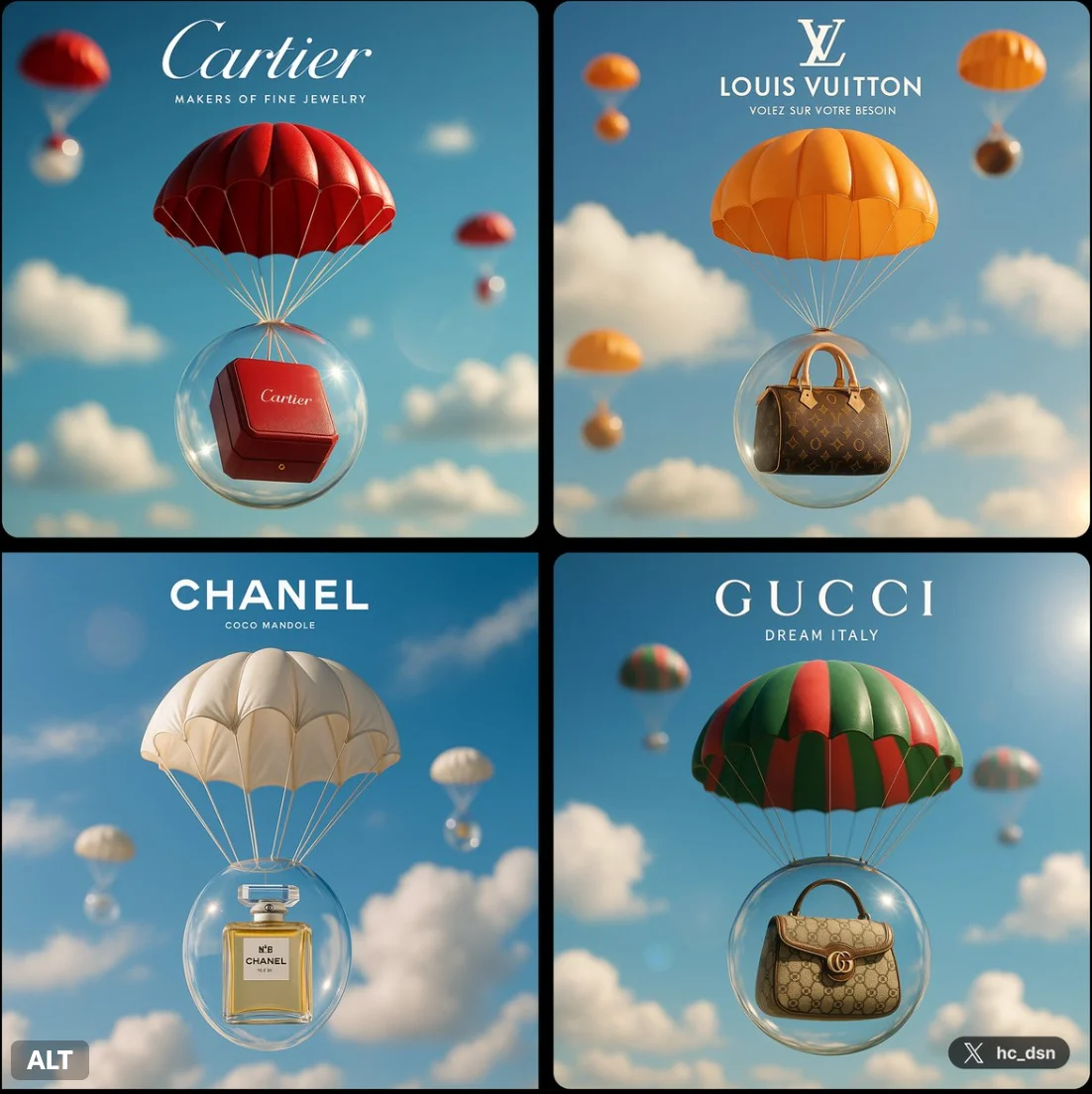
Create a image with 1:1 ratio a dreamy brand ad of [Brand], a brand designed bubble-like capsule with brand color parachute packaging their classic product, against blue sky and other blurry parachute packaging, white cloud, a small brand logo on top, a tiny slogan beneath it, cinematic day lighting, lens flare, dof, hdr
Create a image with 1:1 ratio a dreamy brand ad of [Brand], a brand designed bubble-like capsule with brand color parachute packaging their classic product, against blue sky and other blurry parachute packaging, white cloud, a small brand logo on top, a tiny slogan beneath it, cinematic day lighting, lens flare, dof, hdr
Prompt đã xác minh
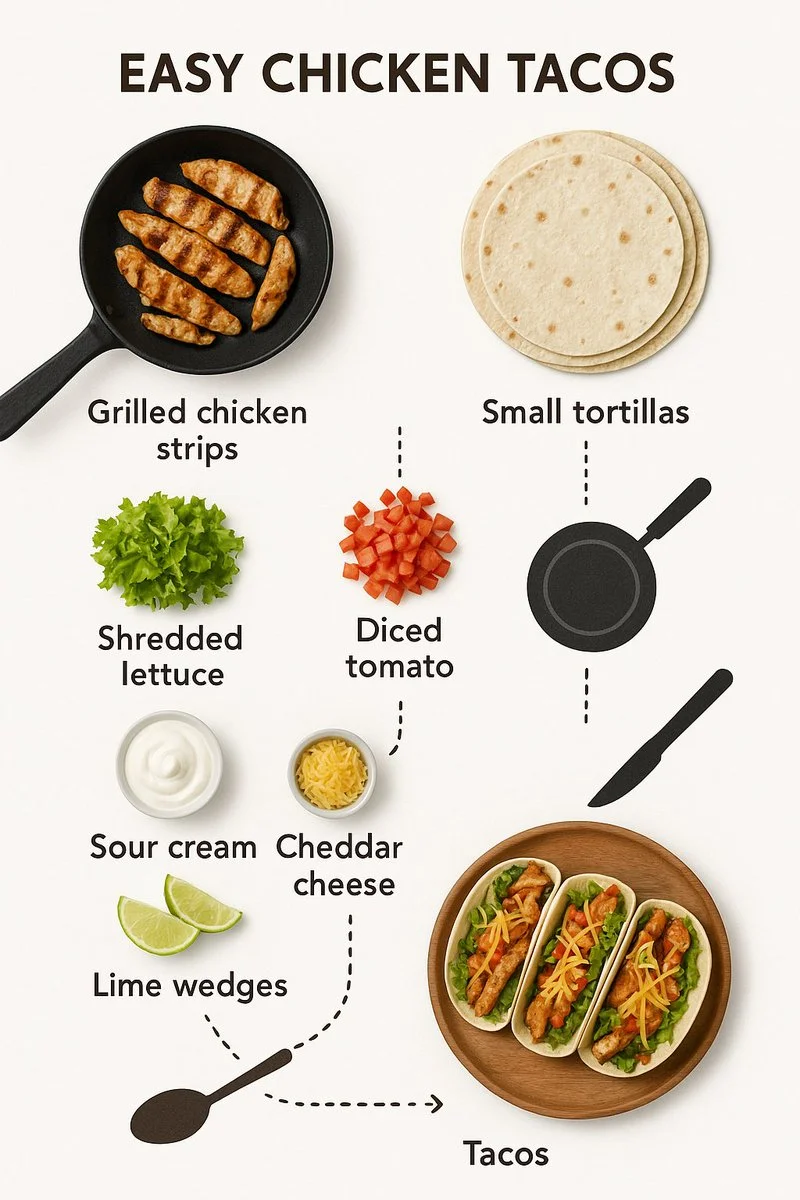
Create step-by-step recipe infographic for creamy garlic mushroom pasta, top-down view, minimal style on white background, ingredient photos labeled: "200g spaghetti", "150g mushrooms", "3 garlic cloves", "200ml cream", "1 tbsp olive oil", "parmesan", "parsley", dotted lines showing process steps with icons (boiling pot, sauté pan, mixing), final plated pasta shot at the bottom
Create step-by-step recipe infographic for creamy garlic mushroom pasta, top-down view, minimal style on white background, ingredient photos labeled: "200g spaghetti", "150g mushrooms", "3 garlic cloves", "200ml cream", "1 tbsp olive oil", "parmesan", "parsley", dotted lines showing process steps with icons (boiling pot, sauté pan, mixing), final plated pasta shot at the bottom
Hơn Trình tạo hình ảnh AI
Khám phá bộ sưu tập các trình tạo hình ảnh AI chuyên dụng của chúng tôi được thiết kế cho các nhu cầu và phong cách sáng tạo khác nhau


Giải phóng sự sáng tạo với trình tạo hình ảnh Grok
Trình tạo hình ảnh Grok ai mạnh mẽ và công cụ tưởng tượng Grok dành cho người sáng tạo.
Nhanh chóng biến lời nhắc văn bản thành hình ảnh Grok chất lượng cao bằng trình tạo hình ảnh Grok tối ưu. Cho dù bạn muốn chỉnh sửa hình ảnh hiện có bằng hướng dẫn bằng ngôn ngữ tự nhiên hay sử dụng hình ảnh tham chiếu để kiểm soát kiểu, chủ đề và hướng cảnh, trình tạo ảnh Grok ai này đều cung cấp chính xác những gì bạn cần. Nhận hình ảnh sẵn sàng tải xuống cho quảng cáo, bài đăng trên mạng xã hội, mô hình và sử dụng quảng cáo trong vài giây. Trải nghiệm trình tạo hình ảnh Grok trực tuyến trực quan nhất hiện nay.
Hãy thử trình tạo hình ảnh Grok
Cách sử dụng trình tạo hình ảnh Grok
Làm chủ trình tạo hình ảnh Grok ai cực kỳ đơn giản. Bạn không cần phần mềm phức tạp để biến ý tưởng của mình thành hiện thực. Nền tảng tưởng tượng Grok của chúng tôi được thiết kế để mang lại hiệu quả, giúp bạn biến những suy nghĩ trừu tượng thành nội dung hình ảnh cụ thể. Là trình tạo ảnh Grok ai hàng đầu, trình tạo hình ảnh Grok hợp lý hóa quy trình làm việc của bạn. Hãy làm theo ba bước đơn giản sau để sử dụng trình tạo văn bản thành hình ảnh Grok và trình tạo hình ảnh tham chiếu Grok một cách hiệu quả.

Nhập lời nhắc hoặc tải lên tài liệu tham khảo
Bắt đầu bằng cách nhập mô tả văn bản rõ ràng vào trình tạo hình ảnh Grok. Bạn có thể mô tả chủ đề, bối cảnh, ánh sáng và tâm trạng. Ngoài ra, hãy tải hình ảnh hiện có lên trình tạo hình ảnh Grok ai để sử dụng làm cơ sở. Khi bạn tải lên một tài liệu tham khảo, hệ thống tưởng tượng Grok sẽ sử dụng nó để kiểm soát phong cách, chủ đề, giao diện sản phẩm hoặc bố cục cảnh, đảm bảo trình tạo ảnh Grok ai phù hợp với tầm nhìn của bạn.

Nhấp vào tạo
Khi lời nhắc hoặc tài liệu tham khảo của bạn đã sẵn sàng, hãy để trình tạo hình ảnh Grok thực hiện công việc. Trình tạo hình ảnh Grok ai sẽ xử lý nhanh chóng các hướng dẫn bằng ngôn ngữ tự nhiên của bạn. Cho dù bạn đang tạo từ đầu bằng trình tạo hình ảnh Grok Imagine hay chỉnh sửa ảnh đã tải lên bằng AI chỉnh sửa hình ảnh Grok, hệ thống sẽ nhanh chóng tạo ra nhiều biến thể chất lượng cao. Trình tạo hình ảnh Grok ai này đảm bảo kết quả nhanh chóng mà không cần chỉnh sửa thủ công.

Tải xuống
Xem lại hình ảnh được tạo bởi trình tạo hình ảnh Grok. Chọn các biến thể yêu thích của bạn từ trình tạo hình ảnh Grok ai và lưu chúng ngay lập tức. Nền tảng tưởng tượng Grok cung cấp đầu ra rõ ràng, có độ phân giải cao. Mọi hình ảnh từ trình tạo ảnh Grok ai này đều sẵn sàng để sử dụng ngay. Bạn nhận được hình ảnh sẵn sàng tải xuống để tiếp thị, nội dung cá nhân, bản nháp thiết kế và thử nghiệm thương hiệu ngay từ trình tạo ảnh Grok.
Các tính năng cốt lõi của trình tạo hình ảnh Grok
Trình tạo hình ảnh Grok cung cấp một bộ khả năng mạnh mẽ cho mọi nhu cầu về hình ảnh của bạn. Cho dù bạn là nhà tiếp thị cần trình tạo hình ảnh Grok cho quảng cáo hay nhà thiết kế sử dụng trình tạo hình ảnh Grok cho mô hình sản phẩm, trình tạo hình ảnh Grok ai đều cung cấp khả năng kiểm soát chính xác. Khám phá cách trình tạo hình ảnh Grok và trình tạo ảnh Grok ai có thể chuyển đổi quy trình làm việc của bạn bằng cách tạo văn bản thành hình ảnh, chỉnh sửa ngôn ngữ tự nhiên và đầu ra hình ảnh đáng tin cậy.

Tạo văn bản thành hình ảnh
cáctrình tạo hình ảnh Grokvượt trội trong việc biến lời nhắc văn bản thành hình ảnh thực tế, cách điệu hoặc sáng tạo một cách nhanh chóng.
- Sử dụngTrình tạo hình ảnh Grok aiđể tạo ngay hình ảnh mới từ lời nhắc văn bản mà không cần kỹ năng thiết kế phức tạp.
- cácthật khó tưởng tượngcông cụ diễn giải các khái niệm của bạn một cách chính xác, hoạt động như một công cụ đáng tin cậyGrok tạo văn bản thành hình ảnh.
- Tạo hình ảnh rõ ràng, chất lượng cao cho hoạt động tiếp thị, bản phác thảo thiết kế và nội dung cá nhân vớimáy tạo ảnh Grok ai.
- Dựa vào điều nàyTrình tạo lời nhắc hình ảnh Grokđể biến những ý tưởng sáng tạo thành hiện thực chỉ bằng cách nhập nội dung bạn muốn xem.

Chỉnh sửa hình ảnh bằng ngôn ngữ tự nhiên
Ngoài sự sáng tạo,trình tạo hình ảnh Groklà một công cụ mạnh mẽ để sửa đổi hình ảnh hiện có.
- Trải nghiệm chỉnh sửa liền mạch bằng cách tải hình ảnh lên và sử dụngTrình tạo hình ảnh Grok aiđể thực hiện các thay đổi thông qua các hướng dẫn ngôn ngữ tự nhiên đơn giản.
- cácthật khó tưởng tượngnền tảng hoạt động như một nền tảng phức tạpbiên tập hình ảnh Grok ai, cho phép bạn điều chỉnh màu sắc, thay thế đối tượng hoặc thay đổi hình nền một cách dễ dàng.
- Sử dụngchỉnh sửa hình ảnh Grok aiđể tinh chỉnh các chi tiết mà không cần phần mềm chỉnh sửa nâng cao hoặc kỹ năng chỉnh sửa thủ công.
- Cái nàymáy tạo ảnh Grok aigiúp bạn dễ dàng lặp lại nội dung trực quan của mình bằng cách chỉ cần cho AI biết những gì cần khắc phục.

Kiểm soát hình ảnh tham khảo
Kiểm soát đầu ra hình ảnh của bạn bằng cách sử dụngtrình tạo hình ảnh Grok với hình ảnh tham chiếu.
- cácTrình tạo hình ảnh Grok aicho phép bạn tải lên các hình ảnh tham khảo để hướng dẫn chủ đề, phong cách, màu sắc, chi tiết sản phẩm và hướng cảnh.
- Vớithật khó tưởng tượng, bạn không phó thác mọi việc cho may rủi; cáitrình tạo hình ảnh tham chiếu Grokgiảm thiểu tính ngẫu nhiên.
- Đảm bảo tính nhất quán của thương hiệu bằng cách cho phépmáy tạo ảnh Grok aiphù hợp với thẩm mỹ chính xác của tài liệu tham khảo được cung cấp của bạn.
- Hoàn hảo để duy trì vẻ ngoài gắn kết khi sử dụngTrình tạo hình ảnh Grok cho hình ảnh tiếp thị.

Nhiều biến thể sáng tạo
Khám phá các hướng trực quan đa dạng một cách nhanh chóng vớitrình tạo hình ảnh Grok.
- cácTrình tạo hình ảnh Grok aicó thể tạo nhiều ý tưởng hình ảnh nhanh hơn mà không cần kỹ năng thiết kế thủ công.
- sử dụngthật khó tưởng tượngđể tạo nhiều biến thể hình ảnh cho quảng cáo, bài đăng trên mạng xã hội, mô hình sản phẩm, hình thu nhỏ và thử nghiệm trực quan.
- cácmáy tạo ảnh Grok aicung cấp cho bạn nhiều lựa chọn khác nhau, khiến nó trở thành lựa chọn lý tưởngTrình tạo hình ảnh Grok cho phương tiện truyền thông xã hội.
- So sánh các phong cách và bố cục khác nhau ngay lập tức để tìm ra phong cách phù hợp nhất cho dự án của bạn bằng cách sử dụng tính năng nàyGrok Hãy tưởng tượng ai tạo hình ảnh.
Tại sao chọn trình tạo hình ảnh Grok?
Người dùng trên tất cả các ngành chọn trình tạo hình ảnh Grok vì nó giải quyết được những thách thức thực sự về nội dung hình ảnh. Trình tạo hình ảnh Grok ai được xây dựng để đảm bảo tốc độ, dễ sử dụng và ứng dụng thực tế. Nếu bạn cần một công cụ tưởng tượng Grok ưu tiên tiện ích hơn độ phức tạp thì trình tạo ảnh Grok AI này là câu trả lời cho bạn. Đây là lý do tại sao trình tạo hình ảnh Grok lại nổi bật khi sử dụng hàng ngày.

Bỏ qua phần mềm phức tạp
Người dùng không muốn mất hàng giờ để học phần mềm thiết kế phức tạp. cáctrình tạo hình ảnh Grokcho phép tạo hình ảnh nhanh chóng mà không cần chỉnh sửa thủ công, phần mềm chỉnh sửa phức tạp hoặc kỹ năng thiết kế nâng cao. Chỉ cần sử dụngtrình tạo hình ảnh Grok ai trực tuyếnđể có được những gì bạn cần.

Biến ý tưởng thành hình ảnh
Bạn cần biến những ý tưởng trừu tượng thành những hình ảnh trực quan có thể sử dụng được chứ không chỉ là những nguồn cảm hứng mơ hồ. cácthật khó tưởng tượnghệ thống vượt trội trong việc biến lời nhắc văn bản thành hình ảnh thực tế, cách điệu hoặc sáng tạo một cách nhanh chóng, khiến nó trở thành hàng đầuTrình tạo hình ảnh Grok cho ý tưởng sáng tạo.

Giảm tính ngẫu nhiên
Khi tạo hình ảnh, điều khiển là chìa khóa. Bằng cách sử dụngtrình tạo hình ảnh Grok với hình ảnh tham chiếu, bạn có thể hướng dẫn chủ đề, phong cách, giao diện sản phẩm và bố cục cảnh. Điều này làm giảm tính ngẫu nhiên thường thấy ở các công cụ khác và làm chomáy tạo ảnh Grok airất đáng tin cậy.

Được xây dựng cho Tiếp thị & Xã hội
Bạn cần nhiều biến thể nhanh chóng. cáctrình tạo hình ảnh Grokhoàn hảo để tạo mô hình sản phẩm, hình ảnh truyền thông xã hội, quảng cáo, hình thu nhỏ, áp phích và tài liệu tham khảo sáng tạo. Đây là nơi nên đếntrình tạo hình ảnh Grok cho quảng cáovà các chiến dịch truyền thông xã hội.

Chỉnh sửa ngôn ngữ tự nhiên dễ dàng
Thay vì xóa và vẽ thủ công, người dùng muốn chỉnh sửa bằng văn bản. Bên trongtrình tạo hình ảnh Grok, cáiTrình tạo hình ảnh Grok aicho phép chỉnh sửa hình ảnh đã tải lên với các hướng dẫn bằng ngôn ngữ tự nhiên đơn giản, giúpchỉnh sửa hình ảnh Grok aicó tính năng tiết kiệm thời gian lớn cho bất cứ ai.

Lặp lại trực quan nhanh chóng
Ngừng ngày chờ đợi cho bản thảo thiết kế. cáctrình tạo hình ảnh Grokcho phép bạn tạo nhiều ý tưởng hình ảnh nhanh hơn mà không cần kỹ năng thiết kế thủ công. Sử dụngTrình tạo hình ảnh Grok aiđể kiểm tra hướng dẫn trực quan và tìm ra sự kết hợp hoàn hảo cho dự án của bạn trong vài phút.
Người dùng nói gì về trình tạo hình ảnh Grok
Trình tạo hình ảnh Grok đã thay đổi hoàn toàn cách tôi chuẩn bị tài liệu tiếp thị. Tôi có thể nhanh chóng biến lời nhắc trong văn bản của mình thành hình ảnh thực tế cho các chiến dịch của mình. Thật tuyệt vời khi trình tạo hình ảnh Grok ai cho phép tôi sử dụng các hình ảnh tham chiếu để giữ cho phong cách thương hiệu của chúng tôi nhất quán. Nó là công cụ tạo hình ảnh hấp dẫn nhất cho hình ảnh tiếp thị mà tôi đã sử dụng.

Câu hỏi thường gặp về trình tạo hình ảnh Grok
Tìm câu trả lời nhanh về cách sử dụng trình tạo hình ảnh Grok ai, khả năng chỉnh sửa và cách tận dụng tối đa các tính năng của Grok Imagine. Tìm hiểu mọi thứ bạn cần biết về trình tạo ảnh Grok ai.
Trình tạo hình ảnh Grok là một công cụ mạnh mẽ cho phép bạn nhanh chóng biến lời nhắc văn bản thành hình ảnh chất lượng cao. Nó hoạt động như một trình tạo ảnh Grok ai toàn diện để tạo và chỉnh sửa nội dung trực quan một cách dễ dàng.
Có, Grok Imagine đề cập đến khả năng tạo hình ảnh hỗ trợ trình tạo hình ảnh Grok. Cả hai thuật ngữ đều mô tả cùng một công cụ tạo hình ảnh Grok ai mạnh mẽ được sử dụng để tạo và chỉnh sửa ảnh.
Để sử dụng trình tạo hình ảnh Grok ai trực tuyến, chỉ cần mở trình tạo hình ảnh Grok và nhập lời nhắc văn bản mô tả những gì bạn muốn xem hoặc tải lên hình ảnh tham chiếu. Nhấp vào tạo và hệ thống tưởng tượng Grok sẽ nhanh chóng tạo ra hình ảnh của bạn.
Có, trình tạo hình ảnh Grok vượt trội trong việc chỉnh sửa hình ảnh bằng ngôn ngữ tự nhiên. Bạn có thể tải hình ảnh lên và cho trình chỉnh sửa hình ảnh Grok ai biết những gì cần thay đổi, chẳng hạn như thay đổi màu sắc hoặc thay thế đối tượng bằng cách sử dụng văn bản đơn giản.
Chắc chắn rồi. Bạn có thể sử dụng trình tạo hình ảnh Grok với các hình ảnh tham chiếu để định hướng rõ ràng về chủ đề, phong cách, giao diện sản phẩm và bố cục cảnh. Điều này giúp trình tạo ảnh Grok ai phù hợp với nhu cầu hình ảnh chính xác của bạn.
Bạn có thể sử dụng trình tạo hình ảnh Grok để có những ý tưởng sáng tạo, tạo ra mọi thứ từ ảnh thực tế đến tác phẩm nghệ thuật cách điệu. Công cụ tưởng tượng Grok rất linh hoạt để tạo ra các khái niệm trực quan đa dạng một cách nhanh chóng.
Có, trình tạo hình ảnh Grok cho quảng cáo và mạng xã hội có hiệu quả cao. Trình tạo hình ảnh Grok ai được thiết kế để nhanh chóng tạo mô hình sản phẩm, quảng cáo và hình thu nhỏ sẵn sàng xuất bản.
Có, mọi đầu ra từ trình tạo ảnh Grok ai đều cung cấp hình ảnh rõ ràng, chất lượng cao. Trình tạo hình ảnh Grok đảm bảo bạn luôn có được hình ảnh sẵn sàng tải xuống để tiếp thị, bản nháp thiết kế và nội dung cá nhân.
You can request a refund within 10 days of purchase if you have unused credits from that purchase and provide a clear reason, subject to our Refund Policy. If eligible, an unused purchase can be fully refunded; a partly used purchase is refunded in proportion to its remaining unused credits. Fully used purchases and free or promotional credits are not refundable.
Credit validity depends on the pack, subscription or promotion that issued them. Review the purchase terms and expiration dates in Settings > Credits. A renewal or new purchase does not extend older credits. Use credits before their stated expiration; do not assume unused subscription credits roll over indefinitely.
Credits charged for a task that is confirmed as failed due to a system error are returned automatically. A task that is still processing has not yet been confirmed as failed. Check its status and your credit history before submitting again. If a confirmed failure still shows an unresolved charge, email support@aisocialmediapostgenerators.com with the task ID.
AI results can vary, so a completed result that differs from your expectations is not automatically treated as a technical failure. Eligible completed image tasks can be submitted for credit refund review using the refund option where available; approval is required. For a video or another issue, contact support@aisocialmediapostgenerators.com with the task ID and details. A credit refund returns credits, not money to your payment method.
Email support@aisocialmediapostgenerators.com. For billing, include your account email and order ID; for generation, include the task ID, issue description and relevant screenshots. If you purchased as a guest, keep the original browser data and payment receipt so we can help locate the purchase.
Bắt đầu tạo bằng trình tạo hình ảnh Grok
Bạn đã sẵn sàng biến lời nhắc văn bản của mình thành hình ảnh Grok chất lượng cao một cách nhanh chóng chưa? Cho dù bạn muốn chỉnh sửa hình ảnh hiện có bằng hướng dẫn bằng ngôn ngữ tự nhiên, sử dụng hình ảnh tham chiếu để kiểm soát phong cách và hướng cảnh hay tải hình ảnh sẵn sàng tải xuống cho quảng cáo, bài đăng trên mạng xã hội và mô hình, thì trình tạo hình ảnh Grok ai luôn sẵn sàng dành cho bạn. Hãy thử tưởng tượng Grok ngay hôm nay và xem cách trình tạo ảnh Grok ai có thể đơn giản hóa quá trình sáng tạo của bạn.