
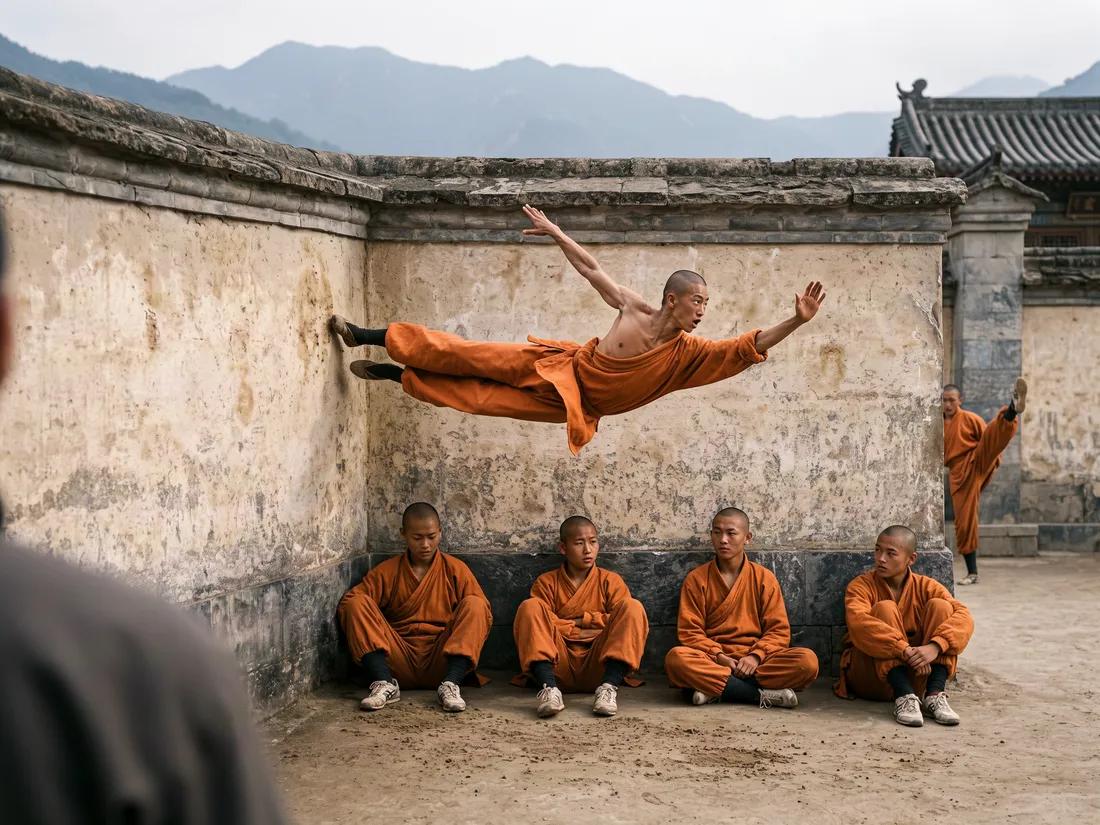
Verified prompt
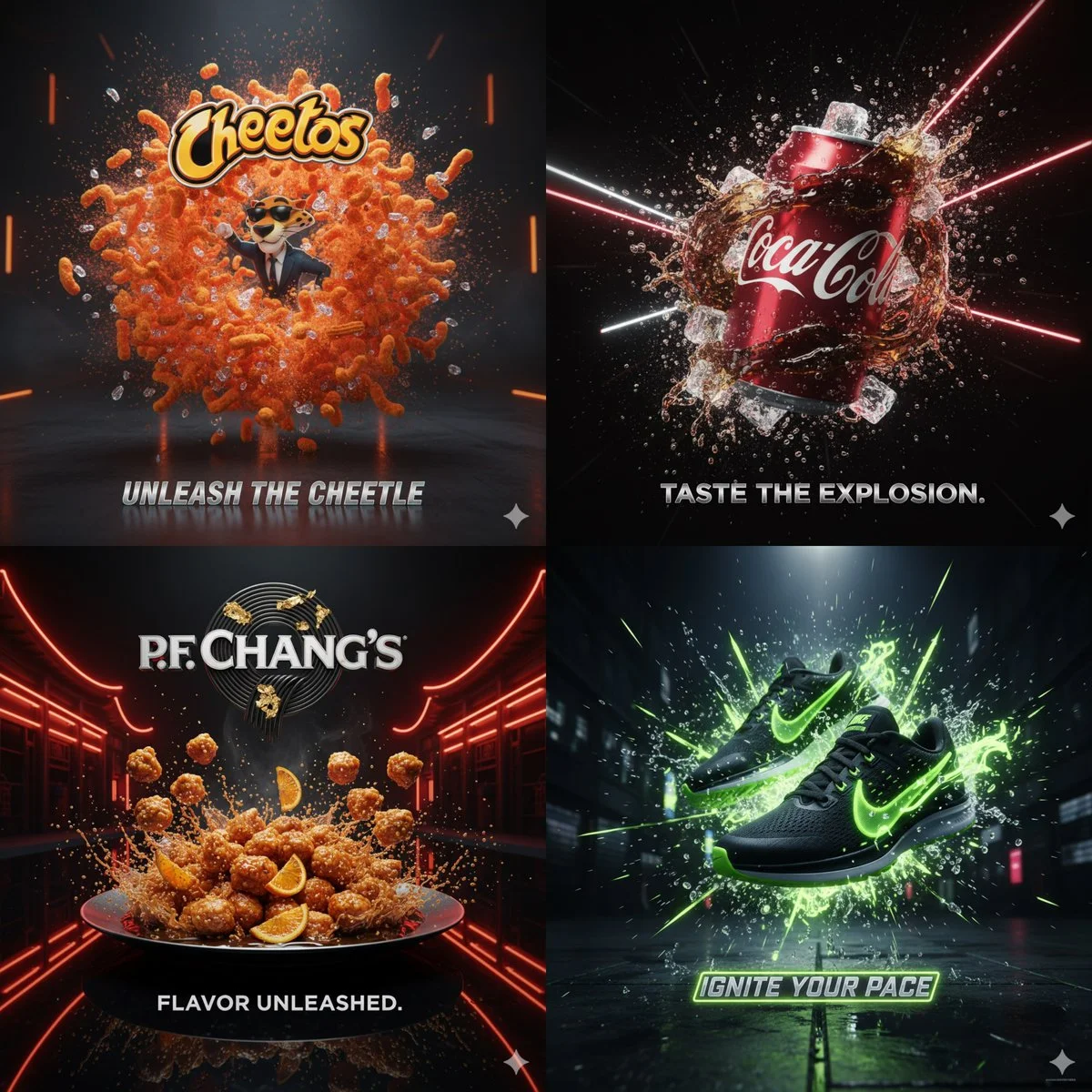
Verified prompt
Cinematic 3D action-packed advertisement of [PRODUCT], captured in a dramatic mid-motion scene that embodies its core energy. Use bold studio lighting with intense highlights and deep shadows, dynamic particles, and slow-motion effects to amplify impact. The environment should feel surreal yet hyperrealistic, designed to reflect the product’s personality (crunchy, energetic, fast, luxurious, refreshing, etc.). Integrate the brand logo crafted from product elements if possible, and place a sleek creative slogan beneath it that matches the mood. Composition in 1:1 aspect ratio, hyper-detailed, sharp, bold, and designed to go viral.
Cinematic 3D action-packed advertisement of [PRODUCT], captured in a dramatic mid-motion scene that embodies its core energy. Use bold studio lighting with intense highlights and deep shadows, dynamic particles, and slow-motion effects to amplify impact. The environment should feel surreal yet hyperrealistic, designed to reflect the product’s personality (crunchy, energetic, fast, luxurious, refreshing, etc.). Integrate the brand logo crafted from product elements if possible, and place a sleek creative slogan beneath it that matches the mood. Composition in 1:1 aspect ratio, hyper-detailed, sharp, bold, and designed to go viral.
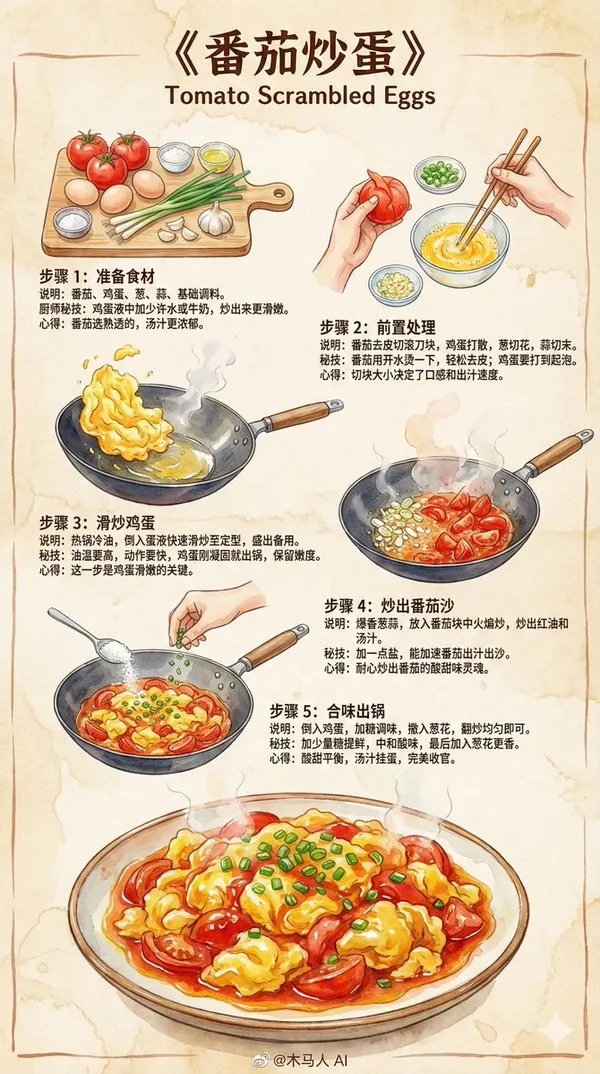
Verified prompt
te a 9:16 vertical "Scrambled Eggs with Tomatoes" hand-drawn style instructional recipe infographic. Overall style requirements: • Professional chef-written recipe for home cooks • Z-shaped layout flow (top-left → top-right → bottom-left) for smooth reading • Colored marker sketch style with delicate ink outlines • Using 2025 mainstream illustration color schemes and brush strokes • Beige paper texture background, warm, rustic, and inviting • Illustrations must make viewers "want to cook immediately" Content structure (Universal) 1. Top Title (Eye-catching) "Scrambled Eggs with Tomatoes" 2. Step Sections (Z-layout, 3-5 steps) Each step includes: • Hand-drawn step illustration (colored markers + ink outlines) • Brief visual instructions • Chef's secret techniques • Tips or insights Step Template (Universal, can be auto-filled by model) Step 1: Prepare Ingredients (Auto-generate relevant ingredients based on dish name) Illustration: Neatly arranged main ingredients and seasonings. Instructions: List and prepare basic materials for the dish. Secret technique: How to enhance flavor or texture. Tip: Provide simple experience or reminder. Step 2: Seasoning / Marinating / Pre-preparation Illustration: Mixing sauce, marinating, or preparing main ingredients in small bowls or on cutting board. Instructions: Demonstrate key foundational steps. Secret technique: Ratios, small tricks, failure prevention points. Tip: Lighthearted style suggestions. Step 3: Stir-frying / Key Cooking Steps Illustration: Cooking scene in wok with soft watercolor steam effects. Instructions: High heat, low heat, sequence, important actions. Secret technique: Maintaining heat control, timing, aroma enhancement methods. Tip: Emphasize the soul of the dish. Step 4: Combining Flavors / Final Cooking Steps Illustration: Adding sauce, seasoning, mixing ingredients scene. Instructions: Final reduction, proper seasoning. Secret technique: Glazing oil, texture or aroma preservation tricks. Tip: This step determines success. Step 5: Garnishing / Finishing Steps Illustration: Sprinking herbs, adding nuts, plating actions. Instructions: Final flavor adjustments or presentation. Secret technique: Maintaining crispness, preventing overcooking techniques. Tip: Description of final flavor profile. Bottom Final Illustration • An exquisite, visually appealing portion of "Scrambled Eggs with Tomatoes" • Strong watercolor texture, glossy, tender, appetizing • Makes readers want to cook immediately Bottom Center Signature @Wooden Horse AI
te a 9:16 vertical "Scrambled Eggs with Tomatoes" hand-drawn style instructional recipe infographic. Overall style requirements: • Professional chef-written recipe for home cooks • Z-shaped layout flow (top-left → top-right → bottom-left) for smooth reading • Colored marker sketch style with delicate ink outlines • Using 2025 mainstream illustration color schemes and brush strokes • Beige paper texture background, warm, rustic, and inviting • Illustrations must make viewers "want to cook immediately" Content structure (Universal) 1. Top Title (Eye-catching) "Scrambled Eggs with Tomatoes" 2. Step Sections (Z-layout, 3-5 steps) Each step includes: • Hand-drawn step illustration (colored markers + ink outlines) • Brief visual instructions • Chef's secret techniques • Tips or insights Step Template (Universal, can be auto-filled by model) Step 1: Prepare Ingredients (Auto-generate relevant ingredients based on dish name) Illustration: Neatly arranged main ingredients and seasonings. Instructions: List and prepare basic materials for the dish. Secret technique: How to enhance flavor or texture. Tip: Provide simple experience or reminder. Step 2: Seasoning / Marinating / Pre-preparation Illustration: Mixing sauce, marinating, or preparing main ingredients in small bowls or on cutting board. Instructions: Demonstrate key foundational steps. Secret technique: Ratios, small tricks, failure prevention points. Tip: Lighthearted style suggestions. Step 3: Stir-frying / Key Cooking Steps Illustration: Cooking scene in wok with soft watercolor steam effects. Instructions: High heat, low heat, sequence, important actions. Secret technique: Maintaining heat control, timing, aroma enhancement methods. Tip: Emphasize the soul of the dish. Step 4: Combining Flavors / Final Cooking Steps Illustration: Adding sauce, seasoning, mixing ingredients scene. Instructions: Final reduction, proper seasoning. Secret technique: Glazing oil, texture or aroma preservation tricks. Tip: This step determines success. Step 5: Garnishing / Finishing Steps Illustration: Sprinking herbs, adding nuts, plating actions. Instructions: Final flavor adjustments or presentation. Secret technique: Maintaining crispness, preventing overcooking techniques. Tip: Description of final flavor profile. Bottom Final Illustration • An exquisite, visually appealing portion of "Scrambled Eggs with Tomatoes" • Strong watercolor texture, glossy, tender, appetizing • Makes readers want to cook immediately Bottom Center Signature @Wooden Horse AI
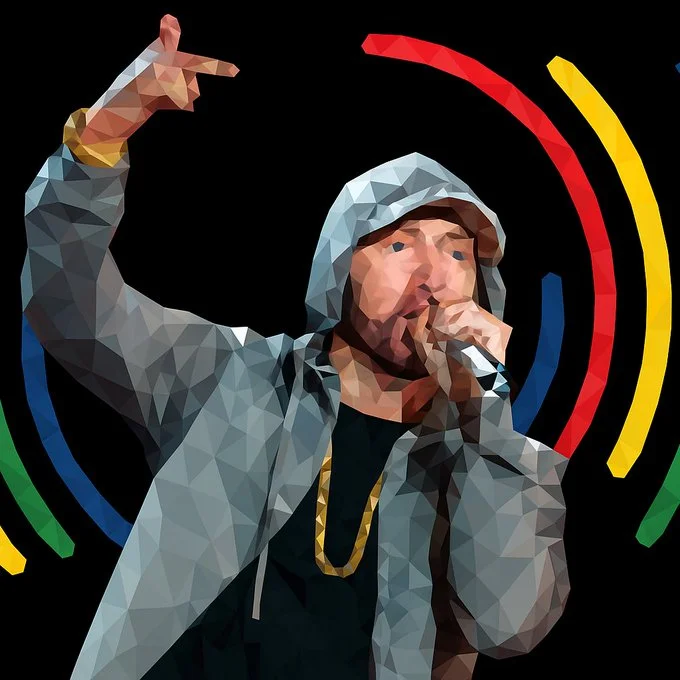
Verified prompt
Transform this image into a refined low-poly mosaic style. Preserve the original structure and recognizable details, especially facial features and contours. Use small, high-density polygons to maintain clarity and identity while creating a crystalline, faceted look. Keep the original color palette for a harmonious and natural aesthetic. Avoid altering or adding new elements.
Transform this image into a refined low-poly mosaic style. Preserve the original structure and recognizable details, especially facial features and contours. Use small, high-density polygons to maintain clarity and identity while creating a crystalline, faceted look. Keep the original color palette for a harmonious and natural aesthetic. Avoid altering or adding new elements.
Verified prompt
Verified prompt
Verified prompt
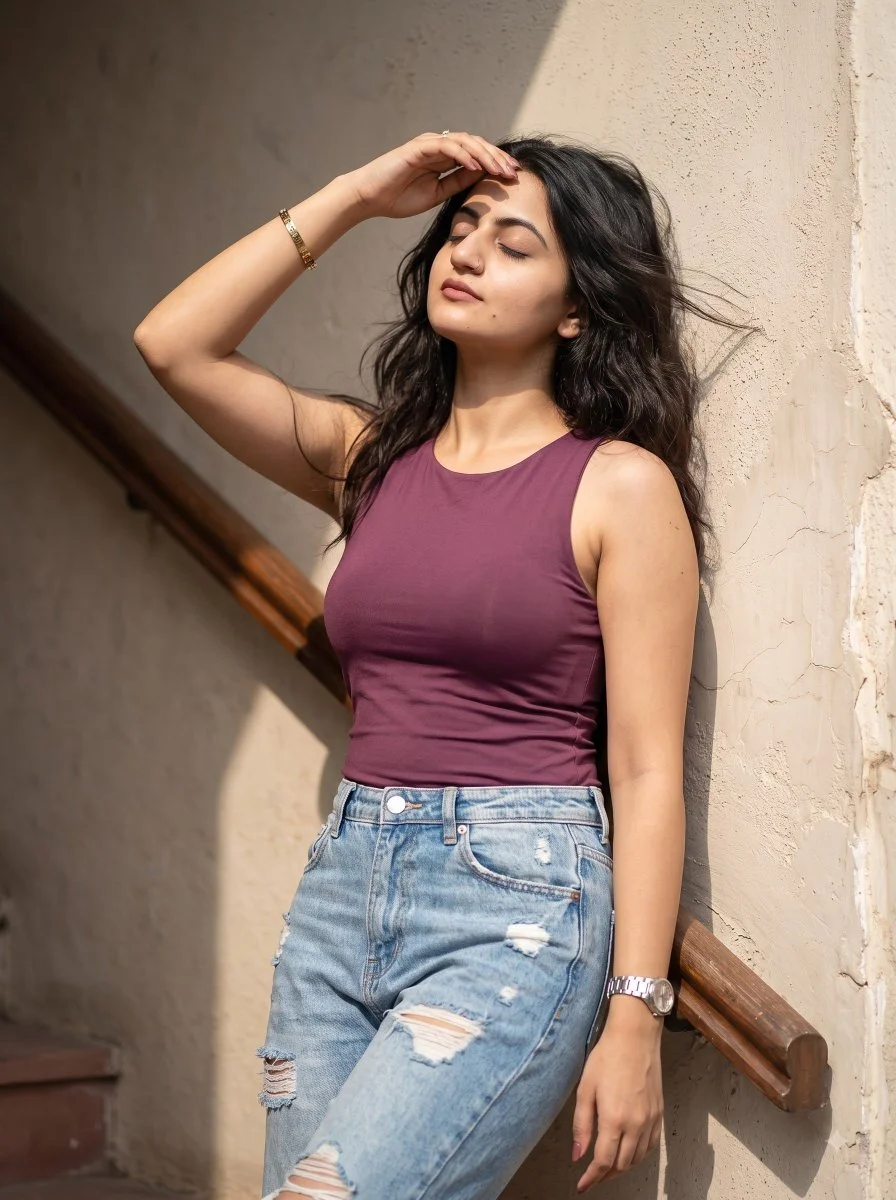
Create a relaxed vertical portrait of an adult woman standing in a sunlit stairwell. Dress her in a simple plum sleeveless top and lightly distressed pale blue jeans. Let her lean against a warm plaster wall and lift one hand toward her forehead as if shading her eyes. Use a peaceful expression and naturally moving dark hair. Include a wooden handrail receding behind her. Frame from the thighs upward and use bright side light with believable shadows, subtle skin texture and an informal everyday-photography feel.
Create a relaxed vertical portrait of an adult woman standing in a sunlit stairwell. Dress her in a simple plum sleeveless top and lightly distressed pale blue jeans. Let her lean against a warm plaster wall and lift one hand toward her forehead as if shading her eyes. Use a peaceful expression and naturally moving dark hair. Include a wooden handrail receding behind her. Frame from the thighs upward and use bright side light with believable shadows, subtle skin texture and an informal everyday-photography feel.
Verified prompt
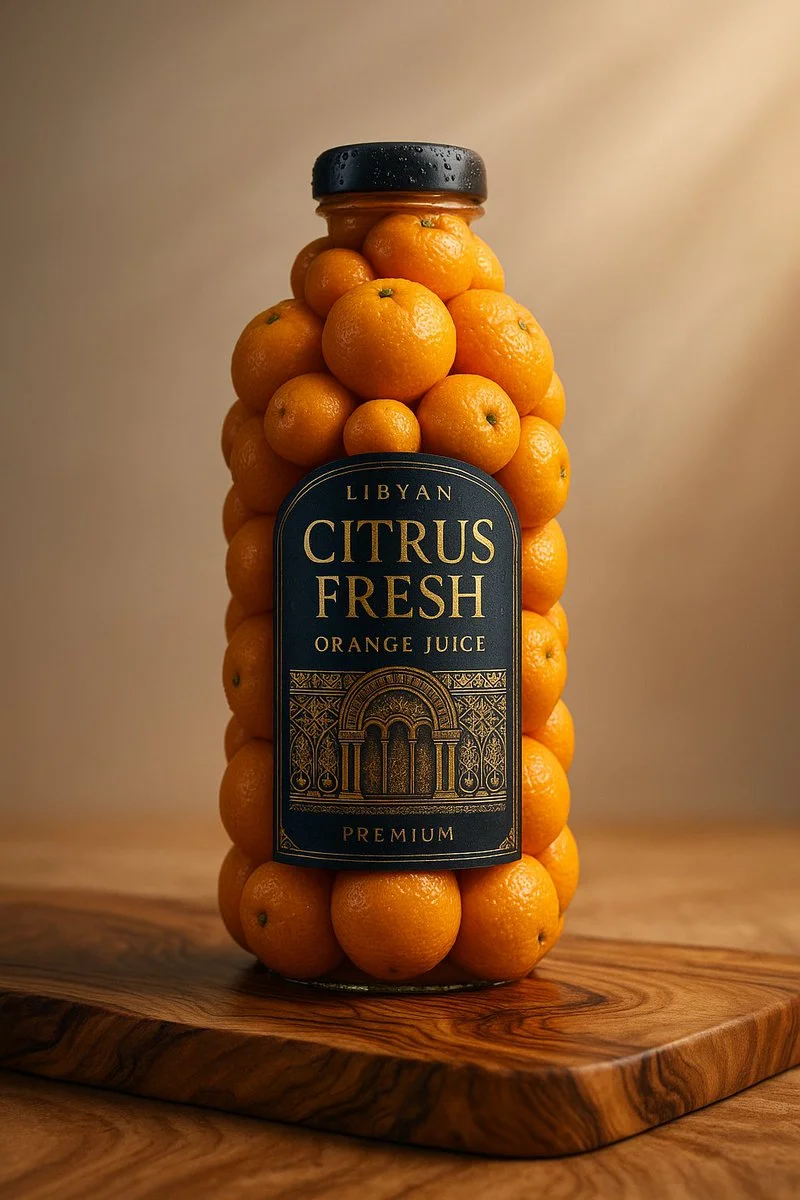
A realistic product photo of a [brand name] [bottle or jar] sculpted entirely from fresh [ingredient name], arranged perfectly to form the shape of the original packaging, including a detailed and accurate label on the front. The background is a clean, soft light gray with a natural wooden surface. Studio lighting, soft shadows, 1:1 square composition, professional product photography style, ultra-detailed textures, vibrant and glossy finish
A realistic product photo of a [brand name] [bottle or jar] sculpted entirely from fresh [ingredient name], arranged perfectly to form the shape of the original packaging, including a detailed and accurate label on the front. The background is a clean, soft light gray with a natural wooden surface. Studio lighting, soft shadows, 1:1 square composition, professional product photography style, ultra-detailed textures, vibrant and glossy finish
Verified prompt
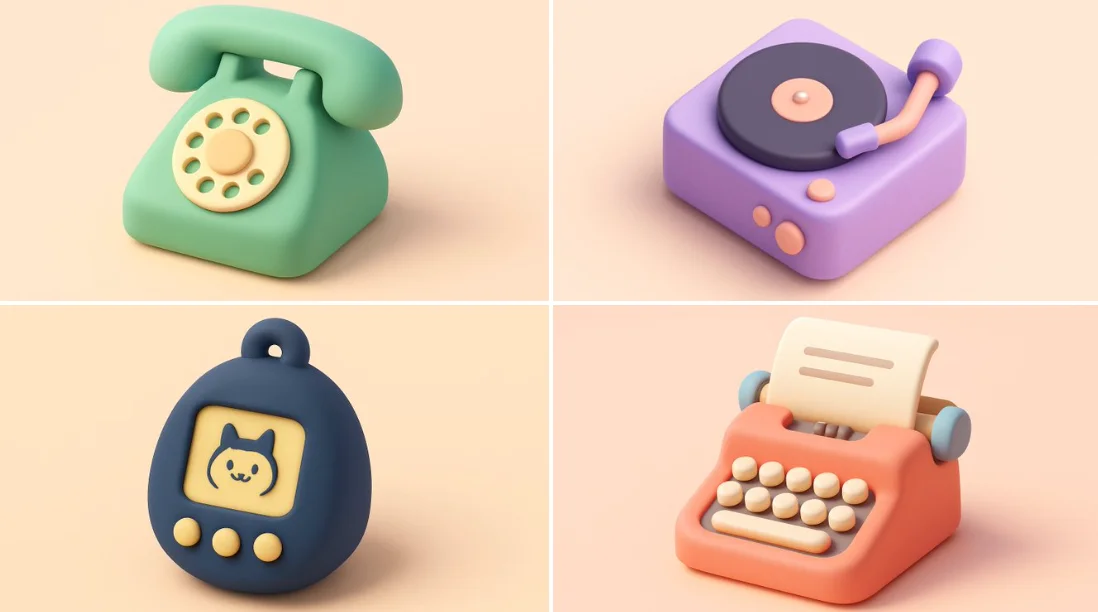
Tiny cute isometric [smiling - optional] [OBJECT] emoji, shape, soft lighting, soft pastel colors, [COLOR], 3d icon clay render, blender 3d, pastel background
Tiny cute isometric [smiling - optional] [OBJECT] emoji, shape, soft lighting, soft pastel colors, [COLOR], 3d icon clay render, blender 3d, pastel background
Verified prompt
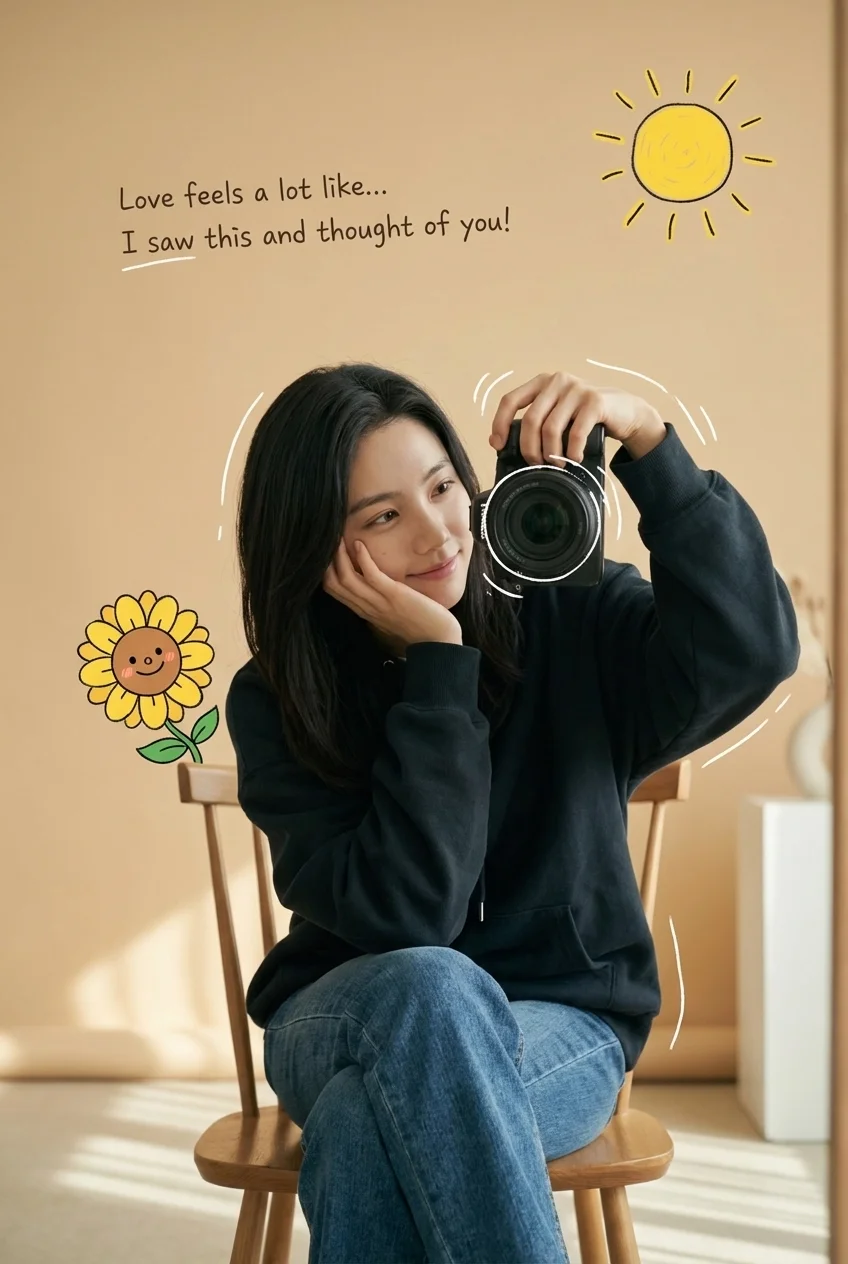
cription] Aesthetic cozy mirror selfie of a young woman sitting casually on a chair, wearing a dark oversized hoodie and blue jeans. She holds a professional camera in one hand while resting her face gently on the other with a soft, dreamy smile. The background is warm beige with soft studio lighting and a minimal modern interior. Cute cartoon-style doodles float around her, including a smiling sunflower character, a hand-drawn yellow sun, and playful white sketch lines around the camera. A handwritten romantic quote appears on the wall: 'Love feels a lot like… I saw this and thought of you!'. The overall style mixes photorealism with illustrated sticker overlays, creating a cozy, romantic Instagram aesthetic.. [Style] Tones: soft warm tones, cozy romantic vibe. Lighting: soft studio lighting, warm and diffused. Aesthetic: Instagram aesthetic with cinematic depth of field. Texture: natural skin texture, ultra-detailed. [Visual Elements] Subject: [Gender] female. [Pose] sitting casually on a chair, taking a mirror selfie. [Clothing] dark oversized hoodie and blue jeans. [Expression] soft dreamy smile.. Environment: [Background] warm beige indoor setting, minimal modern interior. [Lighting] soft warm shadows.. Overlays: cute smiling sunflower doodle, hand-drawn yellow sun, white sketch lines around the camera, handwritten romantic quote on the wall. [Quality] Resolution: 4K ultra-detailed. Render: photorealistic with illustrated sticker overlay. [Format] Ratio: 3:4.
cription] Aesthetic cozy mirror selfie of a young woman sitting casually on a chair, wearing a dark oversized hoodie and blue jeans. She holds a professional camera in one hand while resting her face gently on the other with a soft, dreamy smile. The background is warm beige with soft studio lighting and a minimal modern interior. Cute cartoon-style doodles float around her, including a smiling sunflower character, a hand-drawn yellow sun, and playful white sketch lines around the camera. A handwritten romantic quote appears on the wall: 'Love feels a lot like… I saw this and thought of you!'. The overall style mixes photorealism with illustrated sticker overlays, creating a cozy, romantic Instagram aesthetic.. [Style] Tones: soft warm tones, cozy romantic vibe. Lighting: soft studio lighting, warm and diffused. Aesthetic: Instagram aesthetic with cinematic depth of field. Texture: natural skin texture, ultra-detailed. [Visual Elements] Subject: [Gender] female. [Pose] sitting casually on a chair, taking a mirror selfie. [Clothing] dark oversized hoodie and blue jeans. [Expression] soft dreamy smile.. Environment: [Background] warm beige indoor setting, minimal modern interior. [Lighting] soft warm shadows.. Overlays: cute smiling sunflower doodle, hand-drawn yellow sun, white sketch lines around the camera, handwritten romantic quote on the wall. [Quality] Resolution: 4K ultra-detailed. Render: photorealistic with illustrated sticker overlay. [Format] Ratio: 3:4.
Verified prompt
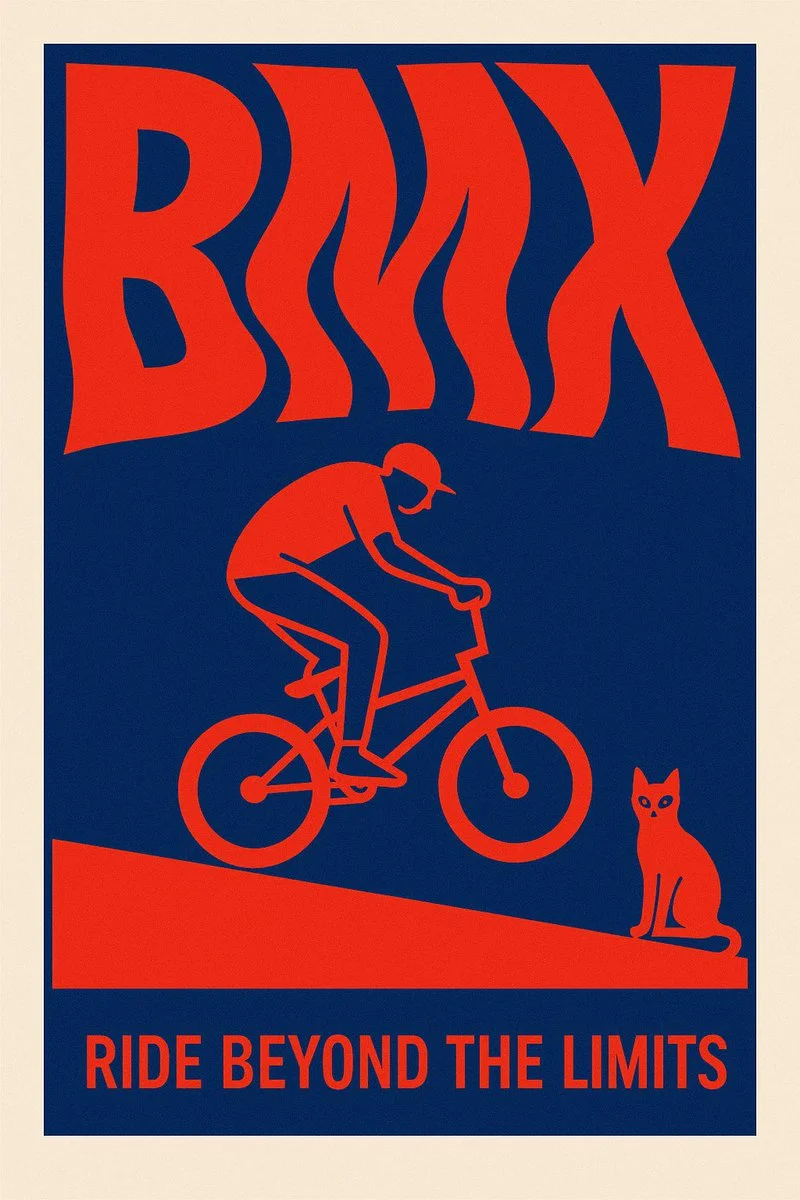
Create a surreal 2D poster design based on the word “[KEYWORD]” — the layout should be dominated by kinetic typography where the word is visually shaped or distorted to reflect its meaning — integrate a symbolic flat minimal illustration that reinforces the concept — the style must be inspired by risograph print: only 2 bold contrasting colors (no gradients) — include a poetic, short quote that resonates emotionally with the keyword — background must be clean and minimal — composition must be vertical, with strong visual impact and artistic balance — the overall tone should feel cinematic, surreal, and graphic — ultra-sharp, high-resolution, no clutter
Create a surreal 2D poster design based on the word “[KEYWORD]” — the layout should be dominated by kinetic typography where the word is visually shaped or distorted to reflect its meaning — integrate a symbolic flat minimal illustration that reinforces the concept — the style must be inspired by risograph print: only 2 bold contrasting colors (no gradients) — include a poetic, short quote that resonates emotionally with the keyword — background must be clean and minimal — composition must be vertical, with strong visual impact and artistic balance — the overall tone should feel cinematic, surreal, and graphic — ultra-sharp, high-resolution, no clutter
Verified prompt
More AI Image Generators
Explore our collection of specialized AI image generators designed for different creative needs and styles


Ultimate AI Image Generator: Text to Image, Life to Art!
Create AI Images from Text or Reference Images
Turn your ideas into breathtaking visuals with AI Image Generator and powerful AI Image Generator. Whether you're designing for personal projects or professional use, our Text to Image technology empowers you to create stunning, high-quality images in just a few clicks. No ads, no watermarks—just pure creativity from our leading AI Image Maker.
Start CreatingAI Image Generation from Text and References
Create images from text or use a reference image to guide the result. Choose a model and review the available settings before generating.
Advanced AI Image Generation & Customization
Describe your subject, setting, lighting, and style. Adjust the available size and quality settings, then review the credit cost before generating.
Describe Your Visual Style
Describe the medium, colors, lighting and mood you want. Compare the generated image with your idea, then adjust the wording to explore a different visual direction.
Refine Your Prompt
Review the generated composition, then revise your prompt to change specific details. Choose the available model settings and check the credit quote before creating another version.
Review and Download Results
Open completed results in History, inspect important details and download the image you want to use. Keep your prompt and settings so you can compare later versions.
Keep Your Prompt and Result Together
Write a prompt, choose a model, and review your results in History. Refine your description to explore a different composition or style.
User-Centric Design
A straightforward workspace for turning written ideas into images.
Why Choose AI Image Generator?

Explore Styles Through Your Prompt
Explore photographic, illustrated or abstract looks by describing the style in your prompt. Results vary by model and request; review each image before using it.
Describe the look you want, then refine your prompt as you compare results.
Versatile AI Image Generator for Every Creator's Vision
Create visual concepts for design, marketing, education, and personal projects. Start with text or a reference image and explore different approaches.


For Architects and Designers
Explore architectural concepts, materials, and lighting from a written description. Use the results to discuss visual direction and develop your design.

For E-Commerce Professionals
Explore product settings and campaign imagery. Check generated details against the real product before using an image in a listing or ad.

For Content Publishers
Create illustrations for articles and social posts. Describe your subject, composition, and brand colors to guide the result.

For Event Planners
Explore themes for invitations, promotional graphics, and venue concepts. Compare visual directions before producing final event materials.
4 Simple Steps to Create & Enhance Images with AI Image Generator
Add Your Input
Write a description, or select image-to-image mode and upload a reference. Include the details that matter most to your composition.
Customize Your Options
Choose a model and adjust its available size and quality settings. Check the required credits before generating.
Generate and Refine
Select Generate Image and follow the task in History. Review the result, then revise your prompt to create another version.
Export, Share, or Transform
Download a completed image from History and add it to your project. You can also use it as a reference on the video page.
Empowering Creativity Across Industries with AI Image Generator
Explore visual ideas for illustrations, marketing materials, presentations, and game concepts.
Digital Art & Illustration
Create illustrations and explore artistic styles from a text description. Adjust the subject, composition, and lighting to develop your idea.
Marketing & E-Commerce Visuals
Create visual concepts for ads, product showcases, and social posts. Review the result and adapt it to your campaign.
Educational Content & Presentations
Create custom illustrations for presentations and teaching materials. Use clear visual examples to explain an idea, and check generated details for accuracy.
Game Development
Explore character, environment, and prop concepts. Describe a consistent style to guide your visual direction.
Image Workflow Tips
Describe the subject, setting and composition clearly before adding style details.
Frequently Asked Questions about AI Image Generator
An AI image generator creates images from written descriptions or reference images. Your chosen model and settings determine the available output options.
Text-to-image models use your written description to generate a visual interpretation. Specific details about the subject, composition, and lighting can help guide the result.
Compare available models, adjust their supported settings, and keep completed images in History for review and download.
Write the medium, palette, lighting and composition in your prompt. There is no one-click style effect control on this page.
Revise your text prompt and generate another version, or use a supported reference image in image-to-image mode. This page does not provide object erasing, canvas expansion or photo restoration controls.
Yes! With AI Image Generator, images from the premium plan come with full commercial rights for your Text to Image creations.
Check your available credits without signing up. Each generation shows its credit cost before you submit it. Visit Pricing for subscription options.
You can start with a plain-language description. Add details about the subject, setting, lighting, and style as you refine your idea.
You can request a refund within 10 days of purchase if you have unused credits from that purchase and provide a clear reason, subject to our Refund Policy. If eligible, an unused purchase can be fully refunded; a partly used purchase is refunded in proportion to its remaining unused credits. Fully used purchases and free or promotional credits are not refundable.
Credit validity depends on the pack, subscription or promotion that issued them. Review the purchase terms and expiration dates in Settings > Credits. A renewal or new purchase does not extend older credits. Use credits before their stated expiration; do not assume unused subscription credits roll over indefinitely.
Credits charged for a task that is confirmed as failed due to a system error are returned automatically. A task that is still processing has not yet been confirmed as failed. Check its status and your credit history before submitting again. If a confirmed failure still shows an unresolved charge, email support@aisocialmediapostgenerators.com with the task ID.
AI results can vary, so a completed result that differs from your expectations is not automatically treated as a technical failure. Eligible completed image tasks can be submitted for credit refund review using the refund option where available; approval is required. For a video or another issue, contact support@aisocialmediapostgenerators.com with the task ID and details. A credit refund returns credits, not money to your payment method.
Email support@aisocialmediapostgenerators.com. For billing, include your account email and order ID; for generation, include the task ID, issue description and relevant screenshots. If you purchased as a guest, keep the original browser data and payment receipt so we can help locate the purchase.
Unleash Your Full Creative Potential with AI Image Generator
Create an image from a text description or supported reference. Review the model settings, check the credit quote and download completed results from History.