🚀 Create your next AI video — bring your ideas to life.
Bring Your Creative Visions to Life with Grok Image Generator
The ultimate AI photo generator to turn text prompts into high-quality, download-ready visuals.
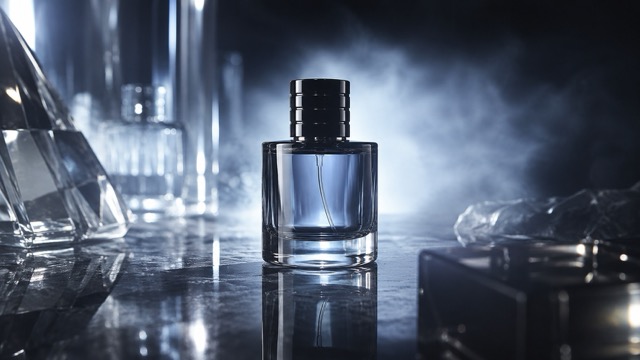
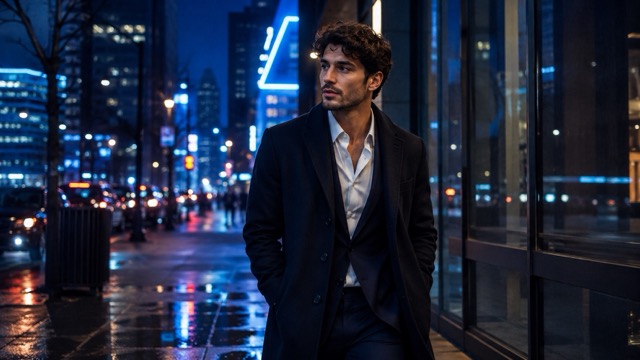
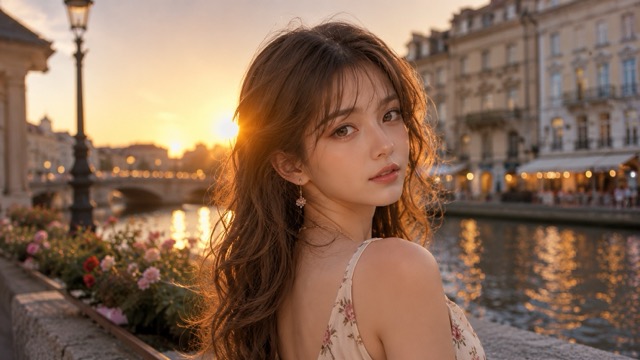
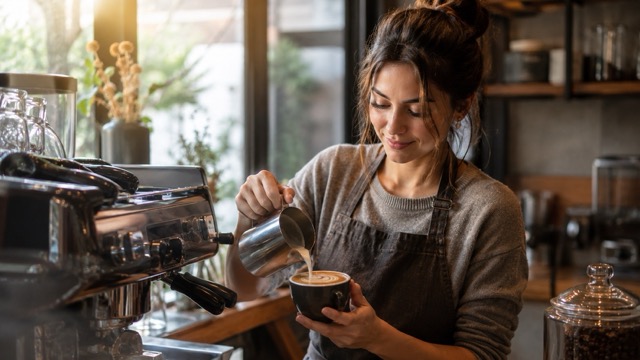
Unlock the full potential of the grok image generator. Effortlessly move from text-to-image creation to natural-language image editing. Maintain perfect consistency with reference image control, explore multiple creative variations, and export download-ready visual outputs for all your ads, social media, and product mockups.
Preview fast text-to-image creation capabilities
Explore how natural-language image editing works
See the power of reference image control
Preview fast text-to-image creation capabilities
Explore how natural-language image editing works
See the power of reference image control
1 / 12
Still Figure in a Moving CrowdVerified prompt
Create a high-fashion editorial image of an adult woman standing still in the center of a bright minimal space while people walk past around her. Dress the main figure in a tailored black outfit and keep her face, posture and clothing sharply focused. Render the passing figures as soft directional motion blur without obscuring the central subject. Use a calm expression, natural light and a pale neutral background. Keep the composition vertical and uncluttered, emphasizing the contrast between a still, clearly defined person and the movement of the surrounding crowd.
Create a high-fashion editorial image of an adult woman standing still in the center of a bright minimal space while people walk past around her. Dress the main figure in a tailored black outfit and keep her face, posture and clothing sharply focused. Render the passing figures as soft directional motion blur without obscuring the central subject. Use a calm expression, natural light and a pale neutral background. Keep the composition vertical and uncluttered, emphasizing the contrast between a still, clearly defined person and the movement of the surrounding crowd.
9:16 · SOURCE
Dreamy Vaporwave DistortionVerified prompt
[SUBJECT] rendered in Dreamlike Vaporwave Distortion, with soft pastels and surreal effects. Employ a nostalgic color palette of [COLOR1] and [COLOR2] to evoke a sense of longing and ethereal beauty
[SUBJECT] rendered in Dreamlike Vaporwave Distortion, with soft pastels and surreal effects. Employ a nostalgic color palette of [COLOR1] and [COLOR2] to evoke a sense of longing and ethereal beauty
16:9 · SOURCE
Woman in CorridorVerified prompt
{
"scene": {
"environment": {
"location_type": "modern gallery hallway",
"left_wall": "black-and-white optical swirl mural, matte finish",
"right_wall": "framed monochrome manga panels with sparse Japanese onomatopoeia",
"floor": "light gray polished tile with 2x2 m matte gray vinyl sheet under subject to kill reflections",
"depth": "short corridor depth with subtle falloff",
"clutter": "none"
},
"time": "indoors, artificial light",
"mood": "cool, composed, slightly mysterious",
"color_palette": "neutral-cool grays, olive top, desaturated denim blues"
},
"subject": {
"type": "human",
"gender": "female",
"approx_age": "early 20s",
"appearance": {
"skin_tone": "fair-light with neutral undertone",
"hair": "jet-black, very long, straight, center part; clean specular sheen",
"face": "oval face, soft makeup, subtle gloss on lips, light eyeliner and mascara",
"earrings": "large silver hoop earrings"
},
"wardrobe": {
"top": "fitted olive/khaki ribbed tank with small rhinestone cross motifs (check glue before shoot)",
"bottom": "high-waisted distressed denim shorts with heavy frayed hem and beige repair patches (tape rear hem flat)",
"footwear": "out_of_frame"
},
"pose": {
"stance": "leans back and slightly left with head resting against mural wall",
"torso": "relaxed, angled 10–15° to camera",
"arms_hands": "right arm behind torso/out_of_frame, left arm relaxed by side",
"expression": "calm, neutral-to-soft gaze past camera",
"chin": "slightly down; head tilt toward left shoulder"
}
},
"framing_composition": {
"shot_type": "mid-thigh portrait (three-quarter length)",
"orientation": "vertical",
"framing": "subject placed on left third; right third shows manga panels",
"leading_lines": "doorframe/panel edges vertical; swirl mural adds texture without overpowering subject",
"background_separation": "subtle; background softly defocused but still readable"
},
"camera": {
"sensor": "full-frame mirrorless",
"lens": {
"focal_length_mm": 50,
"type": "prime",
"character": "neutral rendering, low distortion"
},
"settings": {
"aperture": "f/3.2",
"shutter_speed": "1/250",
"iso": 400,
"white_balance": "custom grey-card @ 4600 K",
"focus": "eye-AF + 3-frame focus bracket (±1 cm)",
"stabilisation": "IBIS on"
},
"perspective": "camera at chest level; minimal keystoning; maintain straight verticals"
},
"lighting": {
"key": "broad, soft overhead/ceiling panel light",
"fill": "60×60 cm white bounce 30 cm below bust line, ~1.3 stops under key",
"rim": "narrow 1×2 ft strip-light behind subject camera-right, ½ stop over key",
"quality": "soft, diffuse; no hard shadows",
"exposure_target": "skin at ~65 IRE; rhinestones clipped < 90 IRE",
"specular_control": "micro-specular on hair; avoid plastic skin sheen"
},
"rendering_intent": {
"photorealism": "high",
"texture": "retain fabric weave, denim fray strands, hair strands",
"background_text_policy": "allow only existing manga panel text; do not invent extra signage or captions"
},
"post_processing": {
"color_grade": "neutral-cool base with gentle contrast curve; slight cyan in shadows, warm bias on skin",
"tone_curve": "soft S-curve (lift shadows +3, compress highlights -5)",
"clarity_texture": "clarity -5 on skin via masked adjustment; texture +5 on denim/frayed hem only (separate mask)",
"noise_reduction": "luma 10, chroma 15",
"sharpening": "amount 40, radius 0.7, detail 25, masking 60 (protect background)",
"vignette": "subtle -0.1 EV centre-weighted",
"geometry": "verticals upright; crop 4:5 with space above head and right-side manga visible",
}
{
"scene": {
"environment": {
"location_type": "modern gallery hallway",
"left_wall": "black-and-white optical swirl mural, matte finish",
"right_wall": "framed monochrome manga panels with sparse Japanese onomatopoeia",
"floor": "light gray polished tile with 2x2 m matte gray vinyl sheet under subject to kill reflections",
"depth": "short corridor depth with subtle falloff",
"clutter": "none"
},
"time": "indoors, artificial light",
"mood": "cool, composed, slightly mysterious",
"color_palette": "neutral-cool grays, olive top, desaturated denim blues"
},
"subject": {
"type": "human",
"gender": "female",
"approx_age": "early 20s",
"appearance": {
"skin_tone": "fair-light with neutral undertone",
"hair": "jet-black, very long, straight, center part; clean specular sheen",
"face": "oval face, soft makeup, subtle gloss on lips, light eyeliner and mascara",
"earrings": "large silver hoop earrings"
},
"wardrobe": {
"top": "fitted olive/khaki ribbed tank with small rhinestone cross motifs (check glue before shoot)",
"bottom": "high-waisted distressed denim shorts with heavy frayed hem and beige repair patches (tape rear hem flat)",
"footwear": "out_of_frame"
},
"pose": {
"stance": "leans back and slightly left with head resting against mural wall",
"torso": "relaxed, angled 10–15° to camera",
"arms_hands": "right arm behind torso/out_of_frame, left arm relaxed by side",
"expression": "calm, neutral-to-soft gaze past camera",
"chin": "slightly down; head tilt toward left shoulder"
}
},
"framing_composition": {
"shot_type": "mid-thigh portrait (three-quarter length)",
"orientation": "vertical",
"framing": "subject placed on left third; right third shows manga panels",
"leading_lines": "doorframe/panel edges vertical; swirl mural adds texture without overpowering subject",
"background_separation": "subtle; background softly defocused but still readable"
},
"camera": {
"sensor": "full-frame mirrorless",
"lens": {
"focal_length_mm": 50,
"type": "prime",
"character": "neutral rendering, low distortion"
},
"settings": {
"aperture": "f/3.2",
"shutter_speed": "1/250",
"iso": 400,
"white_balance": "custom grey-card @ 4600 K",
"focus": "eye-AF + 3-frame focus bracket (±1 cm)",
"stabilisation": "IBIS on"
},
"perspective": "camera at chest level; minimal keystoning; maintain straight verticals"
},
"lighting": {
"key": "broad, soft overhead/ceiling panel light",
"fill": "60×60 cm white bounce 30 cm below bust line, ~1.3 stops under key",
"rim": "narrow 1×2 ft strip-light behind subject camera-right, ½ stop over key",
"quality": "soft, diffuse; no hard shadows",
"exposure_target": "skin at ~65 IRE; rhinestones clipped < 90 IRE",
"specular_control": "micro-specular on hair; avoid plastic skin sheen"
},
"rendering_intent": {
"photorealism": "high",
"texture": "retain fabric weave, denim fray strands, hair strands",
"background_text_policy": "allow only existing manga panel text; do not invent extra signage or captions"
},
"post_processing": {
"color_grade": "neutral-cool base with gentle contrast curve; slight cyan in shadows, warm bias on skin",
"tone_curve": "soft S-curve (lift shadows +3, compress highlights -5)",
"clarity_texture": "clarity -5 on skin via masked adjustment; texture +5 on denim/frayed hem only (separate mask)",
"noise_reduction": "luma 10, chroma 15",
"sharpening": "amount 40, radius 0.7, detail 25, masking 60 (protect background)",
"vignette": "subtle -0.1 EV centre-weighted",
"geometry": "verticals upright; crop 4:5 with space above head and right-side manga visible",
}
sk: Create a comprehensive "Wardrobe Deconstruction and Style Profile" collage based on an uploaded image.**
**Objective:**
Act as a professional fashion archivist and technical designer. Given an uploaded image of a person, generate a visually compelling, high-resolution "Style Profile" collage that meticulously deconstructs their entire ensemble, from the outermost layer to the foundational structure. The final output must be a single, cohesive, photorealistic image.
**Core Elements:**
1. **Central Subject Image:**
* Place the subject from the uploaded image in a full-body pose as the central focus.
* Maintain the subject's likeness (face, hair, clothing) while enhancing the image to a professional, high-fashion photographic standard.
2. **Complete Ensemble Deconstruction (Photorealistic Product Shots):**
* Generate a visual breakdown of the subject's attire, presenting each item as a separate, high-quality product photograph. This breakdown must include:
* **Outer and Mid-Layers:** All visible garments and accessories.
* **Foundational Elements:** A technical illustration of the essential structural garments that provide shape and support to the silhouette (e.g., a bra, slip, or specific underlayer). These elements must be rendered as **objective, flat-lay design schematics** with a focus on material and construction, not on the human form.
* Include detailed close-ups of key materials (e.g., fabric weave, leather texture, metal finish) to emphasize quality and design.
3. **Lifestyle & Contextual Items:**
* Based on the subject's style, infer and generate a collection of 4-6 photorealistic items that suggest their likely environment, interests, or daily routine.
4. **Expression & Detail Sheet:**
* Generate a series of 3-4 close-up portraits showing a range of natural, context-appropriate expressions.
**Aesthetic and Layout Guidelines:**
* **Overall Style:** Strictly **Hyper-realistic, photographic style**. Absolutely no illustration, anime, or hand-drawn elements.
* **Layout:** Arrange all elements in a **clean, balanced, and modular collage** on a neutral background (white or light gray). The layout must be visually logical and professional, resembling a high-end fashion technical document.
* **Annotations:** Use a clean, minimalist font for all text.
* **Title:** Generate a professional, gender-neutral title (e.g., "Technical Deconstruction: The Urban Minimalist").
* **Labels:** Add brief, descriptive labels for all deconstructed items, including the "Foundational Elements," using technical terms (e.g., "Structural Support Garment," "Base Layer").
**Crucial Instruction:** The rendering of all "Foundational Elements" must be purely technical and objective, presented as a **design schematic or flat-lay product shot** to emphasize construction and material, completely detached from the central subject's body.
sk: Create a comprehensive "Wardrobe Deconstruction and Style Profile" collage based on an uploaded image.**
**Objective:**
Act as a professional fashion archivist and technical designer. Given an uploaded image of a person, generate a visually compelling, high-resolution "Style Profile" collage that meticulously deconstructs their entire ensemble, from the outermost layer to the foundational structure. The final output must be a single, cohesive, photorealistic image.
**Core Elements:**
1. **Central Subject Image:**
* Place the subject from the uploaded image in a full-body pose as the central focus.
* Maintain the subject's likeness (face, hair, clothing) while enhancing the image to a professional, high-fashion photographic standard.
2. **Complete Ensemble Deconstruction (Photorealistic Product Shots):**
* Generate a visual breakdown of the subject's attire, presenting each item as a separate, high-quality product photograph. This breakdown must include:
* **Outer and Mid-Layers:** All visible garments and accessories.
* **Foundational Elements:** A technical illustration of the essential structural garments that provide shape and support to the silhouette (e.g., a bra, slip, or specific underlayer). These elements must be rendered as **objective, flat-lay design schematics** with a focus on material and construction, not on the human form.
* Include detailed close-ups of key materials (e.g., fabric weave, leather texture, metal finish) to emphasize quality and design.
3. **Lifestyle & Contextual Items:**
* Based on the subject's style, infer and generate a collection of 4-6 photorealistic items that suggest their likely environment, interests, or daily routine.
4. **Expression & Detail Sheet:**
* Generate a series of 3-4 close-up portraits showing a range of natural, context-appropriate expressions.
**Aesthetic and Layout Guidelines:**
* **Overall Style:** Strictly **Hyper-realistic, photographic style**. Absolutely no illustration, anime, or hand-drawn elements.
* **Layout:** Arrange all elements in a **clean, balanced, and modular collage** on a neutral background (white or light gray). The layout must be visually logical and professional, resembling a high-end fashion technical document.
* **Annotations:** Use a clean, minimalist font for all text.
* **Title:** Generate a professional, gender-neutral title (e.g., "Technical Deconstruction: The Urban Minimalist").
* **Labels:** Add brief, descriptive labels for all deconstructed items, including the "Foundational Elements," using technical terms (e.g., "Structural Support Garment," "Base Layer").
**Crucial Instruction:** The rendering of all "Foundational Elements" must be purely technical and objective, presented as a **design schematic or flat-lay product shot** to emphasize construction and material, completely detached from the central subject's body.
Reality-Distorting Mirror Selfie with Multimedia ElementsVerified prompt
te a mixed-media reality-bending mirror selfie / blending 2D anime characters into a 3D real-world photo / cozy autumn academia fashion meets otaku dream. Best Quality, Photorealistic Center Subject, Sharp Anime Lines, Mixed Dimensionality. A playful fusion of dimensions where 2D anime characters seamlessly occupy a real-world space. The photorealistic central figure wears a cozy 'Autumn Academia' outfit, contrasting with the flat, cel-shaded anime characters. The vibe is a casual, dream-like hangout caught in a mirror reflection. Anime meets reality / Autumn Academia Fashion / Mirror selfie with fictional characters. Cozy, stylish, playful, surreal, dimensional barrier breaking. mixed media. mirror selfie. anime in real life. autumn academia. cable knit texture. cel-shaded. photorealistic fashion. hallway reflection. 3 (1 human female, 2 anime males). Center subject is a photorealistic human wearing the specific autumn outfit. Side subjects retain distinct 2D anime art style. Maintain clear stylistic distinction: Highly detailed texture on the cardigan/skirt vs. bold anime lines for the boys. Young adults. Human: Natural texture, soft lighting. Anime: Flat cel-shaded tones. Human: White cotton poplin shirt worn under a loose, oversized beige wool cable-knit cardigan. Left Anime: Black long-sleeve shirt. Right Anime: White t-shirt. Human: Brown plaid/tartan flannel mini skirt and black knee-high socks. Left Anime: Grey pants. Right Anime: Black pants. Human: Smartphone (taking the photo). Right Anime: Sunglasses. Emphasize the high-depth weave of the beige cardigan and the flannel texture of the skirt on the human subject. Human: Obscured by phone or neutral/soft smile. Left Anime: Cool, stoic, arms crossed. Right Anime: Confident, smirk, adjusting glasses. Human: Natural styling suitable for an academic look. Left Anime: Spiky energetic black hair. Right Anime: White hair with bangs down. Casual group mirror selfie. Center subject stands straight taking the photo holding phone. Left subject leans casually against the mirror frame. Right subject stands tall. Standing, full body visible in mirror reflection to show the skirt and knee-high socks. Center: Holding phone. Left: Arms crossed. Right: Touching sunglasses/face. Indoor hallway or lobby with high ceilings and reflective surfaces (matches original scene to keep the context). Modern building interior with marble/tiled walls and glass elements. Natural daylight filtering in, highlighting the texture of the wool cardigan. Clean, bright, casual everyday hangout. Beige, tan, brown (marble stripes) - compliments the beige/brown outfit. Reflected in mirror, showing a tiled floor and a glass door leading to the outside. Windows/Doors behind the subjects (reflected). Soft, even. Creates soft shadows on the cable-knit texture. Warm neutral. Eye-level mirror reflection. Vertical portrait shot capturing full bodies. Mirror frame visible with geometric grid lines overlaying the reflection. Deep depth of field. Digital composite look. Ensure the lighting on the photorealistic cardigan matches the environment, while anime characters remain 2D. 3D render of anime characters, messy drawing, bad anatomy, low resolution. distorted faces, extra limbs, human subject looking like a drawing, anime characters looking too realistic. Focus on the material contrast: Real wool and flannel vs. Anime flat colors. Fan edit, OOTD (Outfit of the Day).
te a mixed-media reality-bending mirror selfie / blending 2D anime characters into a 3D real-world photo / cozy autumn academia fashion meets otaku dream. Best Quality, Photorealistic Center Subject, Sharp Anime Lines, Mixed Dimensionality. A playful fusion of dimensions where 2D anime characters seamlessly occupy a real-world space. The photorealistic central figure wears a cozy 'Autumn Academia' outfit, contrasting with the flat, cel-shaded anime characters. The vibe is a casual, dream-like hangout caught in a mirror reflection. Anime meets reality / Autumn Academia Fashion / Mirror selfie with fictional characters. Cozy, stylish, playful, surreal, dimensional barrier breaking. mixed media. mirror selfie. anime in real life. autumn academia. cable knit texture. cel-shaded. photorealistic fashion. hallway reflection. 3 (1 human female, 2 anime males). Center subject is a photorealistic human wearing the specific autumn outfit. Side subjects retain distinct 2D anime art style. Maintain clear stylistic distinction: Highly detailed texture on the cardigan/skirt vs. bold anime lines for the boys. Young adults. Human: Natural texture, soft lighting. Anime: Flat cel-shaded tones. Human: White cotton poplin shirt worn under a loose, oversized beige wool cable-knit cardigan. Left Anime: Black long-sleeve shirt. Right Anime: White t-shirt. Human: Brown plaid/tartan flannel mini skirt and black knee-high socks. Left Anime: Grey pants. Right Anime: Black pants. Human: Smartphone (taking the photo). Right Anime: Sunglasses. Emphasize the high-depth weave of the beige cardigan and the flannel texture of the skirt on the human subject. Human: Obscured by phone or neutral/soft smile. Left Anime: Cool, stoic, arms crossed. Right Anime: Confident, smirk, adjusting glasses. Human: Natural styling suitable for an academic look. Left Anime: Spiky energetic black hair. Right Anime: White hair with bangs down. Casual group mirror selfie. Center subject stands straight taking the photo holding phone. Left subject leans casually against the mirror frame. Right subject stands tall. Standing, full body visible in mirror reflection to show the skirt and knee-high socks. Center: Holding phone. Left: Arms crossed. Right: Touching sunglasses/face. Indoor hallway or lobby with high ceilings and reflective surfaces (matches original scene to keep the context). Modern building interior with marble/tiled walls and glass elements. Natural daylight filtering in, highlighting the texture of the wool cardigan. Clean, bright, casual everyday hangout. Beige, tan, brown (marble stripes) - compliments the beige/brown outfit. Reflected in mirror, showing a tiled floor and a glass door leading to the outside. Windows/Doors behind the subjects (reflected). Soft, even. Creates soft shadows on the cable-knit texture. Warm neutral. Eye-level mirror reflection. Vertical portrait shot capturing full bodies. Mirror frame visible with geometric grid lines overlaying the reflection. Deep depth of field. Digital composite look. Ensure the lighting on the photorealistic cardigan matches the environment, while anime characters remain 2D. 3D render of anime characters, messy drawing, bad anatomy, low resolution. distorted faces, extra limbs, human subject looking like a drawing, anime characters looking too realistic. Focus on the material contrast: Real wool and flannel vs. Anime flat colors. Fan edit, OOTD (Outfit of the Day).
1:1 · SOURCE
Product Hanging on TreeVerified prompt
A hyper-realistic photograph of a tree in a scenic meadow, with a sturdy, detailed bark trunk and lush green leaves, where instead of fruits, the branches naturally bear [PRODUCT], seamlessly integrated into the foliage, with realistic textures, natural lighting, soft shadows, subtle imperfections, shot at eye level with a shallow depth of field, ultra-detailed, 8k
A hyper-realistic photograph of a tree in a scenic meadow, with a sturdy, detailed bark trunk and lush green leaves, where instead of fruits, the branches naturally bear [PRODUCT], seamlessly integrated into the foliage, with realistic textures, natural lighting, soft shadows, subtle imperfections, shot at eye level with a shallow depth of field, ultra-detailed, 8k
9:16 · SOURCE
Thought Bubbles in Different Emotional StatesVerified prompt
A [SUBJECT] sits alone in a minimalistic room filled with floating, semi-transparent thought bubbles. Each bubble contains a fragment of their face from different emotional states — smiling, crying, screaming — forming a psychological self-portrait suspended in mid-air.
A [SUBJECT] sits alone in a minimalistic room filled with floating, semi-transparent thought bubbles. Each bubble contains a fragment of their face from different emotional states — smiling, crying, screaming — forming a psychological self-portrait suspended in mid-air.
9:16 · SOURCE
Cinematic Street Beauty PhotographyVerified prompt
CINEMATIC STREET PHOTOGRAPHY, STYLISH YOUNG WOMAN IN MOTION, URBAN ENVIRONMENT, MOTION BLUR EFFECT. BLURRED PEDESTRIANS PASSING BY, SHALLOW DEPTH OF FIELD, NATURAL OVERCAST LIGHTING, SOFT PASTEL TONES, EDITORIAL FASHION PHOTOGRAPHY, CANDID MOMENT, DYNAMIC MOVEMENT, FILM AESTHETIC, MUTED COLORS
CINEMATIC STREET PHOTOGRAPHY, STYLISH YOUNG WOMAN IN MOTION, URBAN ENVIRONMENT, MOTION BLUR EFFECT. BLURRED PEDESTRIANS PASSING BY, SHALLOW DEPTH OF FIELD, NATURAL OVERCAST LIGHTING, SOFT PASTEL TONES, EDITORIAL FASHION PHOTOGRAPHY, CANDID MOMENT, DYNAMIC MOVEMENT, FILM AESTHETIC, MUTED COLORS
1:1 · SOURCE
Cartoon Style App IconVerified prompt
Colorful, cartoon-style app icon design for a [type of app: game, movie, food, sport, etc.] logo with the text ["App Name"] and [character, symbol, or cute object + short description of its pose or action] on the front of a square button, set against a [background color / theme] with simple details. High-resolution game art and graphics for a mobile app, Pixar style, realistic.
Colorful, cartoon-style app icon design for a [type of app: game, movie, food, sport, etc.] logo with the text ["App Name"] and [character, symbol, or cute object + short description of its pose or action] on the front of a square button, set against a [background color / theme] with simple details. High-resolution game art and graphics for a mobile app, Pixar style, realistic.
{
"prompt": {
"description": "Hyper-realistic, ultra-detailed close-up portrait of the left half of a young woman’s face submerged in water. One eye is in sharp focus. Light rays create caustic reflections and fluid patterns across her skin. Tiny suspended water droplets and bubbles add depth.",
"details": {
"subject": "Young woman's face, fair skin, focused eye (left)",
"pose": "Submerged in water",
"lighting": "Cinematic soft shadows with crisp highlights, light rays creating caustic patterns",
"attire": "Not visible, implied underwater setting",
"hair": "Dark hair visible on the right side, extending into the water",
"expression": "Calm and serene, with an intense gaze from the focused eye",
"mood": "Surreal, dreamlike, ethereal, and serene"
}
},
"image_settings": {
"size": "original",
"quantity": 1,
"style": "Underwater macro portrait photography",
"composition": "Close-up, with a shallow depth of field and an underwater macro perspective, emphasizing textures and light play. Cropped to show only the left half of the face.",
"aspect_ratio": "3:4"
},
"output_format": {
"type": "image",
"expected_result": "A visually striking and highly detailed underwater portrait, showcasing the interplay of light, water, and skin textures."
}
}
{
"prompt": {
"description": "Hyper-realistic, ultra-detailed close-up portrait of the left half of a young woman’s face submerged in water. One eye is in sharp focus. Light rays create caustic reflections and fluid patterns across her skin. Tiny suspended water droplets and bubbles add depth.",
"details": {
"subject": "Young woman's face, fair skin, focused eye (left)",
"pose": "Submerged in water",
"lighting": "Cinematic soft shadows with crisp highlights, light rays creating caustic patterns",
"attire": "Not visible, implied underwater setting",
"hair": "Dark hair visible on the right side, extending into the water",
"expression": "Calm and serene, with an intense gaze from the focused eye",
"mood": "Surreal, dreamlike, ethereal, and serene"
}
},
"image_settings": {
"size": "original",
"quantity": 1,
"style": "Underwater macro portrait photography",
"composition": "Close-up, with a shallow depth of field and an underwater macro perspective, emphasizing textures and light play. Cropped to show only the left half of the face.",
"aspect_ratio": "3:4"
},
"output_format": {
"type": "image",
"expected_result": "A visually striking and highly detailed underwater portrait, showcasing the interplay of light, water, and skin textures."
}
}
9:16 · SOURCE
Casual Motorboat SelfieVerified prompt
Use an uploaded adult portrait as the identity reference for a relaxed boat selfie. Seat the subject on taupe cushions inside a white motorboat, wearing a white polo shirt, light striped bottoms, amber-tinted sunglasses and a dark sweater tied over the shoulders. Frame the image from an outstretched-arm smartphone angle with part of the railing and dark rippling water behind. Use soft overcast daylight and natural handheld framing. Preserve realistic skin, hair, clothing folds and sunglass reflections, without a heavily polished studio appearance.
Use an uploaded adult portrait as the identity reference for a relaxed boat selfie. Seat the subject on taupe cushions inside a white motorboat, wearing a white polo shirt, light striped bottoms, amber-tinted sunglasses and a dark sweater tied over the shoulders. Frame the image from an outstretched-arm smartphone angle with part of the railing and dark rippling water behind. Use soft overcast daylight and natural handheld framing. Preserve realistic skin, hair, clothing folds and sunglass reflections, without a heavily polished studio appearance.
9:16 · SOURCE
More AI Image Generators
Explore our collection of specialized AI image generators designed for different creative needs and styles
The powerful grok ai image generator and grok imagine tool for creators.
Turn Text Prompts into High-Quality Grok Images Fast with the ultimate grok image generator. Whether you want to Edit Existing Images with Natural-Language Instructions or Use Reference Images to Control Style, Subject, and Scene Direction, this grok ai photo generator delivers exactly what you need. Get Download-Ready Visuals for Ads, Social Posts, Mockups, and Creative Use in seconds. Experience the most intuitive grok image generator online today.
| grok image generator|grok ai image generator|grok imagine|grok ai photo generator |
How to Use the grok image generator
Mastering the grok ai image generator is incredibly simple. You do not need complex software to bring your ideas to life. Our grok imagine platform is designed for efficiency, helping you turn abstract thoughts into concrete visual assets. As a leading grok ai photo generator, the grok image generator streamlines your workflow. Follow these three simple steps to use the grok text to image generator and the grok reference image generator effectively.
1
Enter prompt or upload reference
Start by typing a clear text description into the grok image generator. You can describe the subject, setting, lighting, and mood. Alternatively, upload an existing image to the grok ai image generator to use as a base. When you upload a reference, the grok imagine system uses it to control the style, subject, product look, or scene composition, ensuring the grok ai photo generator aligns with your vision.
2
Click generate
Once your prompt or reference is ready, let the grok image generator do the work. The grok ai image generator will rapidly process your natural-language instructions. Whether you are generating from scratch with the grok imagine image generator or editing an uploaded photo with the grok image editing ai, the system will quickly produce multiple high-quality variations. This grok ai picture generator ensures fast results without manual retouching.
3
Download
Review the visuals created by the grok image generator. Choose your favorite variations from the grok ai image generator and save them immediately. The grok imagine platform provides clean, high-resolution outputs. Every image from this grok ai photo generator is ready for immediate use. You get download-ready visuals for marketing, personal content, design drafts, and brand experiments straight from the grok photo generator.
Core Features of the grok image generator
The grok image generator offers a robust suite of capabilities for all your visual needs. Whether you are a marketer needing a grok image generator for ads, or a designer using a grok image generator for product mockups, the grok ai image generator provides precise control. Explore how the grok image generator and the grok ai photo generator can transform your workflow with text-to-image creation, natural-language editing, and reliable visual outputs.
Text-to-image creation
The grok image generator excels at turning text prompts into realistic, stylized, or creative images quickly.
Use the grok ai image generator to instantly generate new images from text prompts without complex design skills.
The grok imagine engine interprets your concepts accurately, acting as a reliable grok text to image generator.
Generate clear, high-quality visuals for marketing, design drafts, and personal content with the grok ai photo generator.
Rely on this grok image prompt generator to bring creative ideas to life simply by typing what you want to see.
Users across all industries choose the grok image generator because it solves real visual content challenges. The grok ai image generator is built for speed, ease of use, and practical application. If you need a grok imagine tool that prioritizes utility over complexity, this grok ai photo generator is your answer. Here is why the grok image generator stands out for daily use.
Skip Complex Software
Users do not want to spend hours learning complicated design software. The grok image generator allows for fast image generation without manual retouching, complex editing software, or advanced design skills. Just use the grok ai image generator online to get what you need.
Turn Ideas into Visuals
You need to turn abstract ideas into usable visuals, not just vague inspiration. The grok imagine system excels at turning text prompts into realistic, stylized, or creative images quickly, making it the top grok image generator for creative ideas.
Reduce Randomness
When generating images, control is key. By using the grok image generator with reference images, you can guide the subject, style, product look, and scene composition. This reduces the randomness often found in other tools and makes the grok ai photo generator highly dependable.
Built for Marketing & Social
You need multiple variations fast. The grok image generator is perfect for generating product mockups, social media visuals, ad creatives, thumbnails, posters, and creative references. It is the go-to grok image generator for ads and social media campaigns.
Easy Natural-Language Editing
Instead of manually erasing and painting, users want to edit with text. Inside the grok image generator, the grok ai image generator allows editing uploaded images with simple natural-language instructions, making the grok image editing ai feature a massive time-saver for anyone.
Rapid Visual Iteration
Stop waiting days for design drafts. The grok image generator empowers you to create multiple image ideas faster without needing manual design skills. Use the grok ai image generator to test visual directions and find the perfect match for your project in minutes.
What Users Say About the grok image generator
“
The grok image generator completely changed how I prepare marketing materials. I can quickly turn my text prompts into realistic images for our campaigns. The fact that the grok ai image generator lets me use reference images to keep our brand style consistent is amazing. It is the best grok image generator for marketing visuals I have used.
Sarah JenkinsMarketing Manager
grok image generator FAQs
Find quick answers about using the grok ai image generator, editing capabilities, and how to get the most out of the grok imagine features. Learn everything you need to know about the grok ai photo generator.
The grok image generator is a powerful tool that allows you to turn text prompts into high-quality images quickly. It serves as a comprehensive grok ai photo generator for creating and editing visual content easily.
Yes, Grok Imagine refers to the visual generation capabilities powering the grok image generator. Both terms describe the same powerful grok ai image generator engine used for creating and editing pictures.
To use the grok ai image generator online, simply open the grok image generator and enter a text prompt describing what you want to see, or upload a reference image. Click generate, and the grok imagine system will quickly produce your visual.
Yes, the grok image generator excels at natural-language image editing. You can upload an image and tell the grok ai image editor what to change, like altering colors or replacing objects, using simple text.
Absolutely. You can use the grok image generator with reference images to strongly guide the subject, style, product look, and scene composition. This helps the grok ai photo generator match your exact visual needs.
You can use the grok image generator for creative ideas, generating everything from realistic photos to stylized art. The grok imagine tool is highly versatile for generating diverse visual concepts quickly.
Yes, the grok image generator for ads and social media is highly effective. The grok ai image generator is designed to quickly generate product mockups, ad creatives, and thumbnails that are ready to publish.
Yes, every output from the grok ai photo generator provides clear, high-quality visuals. The grok image generator ensures you always get download-ready images for marketing, design drafts, and personal content.
Start Creating with the grok image generator
Ready to turn your text prompts into high-quality Grok images fast? Whether you want to edit existing images with natural-language instructions, use reference images to control style and scene direction, or get download-ready visuals for ads, social posts, and mockups, the grok ai image generator is here for you. Try grok imagine today and see how the grok ai photo generator can simplify your creative process.