
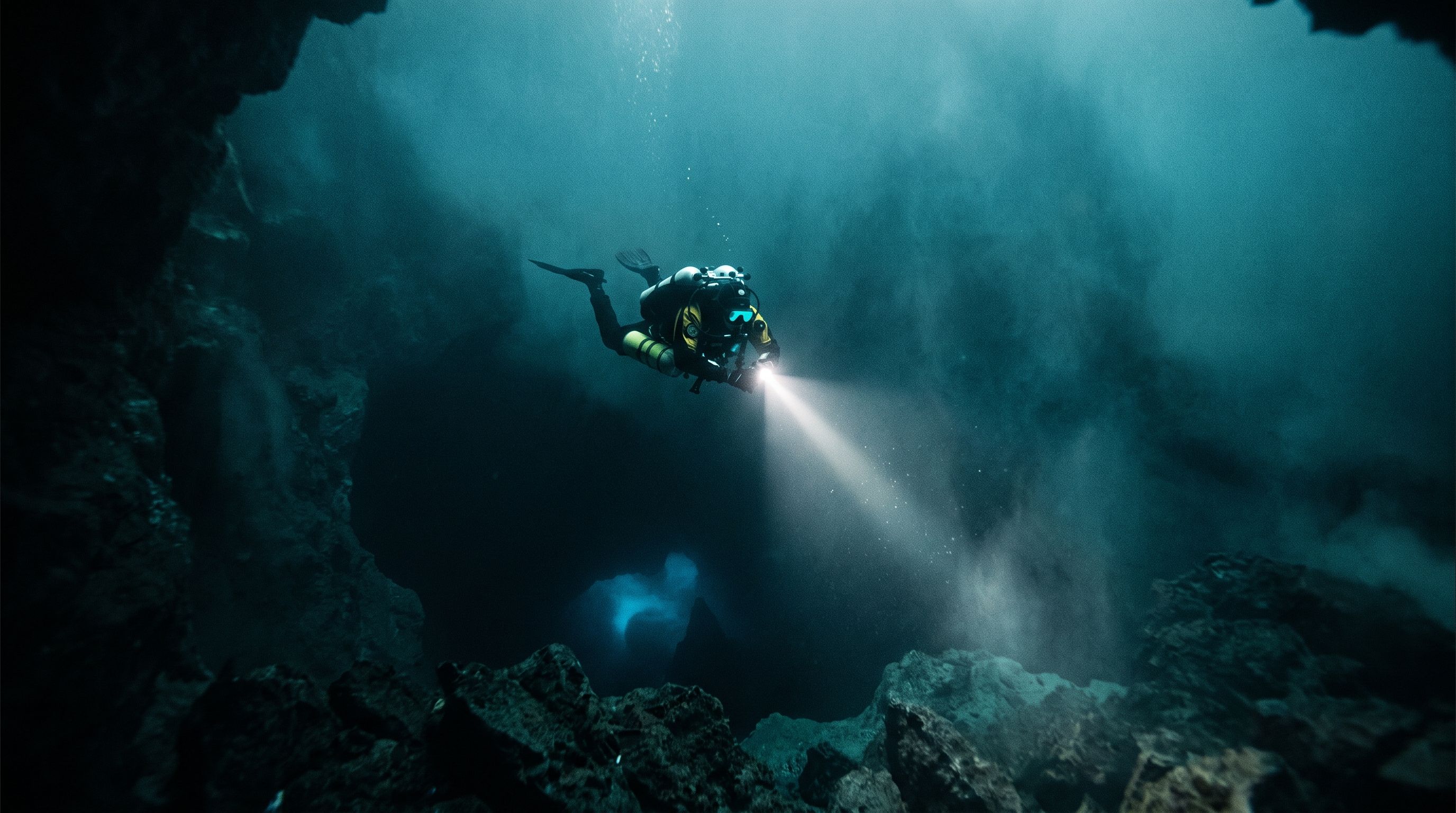
Verified prompt
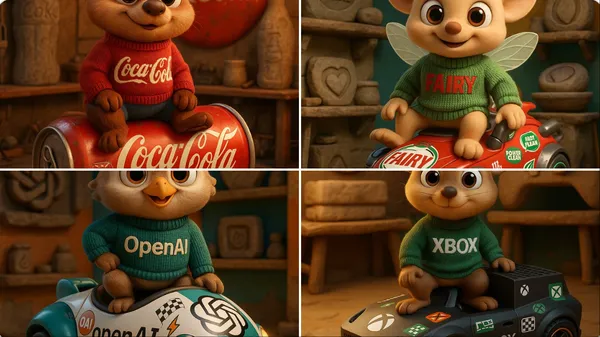
Verified prompt
gh-quality 3D cartoon animal character inspired by [Brand Name], with large round eyes and an innocent, friendly expression. The character wears a knitted sweater featuring the brand name in bold letters. It sits confidently atop a futuristic vehicle shaped like a product from the brand, fully inspired by the brand’s design language and covered in racing stickers and symbolic brand logos. The scene is set inside a maintenance workshop that showcases Stone Age-era versions of the brand's products. The background blends the brand’s visual identity colors. The design must be highly detailed, with Pixar-style lighting and realistic textures for the character, fabric, and vehicle. Format: full-body, in a dynamic pose, rendered in 4K CGI.
gh-quality 3D cartoon animal character inspired by [Brand Name], with large round eyes and an innocent, friendly expression. The character wears a knitted sweater featuring the brand name in bold letters. It sits confidently atop a futuristic vehicle shaped like a product from the brand, fully inspired by the brand’s design language and covered in racing stickers and symbolic brand logos. The scene is set inside a maintenance workshop that showcases Stone Age-era versions of the brand's products. The background blends the brand’s visual identity colors. The design must be highly detailed, with Pixar-style lighting and realistic textures for the character, fabric, and vehicle. Format: full-body, in a dynamic pose, rendered in 4K CGI.
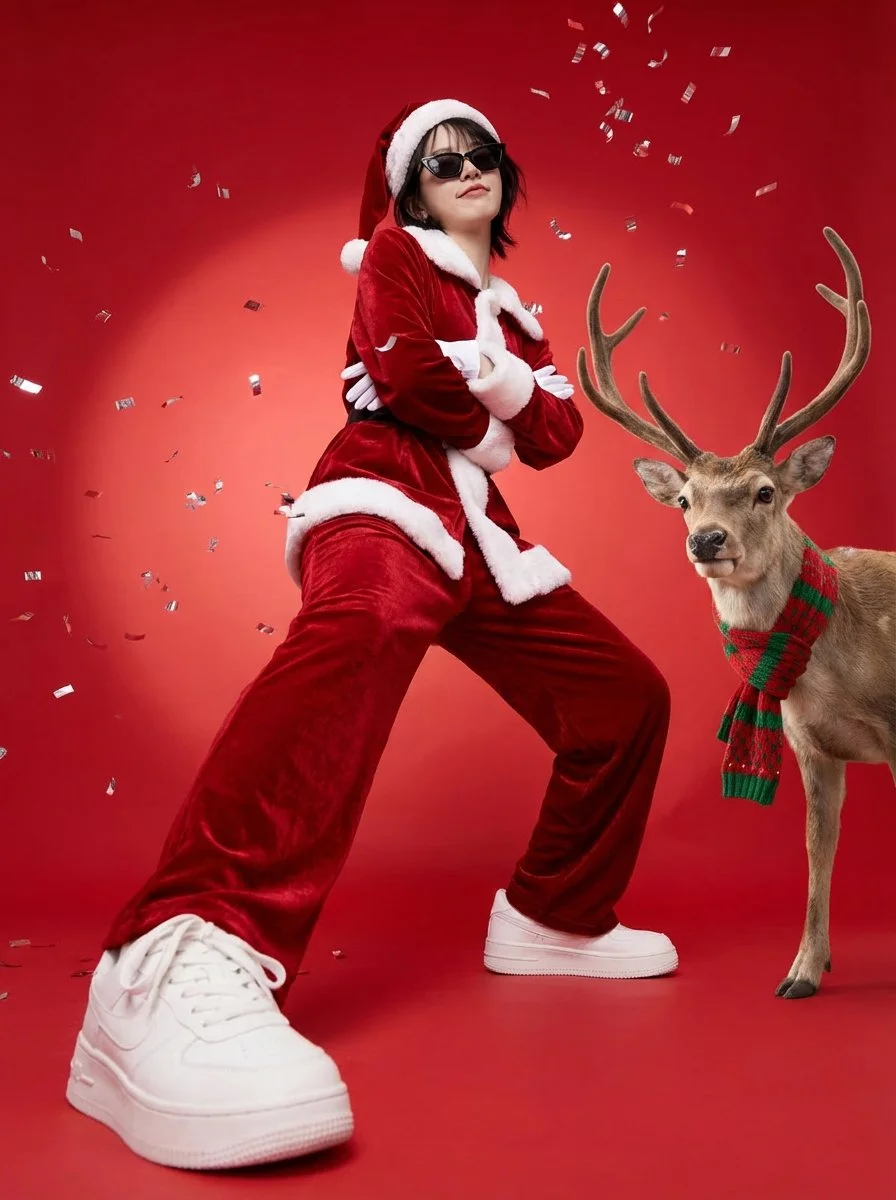
Verified prompt
Create a full-body vertical 3:4 festive poster. Preserve identity strongly: same face structure, hairstyle, skin tone. POSE: grounded swagger power-stance with BOTH FEET ON THE FLOOR, wide stance. Arms firmly crossed over chest. Smug confident sassy expression. WARDROBE: rich red velvet Santa suit with white fur trim, Santa hat, white gloves, stylish black sunglasses, white sneakers. SCENE: seamless bright red studio backdrop with soft spotlight gradient. Metallic silver confetti. REINDEER: place one realistic reindeer on subject's right side with cozy red-and-green knitted scarf. Commercial studio lighting, low-angle wide lens (20-28mm).
Create a full-body vertical 3:4 festive poster. Preserve identity strongly: same face structure, hairstyle, skin tone. POSE: grounded swagger power-stance with BOTH FEET ON THE FLOOR, wide stance. Arms firmly crossed over chest. Smug confident sassy expression. WARDROBE: rich red velvet Santa suit with white fur trim, Santa hat, white gloves, stylish black sunglasses, white sneakers. SCENE: seamless bright red studio backdrop with soft spotlight gradient. Metallic silver confetti. REINDEER: place one realistic reindeer on subject's right side with cozy red-and-green knitted scarf. Commercial studio lighting, low-angle wide lens (20-28mm).
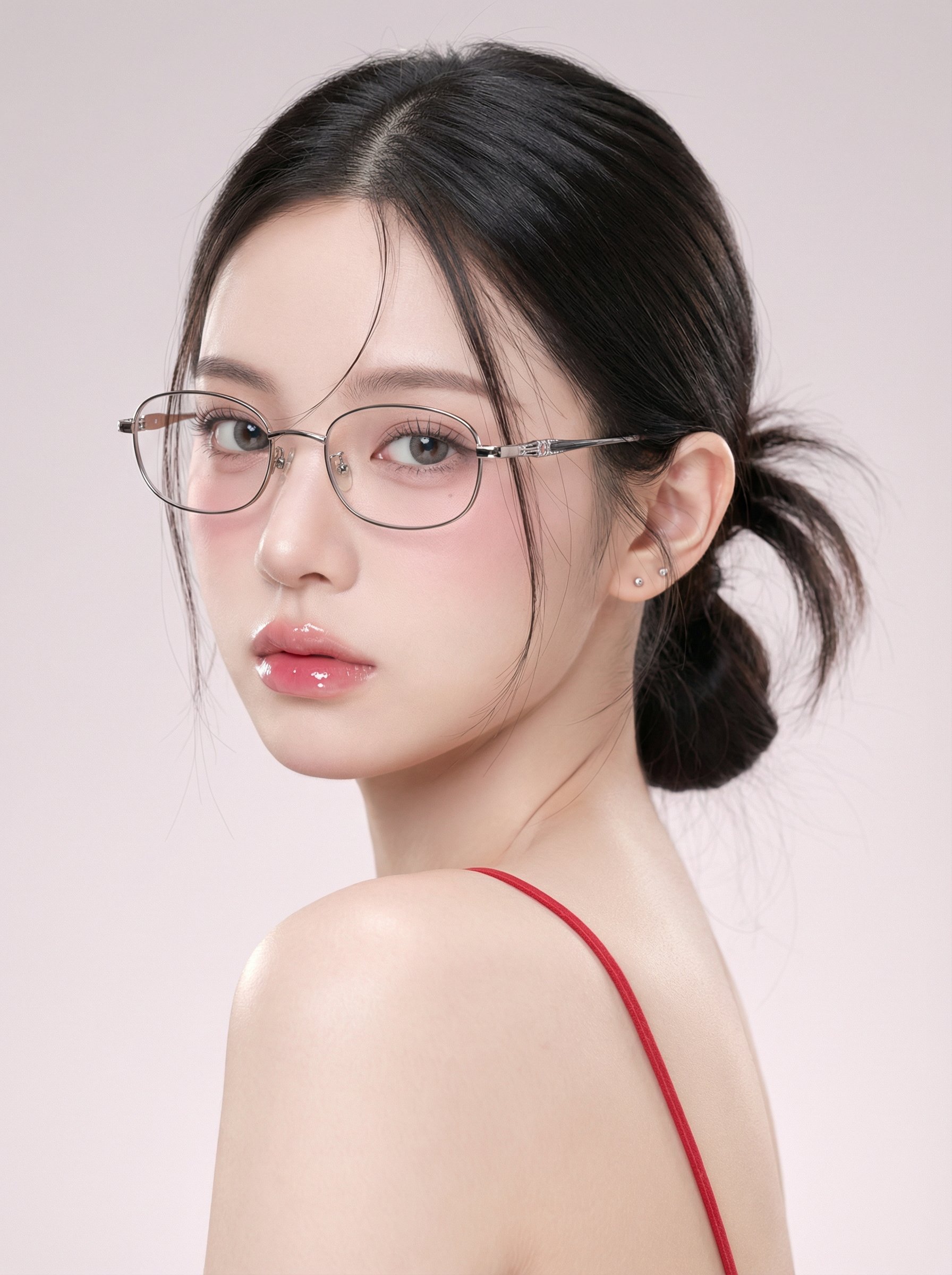
Verified prompt
mage Theme 1. Character type: Young woman, single-person half-body close-up portrait 2. Pose and angle: Side profile looking back, shoulders and back facing outward from the camera, head slightly turned toward the lens 3. Framing range: Head to upper back and shoulders, subject dominates the frame with a small amount of background space 4. Aspect ratio: Vertical format, subject slightly left of center, eyes positioned near the upper third line II. Facial Features and Expression 1. Expression and demeanor: Cool and restrained, slightly distant, no teeth showing 2. Eye features: Large eye proportion, clear eyelashes, gaze focused on the lens, slight under-eye bags and soft shadows 3. Lip features: Full and moist, soft edges, with distinct highlights and a jelly-like texture 4. Skin texture: Extremely smooth and refined, minimized pores, overall fair and translucent III. Makeup Style 1. Base makeup: Combination of high coverage and soft matte finish, with natural highlights preserved in certain areas 2. Blush: Pink blush diffused from cheekbones to under the eyes, light but visible 3. Eye makeup: Fine upper eyeliner and natural deepening of the outer corners, light brown-gray gradient, overall clean look 4. Lip makeup: Gradient from pink-beige to light rose, layered with strong glossy effect IV. Hairstyle and Accessories 1. Hairstyle: Dark straight hair, low ponytail or low bun, with natural volume at the crown 2. Bangs: Center-parted, with fine strands falling on both sides close to the cheeks 3. Glasses: Metal thin-frame with transparent lenses, oval-to-square-shaped frames, metal decorations on the temples 4. Earrings: Small studs positioned on the earlobes, understated accents V. Clothing and Skin Details 1. Clothing: Red thin straps, backless design, straps clearly visible on the right side of the frame 2. Skin glow: Soft reflections on the shoulders and back, presenting a delicate creamy skin texture VI. Lighting and Tone 1. Main light direction: Soft light from the upper left front, wide coverage, very soft shadows 2. Fill light: Weak fill light from the front, reducing contrast, resulting in almost no hard shadows on the face 3. Highlight control: Small-area bright highlights on the bridge of the nose, upper lip, lower lip, and edges of the glasses 4. Overall tone: Low contrast, soft matte feel, subtle gradations, dark areas not overly black VII. Background and Environment 1. Background: Pure solid light pink-gray gradient wall, no texture or clutter 2. Depth of field: Strongly blurred background or inherently minimalist, making the subject's silhouette stand out 3. Atmosphere: Clean, tranquil, with a slight sweet-cool feel VIII. Lens and Image Texture Simulation 1. Focal length feel: Medium to long telephoto close-up compression, natural facial proportions without exaggeration 2. Depth of field performance: Eyes in sharp focus, ears and background noticeably blurred 3. Sharpness: Facial features clearly defined but not overly sharp, overall soft appearance 4. Noise: Almost no grain, presenting a clean commercial portrait texture IX. Post-Processing Key Points 1. Skin smoothing: Strong but natural, preserving some facial structure and shadow transitions 2. Color: Overall cool, fair skin tone; blush and lip color leaning pink; red straps saturated but not excessive 3. Glow: Slight soft light diffusion effect, making highlights more rounded 4. Consistency: Control contrast and sharpness to maintain a transparent, soft, and clean visual consistency X. Negative Prompt Words 1. Image issues: Over-sharpening, high contrast, hard shadows, cluttered background, noticeable noise or grain 2. Character issues: Exaggerated expressions, wide-open-mouth smiles, rough skin with visible pores, oily shine, facial distortion 3. Style deviations: Heavy stage makeup, strong retro color casts, complex clothing, exaggerated accessories, strong environmental light interference
mage Theme 1. Character type: Young woman, single-person half-body close-up portrait 2. Pose and angle: Side profile looking back, shoulders and back facing outward from the camera, head slightly turned toward the lens 3. Framing range: Head to upper back and shoulders, subject dominates the frame with a small amount of background space 4. Aspect ratio: Vertical format, subject slightly left of center, eyes positioned near the upper third line II. Facial Features and Expression 1. Expression and demeanor: Cool and restrained, slightly distant, no teeth showing 2. Eye features: Large eye proportion, clear eyelashes, gaze focused on the lens, slight under-eye bags and soft shadows 3. Lip features: Full and moist, soft edges, with distinct highlights and a jelly-like texture 4. Skin texture: Extremely smooth and refined, minimized pores, overall fair and translucent III. Makeup Style 1. Base makeup: Combination of high coverage and soft matte finish, with natural highlights preserved in certain areas 2. Blush: Pink blush diffused from cheekbones to under the eyes, light but visible 3. Eye makeup: Fine upper eyeliner and natural deepening of the outer corners, light brown-gray gradient, overall clean look 4. Lip makeup: Gradient from pink-beige to light rose, layered with strong glossy effect IV. Hairstyle and Accessories 1. Hairstyle: Dark straight hair, low ponytail or low bun, with natural volume at the crown 2. Bangs: Center-parted, with fine strands falling on both sides close to the cheeks 3. Glasses: Metal thin-frame with transparent lenses, oval-to-square-shaped frames, metal decorations on the temples 4. Earrings: Small studs positioned on the earlobes, understated accents V. Clothing and Skin Details 1. Clothing: Red thin straps, backless design, straps clearly visible on the right side of the frame 2. Skin glow: Soft reflections on the shoulders and back, presenting a delicate creamy skin texture VI. Lighting and Tone 1. Main light direction: Soft light from the upper left front, wide coverage, very soft shadows 2. Fill light: Weak fill light from the front, reducing contrast, resulting in almost no hard shadows on the face 3. Highlight control: Small-area bright highlights on the bridge of the nose, upper lip, lower lip, and edges of the glasses 4. Overall tone: Low contrast, soft matte feel, subtle gradations, dark areas not overly black VII. Background and Environment 1. Background: Pure solid light pink-gray gradient wall, no texture or clutter 2. Depth of field: Strongly blurred background or inherently minimalist, making the subject's silhouette stand out 3. Atmosphere: Clean, tranquil, with a slight sweet-cool feel VIII. Lens and Image Texture Simulation 1. Focal length feel: Medium to long telephoto close-up compression, natural facial proportions without exaggeration 2. Depth of field performance: Eyes in sharp focus, ears and background noticeably blurred 3. Sharpness: Facial features clearly defined but not overly sharp, overall soft appearance 4. Noise: Almost no grain, presenting a clean commercial portrait texture IX. Post-Processing Key Points 1. Skin smoothing: Strong but natural, preserving some facial structure and shadow transitions 2. Color: Overall cool, fair skin tone; blush and lip color leaning pink; red straps saturated but not excessive 3. Glow: Slight soft light diffusion effect, making highlights more rounded 4. Consistency: Control contrast and sharpness to maintain a transparent, soft, and clean visual consistency X. Negative Prompt Words 1. Image issues: Over-sharpening, high contrast, hard shadows, cluttered background, noticeable noise or grain 2. Character issues: Exaggerated expressions, wide-open-mouth smiles, rough skin with visible pores, oily shine, facial distortion 3. Style deviations: Heavy stage makeup, strong retro color casts, complex clothing, exaggerated accessories, strong environmental light interference
Verified prompt
Verified prompt
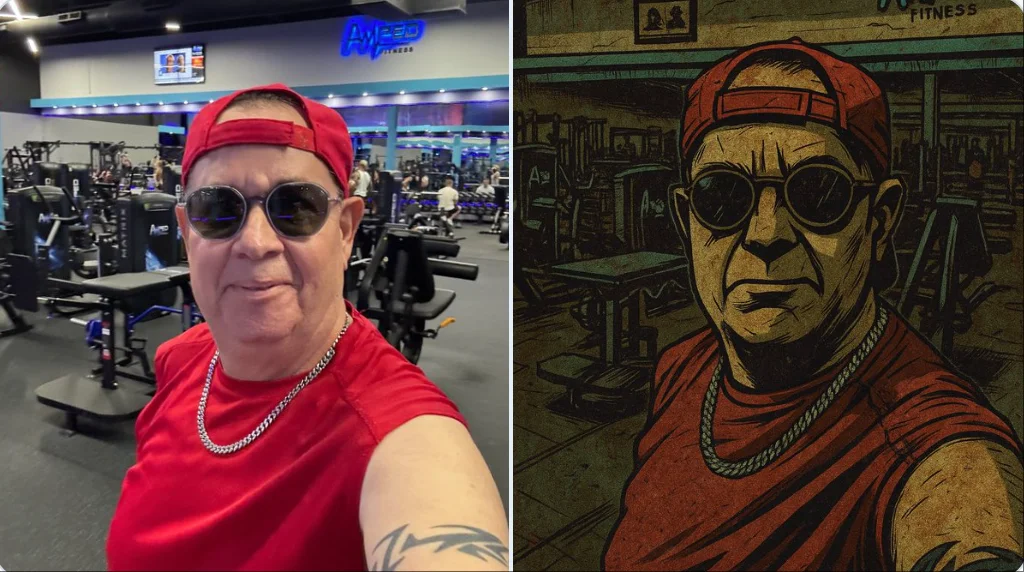
Restyle this image into a gritty Gorillaz-style illustration, bold thick black outlines, sharp angular edges, flat expressive lighting, stylized high-contrast shadows, dirty distressed surface textures, muted color palette: washed-out teals, olive greens, rusty reds, mustard yellows, dusty browns, raw grungy urban atmosphere, comic book flatness mixed with painterly grit, hand-drawn finish with faded gradients, graphic novel aesthetic with a rebellious, animated tone, dark stylish tone, full of attitude.
Restyle this image into a gritty Gorillaz-style illustration, bold thick black outlines, sharp angular edges, flat expressive lighting, stylized high-contrast shadows, dirty distressed surface textures, muted color palette: washed-out teals, olive greens, rusty reds, mustard yellows, dusty browns, raw grungy urban atmosphere, comic book flatness mixed with painterly grit, hand-drawn finish with faded gradients, graphic novel aesthetic with a rebellious, animated tone, dark stylish tone, full of attitude.
Verified prompt
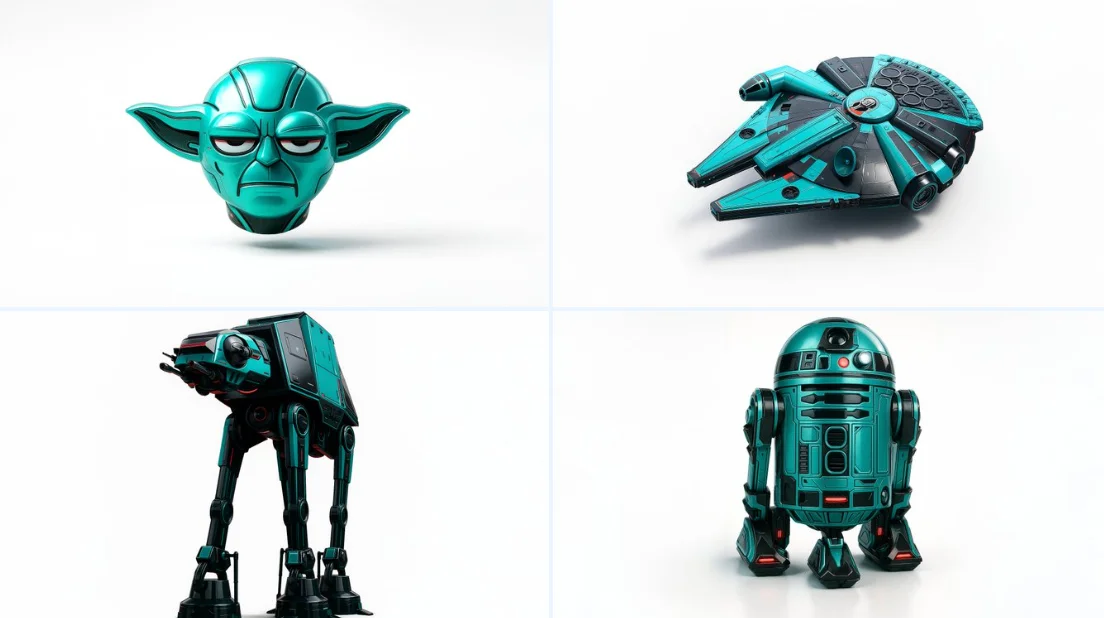
Retexture the image attached based on the json below { "style": "C4D hyper-realistic 3D render", "object_form": "detailed mechanical design", "geometry": { "shape": "sharp edges with smooth curves", "scale": "real-world proportion", "detailing": "high-poly mesh with intricate mechanical features" }, "material": { "base": "polished plastic and carbon fiber", "texture": "fine surface variation with specular maps", "finish": "high gloss with realistic reflections" }, "design_elements": { "decals": "subtle branding and panel lines", "surface_effects": "anodized gradients, emissive lighting elements", "aero_parts": "spoilers, splitters, and aggressive styling cues" }, "color_scheme": { "primary": "#0ae2c0", "secondary": "#111111", "accents": ["#ffffff", "#e00000"], "reflections": "real-world HDRI light environment", "background": "#ffffff" }, "lighting": { "type": "studio 3-point with HDRI", "intensity": "balanced with key fill and rim lights", "shadows": "soft, subtle contact shadow under object", "highlights": "strong specular reflections on curves" }, "rendering": { "engine": "Cinema 4D Redshift or Octane", "resolution": "ultra high-definition (4K+)", "focus": "object-centered with floating illusion", "background_blur": "none" }, "composition": { "layout": "centered in frame", "object_count": 1, "orientation": "three-quarter front view", "camera": "35mm lens, slightly elevated", "grounding": "floating mid-air with realistic soft shadow cast on white background" } }
Retexture the image attached based on the json below { "style": "C4D hyper-realistic 3D render", "object_form": "detailed mechanical design", "geometry": { "shape": "sharp edges with smooth curves", "scale": "real-world proportion", "detailing": "high-poly mesh with intricate mechanical features" }, "material": { "base": "polished plastic and carbon fiber", "texture": "fine surface variation with specular maps", "finish": "high gloss with realistic reflections" }, "design_elements": { "decals": "subtle branding and panel lines", "surface_effects": "anodized gradients, emissive lighting elements", "aero_parts": "spoilers, splitters, and aggressive styling cues" }, "color_scheme": { "primary": "#0ae2c0", "secondary": "#111111", "accents": ["#ffffff", "#e00000"], "reflections": "real-world HDRI light environment", "background": "#ffffff" }, "lighting": { "type": "studio 3-point with HDRI", "intensity": "balanced with key fill and rim lights", "shadows": "soft, subtle contact shadow under object", "highlights": "strong specular reflections on curves" }, "rendering": { "engine": "Cinema 4D Redshift or Octane", "resolution": "ultra high-definition (4K+)", "focus": "object-centered with floating illusion", "background_blur": "none" }, "composition": { "layout": "centered in frame", "object_count": 1, "orientation": "three-quarter front view", "camera": "35mm lens, slightly elevated", "grounding": "floating mid-air with realistic soft shadow cast on white background" } }
Verified prompt
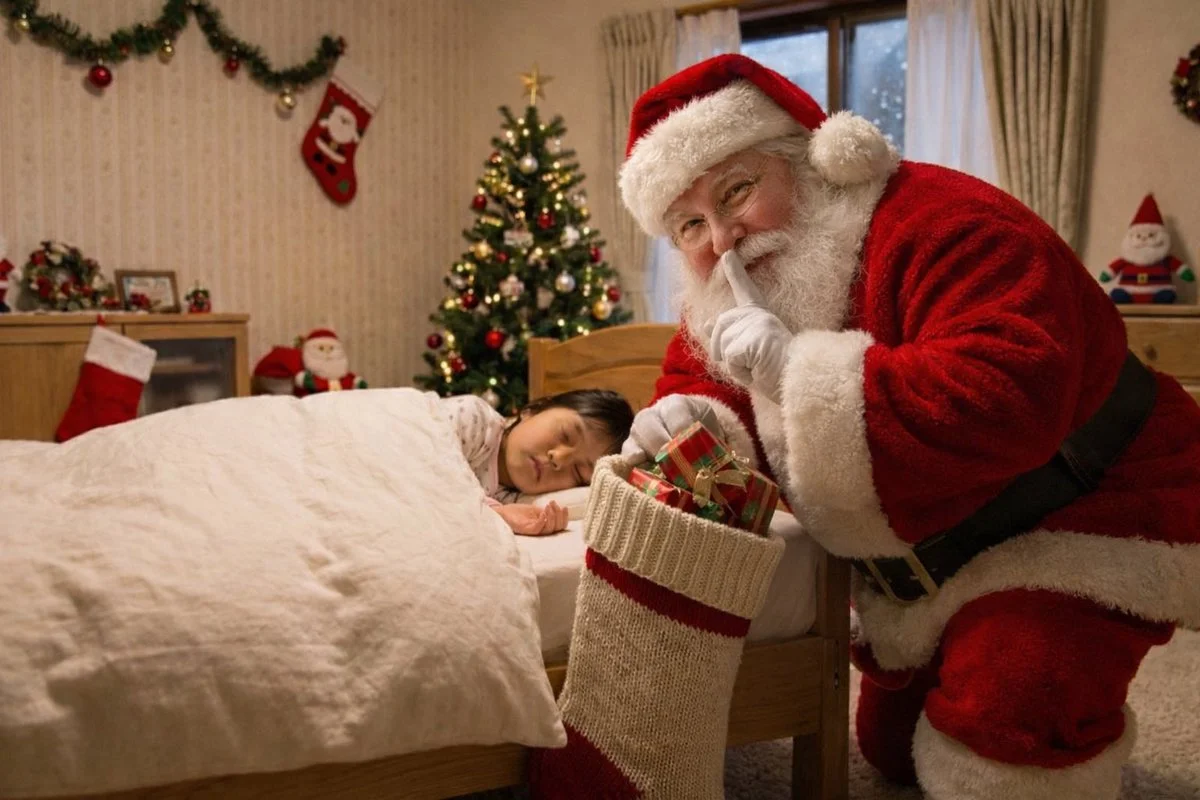
Add a real fat Santa Claus from Greenland putting presents into a big stocking without waking the child. Santa knows he's being photographed so add a 'shh' quiet gesture.
Add a real fat Santa Claus from Greenland putting presents into a big stocking without waking the child. Santa knows he's being photographed so add a 'shh' quiet gesture.
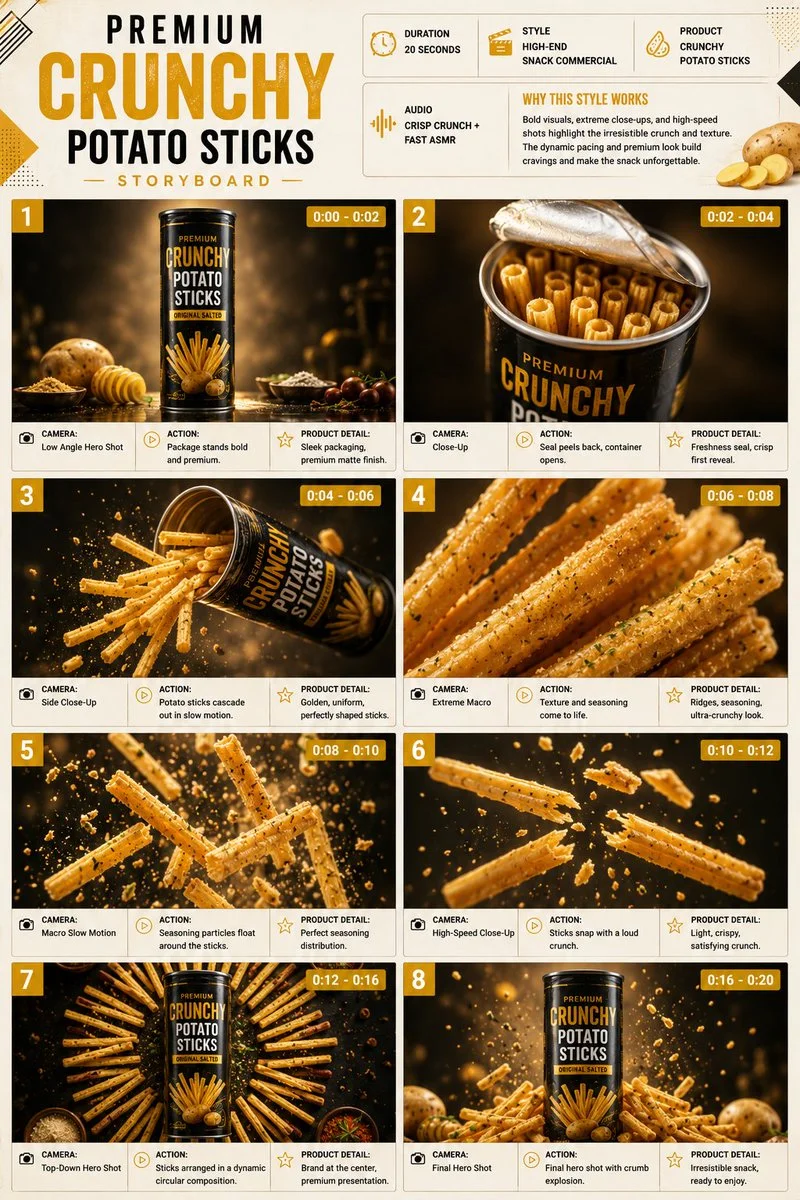
Verified prompt
Premium 3:4 storyboard for 20s high-end snack potato sticks commercial. Header: duration, snack style, sticks product, crunch ASMR, yellow-cream-black palette. Eight panels: tube on glossy, opening cascade slow-mo, extreme ridge seasoning macro, particles float, snap with crumbs, circular arrangement, final hero overflowing explosion. High-speed, extreme macro, slow-mo, low-angle, push-in. Ultra-realistic crispy texture, seasoning, sharp packaging, studio lighting, 8K, product hero.
Premium 3:4 storyboard for 20s high-end snack potato sticks commercial. Header: duration, snack style, sticks product, crunch ASMR, yellow-cream-black palette. Eight panels: tube on glossy, opening cascade slow-mo, extreme ridge seasoning macro, particles float, snap with crumbs, circular arrangement, final hero overflowing explosion. High-speed, extreme macro, slow-mo, low-angle, push-in. Ultra-realistic crispy texture, seasoning, sharp packaging, studio lighting, 8K, product hero.
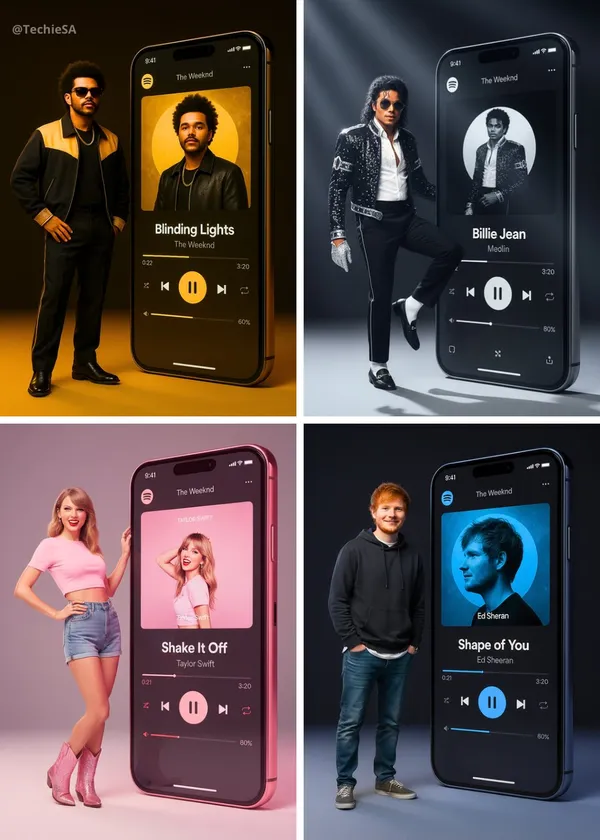
Verified prompt
alistic full-body portrait of a [ARTIST] in their signature style, positioned next to a giant vertical smartphone displaying a Spotify interface. The phone screen shows a music player interface featuring the song “[SONG]” with signature [COLOR] accent colors at approximately 80% opacity for a premium aesthetic effect. The artist wears their characteristic outfit and styling. Their pose is confident and editorial, embodying the mood and energy of the song. Expression matches their iconic persona. Technical specifications: • Plain background with subtle [COLOR] lighting accents • Soft studio lighting with colored gels in signature [COLOR] tones • 35mm or 50mm lens, f/2.2, ISO 100-160, shutter speed 1/125 • Sharp focus on subject and phone interface • Editorial style consistent with premium music platform campaigns
alistic full-body portrait of a [ARTIST] in their signature style, positioned next to a giant vertical smartphone displaying a Spotify interface. The phone screen shows a music player interface featuring the song “[SONG]” with signature [COLOR] accent colors at approximately 80% opacity for a premium aesthetic effect. The artist wears their characteristic outfit and styling. Their pose is confident and editorial, embodying the mood and energy of the song. Expression matches their iconic persona. Technical specifications: • Plain background with subtle [COLOR] lighting accents • Soft studio lighting with colored gels in signature [COLOR] tones • 35mm or 50mm lens, f/2.2, ISO 100-160, shutter speed 1/125 • Sharp focus on subject and phone interface • Editorial style consistent with premium music platform campaigns
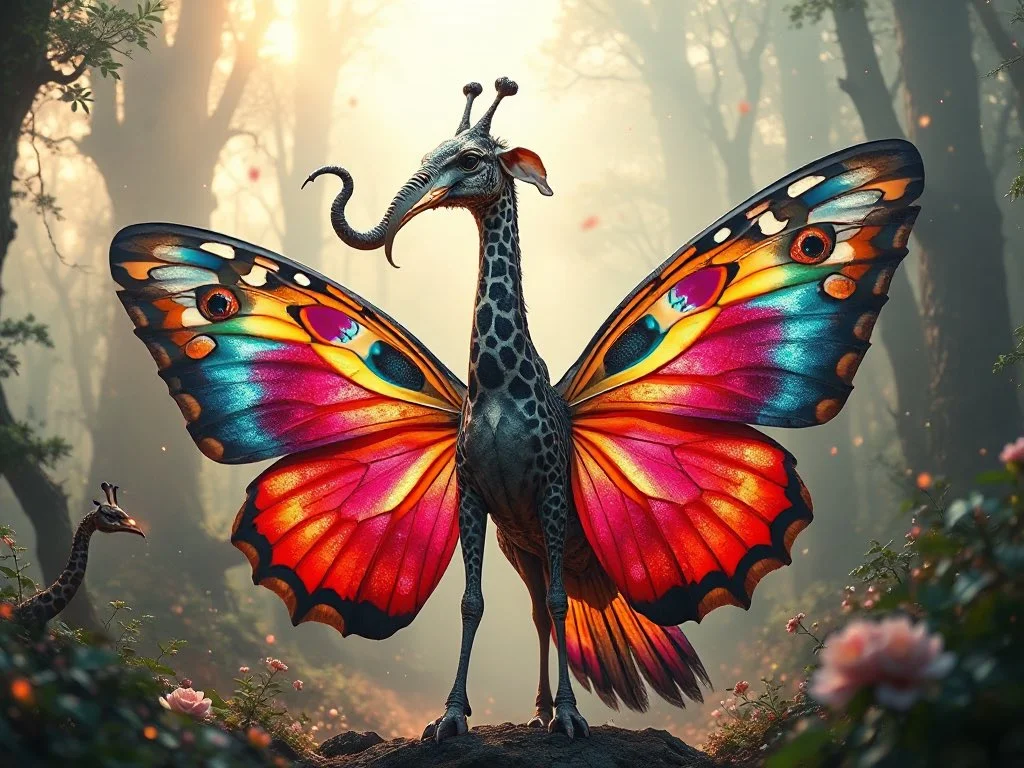
Verified prompt
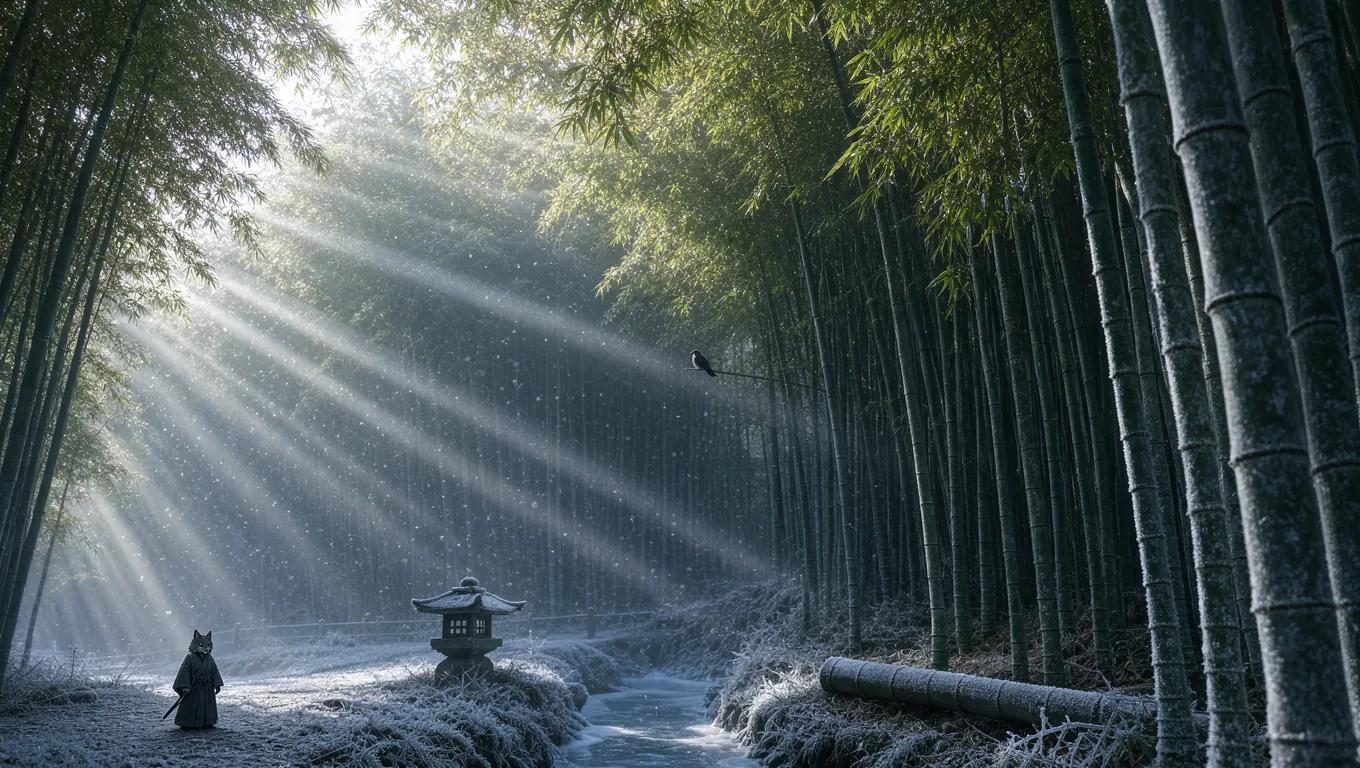
A highly detailed and surreal depiction of a mythical bird creature. It has the elegant, colorful body of a butterfly, with vibrant symmetrical wing patterns. Its head is that of a majestic elephant, complete with large ears, a long curling trunk, and ivory tusks, giving it a powerful and ancient aura. A long, spotted giraffe neck connects the body and the head, rising high with grace. The wings are enormous eagle wings, fully extended with dramatic feathers in motion. Its tail is an iridescent peacock tail, fanned out in full display like royal plumage. The creature stands in an enchanted misty forest, bathed in ethereal light and surrounded by glowing particles. Ultra-realistic, cinematic lighting, fantasy atmosphere, hyper-detailed concept art
A highly detailed and surreal depiction of a mythical bird creature. It has the elegant, colorful body of a butterfly, with vibrant symmetrical wing patterns. Its head is that of a majestic elephant, complete with large ears, a long curling trunk, and ivory tusks, giving it a powerful and ancient aura. A long, spotted giraffe neck connects the body and the head, rising high with grace. The wings are enormous eagle wings, fully extended with dramatic feathers in motion. Its tail is an iridescent peacock tail, fanned out in full display like royal plumage. The creature stands in an enchanted misty forest, bathed in ethereal light and surrounded by glowing particles. Ultra-realistic, cinematic lighting, fantasy atmosphere, hyper-detailed concept art
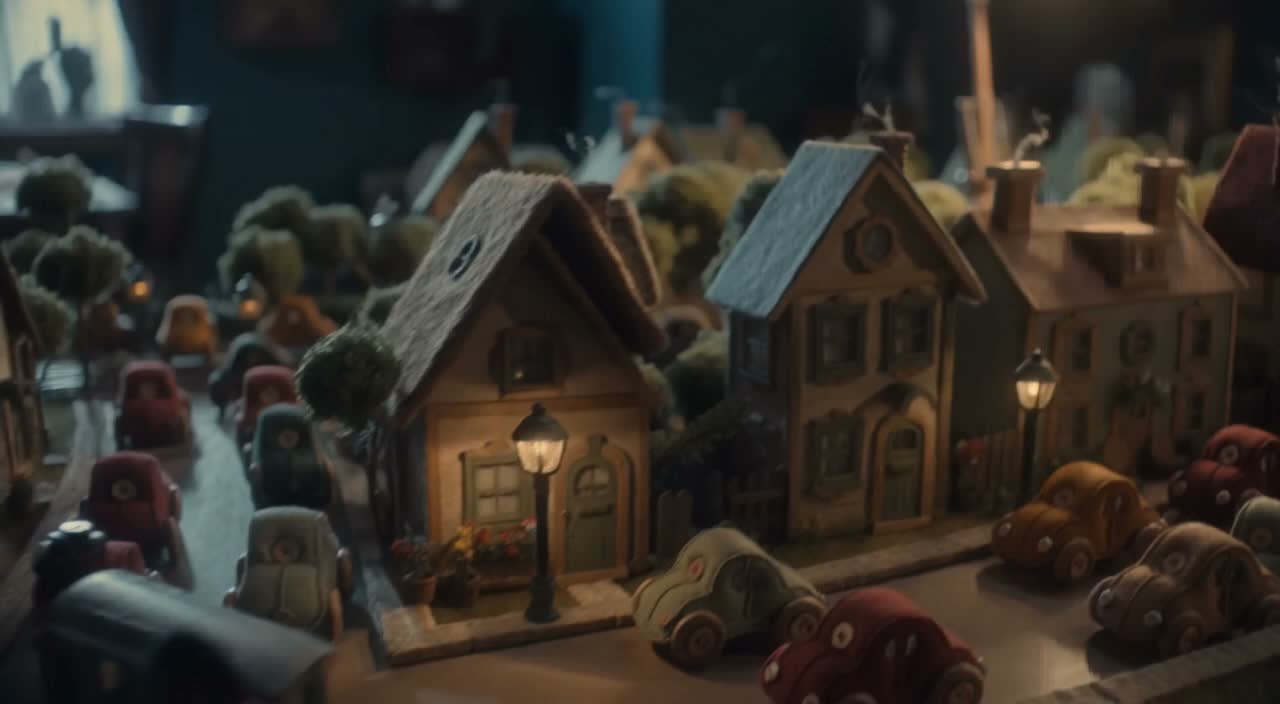
Verified prompt
More AI Image Generators
Explore our collection of specialized AI image generators designed for different creative needs and styles


Ultimate AI Image Generator: Text to Image, Life to Art!
Create AI Images from Text or Reference Images
Turn your ideas into breathtaking visuals with AI Image Generator and powerful AI Image Generator. Whether you're designing for personal projects or professional use, our Text to Image technology empowers you to create stunning, high-quality images in just a few clicks. No ads, no watermarks—just pure creativity from our leading AI Image Maker.
Start CreatingAI Image Generation from Text and References
Create images from text or use a reference image to guide the result. Choose a model and review the available settings before generating.
Advanced AI Image Generation & Customization
Describe your subject, setting, lighting, and style. Adjust the available size and quality settings, then review the credit cost before generating.
Describe Your Visual Style
Describe the medium, colors, lighting and mood you want. Compare the generated image with your idea, then adjust the wording to explore a different visual direction.
Refine Your Prompt
Review the generated composition, then revise your prompt to change specific details. Choose the available model settings and check the credit quote before creating another version.
Review and Download Results
Open completed results in History, inspect important details and download the image you want to use. Keep your prompt and settings so you can compare later versions.
Keep Your Prompt and Result Together
Write a prompt, choose a model, and review your results in History. Refine your description to explore a different composition or style.
User-Centric Design
A straightforward workspace for turning written ideas into images.
Why Choose AI Image Generator?

Explore Styles Through Your Prompt
Explore photographic, illustrated or abstract looks by describing the style in your prompt. Results vary by model and request; review each image before using it.
Describe the look you want, then refine your prompt as you compare results.
Versatile AI Image Generator for Every Creator's Vision
Create visual concepts for design, marketing, education, and personal projects. Start with text or a reference image and explore different approaches.


For Architects and Designers
Explore architectural concepts, materials, and lighting from a written description. Use the results to discuss visual direction and develop your design.

For E-Commerce Professionals
Explore product settings and campaign imagery. Check generated details against the real product before using an image in a listing or ad.

For Content Publishers
Create illustrations for articles and social posts. Describe your subject, composition, and brand colors to guide the result.

For Event Planners
Explore themes for invitations, promotional graphics, and venue concepts. Compare visual directions before producing final event materials.
4 Simple Steps to Create & Enhance Images with AI Image Generator
Add Your Input
Write a description, or select image-to-image mode and upload a reference. Include the details that matter most to your composition.
Customize Your Options
Choose a model and adjust its available size and quality settings. Check the required credits before generating.
Generate and Refine
Select Generate Image and follow the task in History. Review the result, then revise your prompt to create another version.
Export, Share, or Transform
Download a completed image from History and add it to your project. You can also use it as a reference on the video page.
Empowering Creativity Across Industries with AI Image Generator
Explore visual ideas for illustrations, marketing materials, presentations, and game concepts.
Digital Art & Illustration
Create illustrations and explore artistic styles from a text description. Adjust the subject, composition, and lighting to develop your idea.
Marketing & E-Commerce Visuals
Create visual concepts for ads, product showcases, and social posts. Review the result and adapt it to your campaign.
Educational Content & Presentations
Create custom illustrations for presentations and teaching materials. Use clear visual examples to explain an idea, and check generated details for accuracy.
Game Development
Explore character, environment, and prop concepts. Describe a consistent style to guide your visual direction.
Image Workflow Tips
Describe the subject, setting and composition clearly before adding style details.
Frequently Asked Questions about AI Image Generator
An AI image generator creates images from written descriptions or reference images. Your chosen model and settings determine the available output options.
Text-to-image models use your written description to generate a visual interpretation. Specific details about the subject, composition, and lighting can help guide the result.
Compare available models, adjust their supported settings, and keep completed images in History for review and download.
Write the medium, palette, lighting and composition in your prompt. There is no one-click style effect control on this page.
Revise your text prompt and generate another version, or use a supported reference image in image-to-image mode. This page does not provide object erasing, canvas expansion or photo restoration controls.
Yes! With AI Image Generator, images from the premium plan come with full commercial rights for your Text to Image creations.
Check your available credits without signing up. Each generation shows its credit cost before you submit it. Visit Pricing for subscription options.
You can start with a plain-language description. Add details about the subject, setting, lighting, and style as you refine your idea.
You can request a refund within 10 days of purchase if you have unused credits from that purchase and provide a clear reason, subject to our Refund Policy. If eligible, an unused purchase can be fully refunded; a partly used purchase is refunded in proportion to its remaining unused credits. Fully used purchases and free or promotional credits are not refundable.
Credit validity depends on the pack, subscription or promotion that issued them. Review the purchase terms and expiration dates in Settings > Credits. A renewal or new purchase does not extend older credits. Use credits before their stated expiration; do not assume unused subscription credits roll over indefinitely.
Credits charged for a task that is confirmed as failed due to a system error are returned automatically. A task that is still processing has not yet been confirmed as failed. Check its status and your credit history before submitting again. If a confirmed failure still shows an unresolved charge, email support@aisocialmediapostgenerators.com with the task ID.
AI results can vary, so a completed result that differs from your expectations is not automatically treated as a technical failure. Eligible completed image tasks can be submitted for credit refund review using the refund option where available; approval is required. For a video or another issue, contact support@aisocialmediapostgenerators.com with the task ID and details. A credit refund returns credits, not money to your payment method.
Email support@aisocialmediapostgenerators.com. For billing, include your account email and order ID; for generation, include the task ID, issue description and relevant screenshots. If you purchased as a guest, keep the original browser data and payment receipt so we can help locate the purchase.
Unleash Your Full Creative Potential with AI Image Generator
Create an image from a text description or supported reference. Review the model settings, check the credit quote and download completed results from History.