
Verified prompt
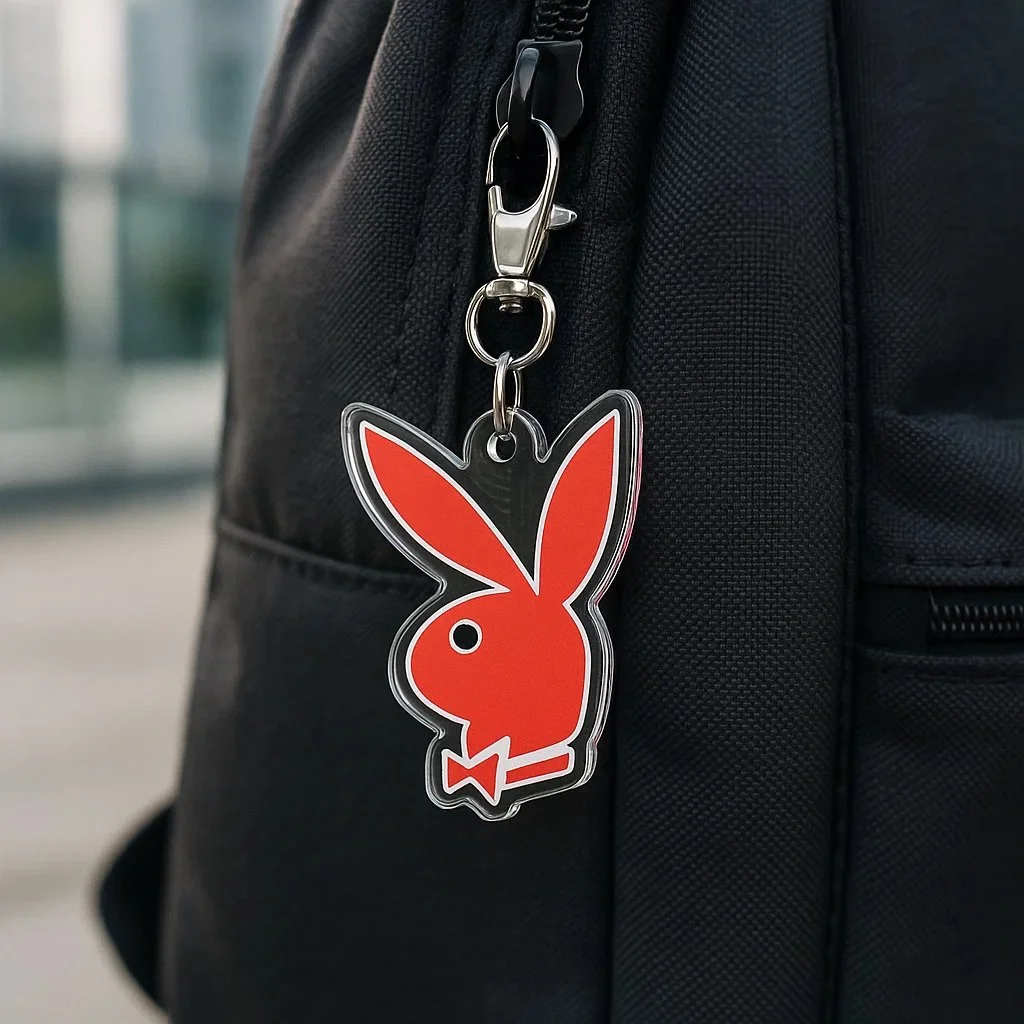
Create a photorealistic square image (1080x1080) showing a custom acrylic keychain version of the [LOGO] logo hanging from the zipper of a dark-colored backpack (e.g. black or grey). The logo must retain its original shape, color, and proportions without any alteration. The keychain should have a clear glossy acrylic layer, clipped with a silver metal ring and clasp. Use soft daylight or diffused lighting to avoid yellow tones. Set the background in a modern outdoor setting, but keep it blurred to maintain focus on the logo keychain.
Create a photorealistic square image (1080x1080) showing a custom acrylic keychain version of the [LOGO] logo hanging from the zipper of a dark-colored backpack (e.g. black or grey). The logo must retain its original shape, color, and proportions without any alteration. The keychain should have a clear glossy acrylic layer, clipped with a silver metal ring and clasp. Use soft daylight or diffused lighting to avoid yellow tones. Set the background in a modern outdoor setting, but keep it blurred to maintain focus on the logo keychain.
Verified prompt
Verified prompt
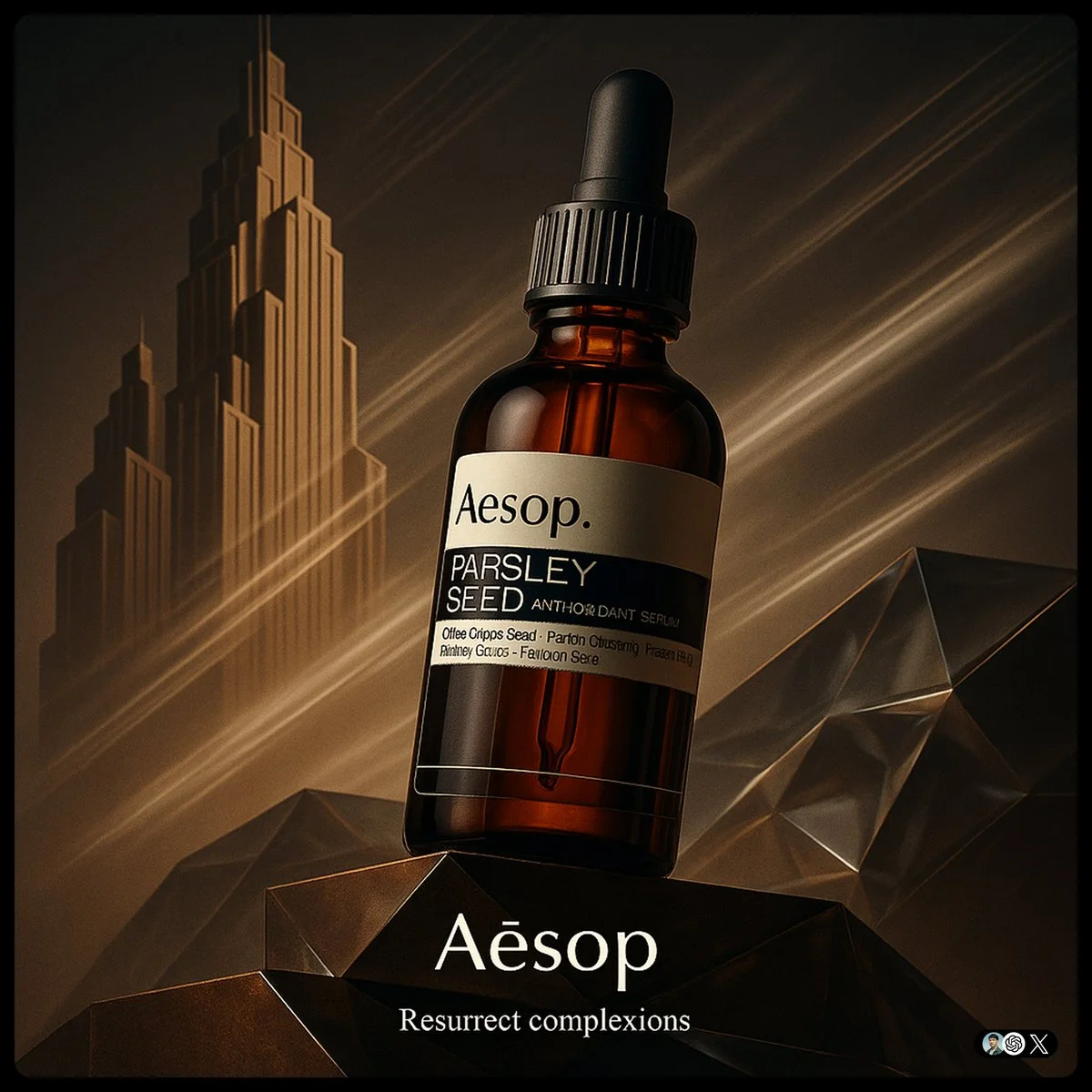
create image with 1:1 ratio [Brand] ad. Ultra-high-detail product photo in a fusion of Art Deco and Futurism. The product rest on platforms. Background features stylized Art Deco skyscraper silhouettes morphing into Futurist speed lines, forming a diagonal left-to-right composition. Surfaces use brand Core Material and faceted glass with ambient lighting in Brand Color theme. The product evoking motion and kinetic optimism. Dramatic low-angle lighting enhances reflections, with subtle vapor trails in the background. Small logo on the bottom, and a tiny slogan beneath
create image with 1:1 ratio [Brand] ad. Ultra-high-detail product photo in a fusion of Art Deco and Futurism. The product rest on platforms. Background features stylized Art Deco skyscraper silhouettes morphing into Futurist speed lines, forming a diagonal left-to-right composition. Surfaces use brand Core Material and faceted glass with ambient lighting in Brand Color theme. The product evoking motion and kinetic optimism. Dramatic low-angle lighting enhances reflections, with subtle vapor trails in the background. Small logo on the bottom, and a tiny slogan beneath
Verified prompt
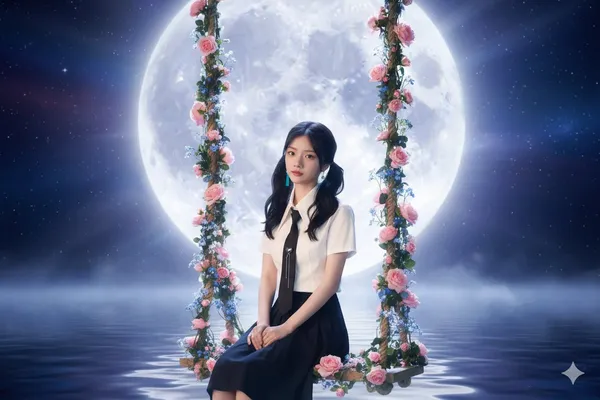
oto of a swing under the autumn moon
oto of a swing under the autumn moon
Verified prompt
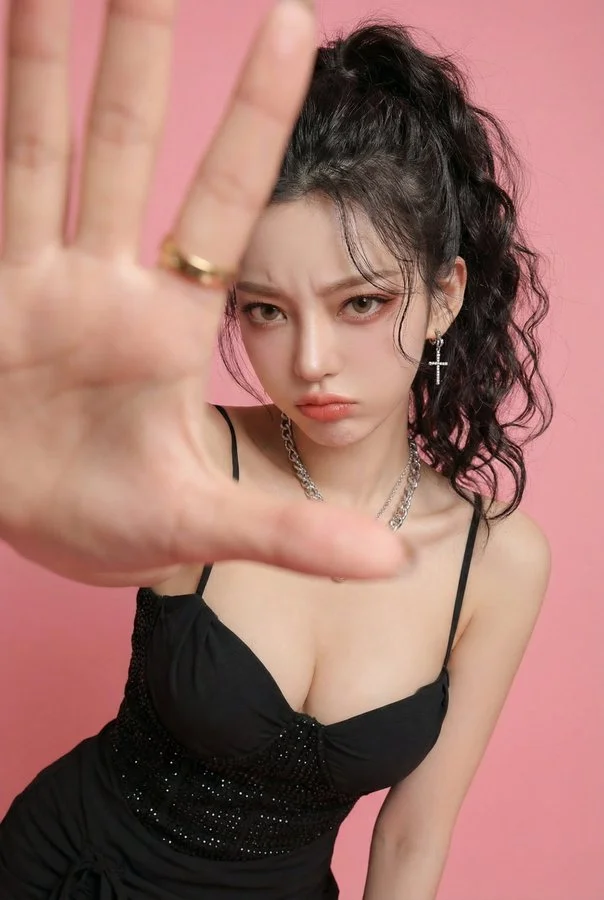
Photorealistic edit using the input person photo as strict identity reference: keep the same face, facial features, skin tone, hairstyle (color/bangs/length/volume), outfit and accessories unchanged (no face swap, no new person, no hair/outfit change). Change only expression/pose/background: pouty lips and furrowed brows, slightly angry/annoyed, like she's playfully mad at her boyfriend and saying 'stop filming me'. Close wide-angle perspective (18–28mm), body slightly leaning forward, one hand reaching toward the lens as if grabbing the boyfriend's phone / blocking the camera; huge foreground hand occupying 30–50% of the frame, palm facing camera, five natural fingers, realistic anatomy; face in the back in sharp focus. Replace background with a clean solid pink studio backdrop (seamless, no texture). No text, no watermark, no frame, no extra fingers, no deformed hands, no heavy blur, no style change.
Photorealistic edit using the input person photo as strict identity reference: keep the same face, facial features, skin tone, hairstyle (color/bangs/length/volume), outfit and accessories unchanged (no face swap, no new person, no hair/outfit change). Change only expression/pose/background: pouty lips and furrowed brows, slightly angry/annoyed, like she's playfully mad at her boyfriend and saying 'stop filming me'. Close wide-angle perspective (18–28mm), body slightly leaning forward, one hand reaching toward the lens as if grabbing the boyfriend's phone / blocking the camera; huge foreground hand occupying 30–50% of the frame, palm facing camera, five natural fingers, realistic anatomy; face in the back in sharp focus. Replace background with a clean solid pink studio backdrop (seamless, no texture). No text, no watermark, no frame, no extra fingers, no deformed hands, no heavy blur, no style change.
Verified prompt
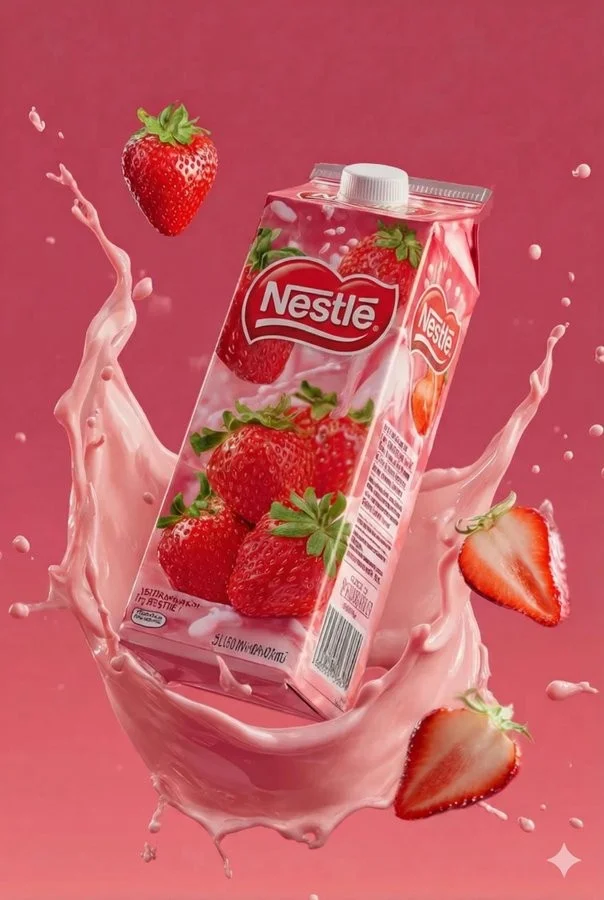
Juice box product visualization. Brand: Tip-Top. Flavor: Strawberry. Strawberry juice with ripe strawberries image description. Fresh pastel pink background color with strawberry halves, juice splashes, dynamic swirling around the pack elements. High-quality detail style with commercial-grade photorealism texture. 2:3 aspect ratio. Additional flavors: Mango juice with ripe golden mangoes on tropical orange-yellow gradient background with mango cubes, swirling juice streams, energetic and appetizing scene. Ultra-realistic packaging material texture. Grape juice with purple grapes on deep purple gradient background with grape bunches, glossy juice splashes, surrounding the carton. Elegant tone with lively commercial promotion style mood.
Juice box product visualization. Brand: Tip-Top. Flavor: Strawberry. Strawberry juice with ripe strawberries image description. Fresh pastel pink background color with strawberry halves, juice splashes, dynamic swirling around the pack elements. High-quality detail style with commercial-grade photorealism texture. 2:3 aspect ratio. Additional flavors: Mango juice with ripe golden mangoes on tropical orange-yellow gradient background with mango cubes, swirling juice streams, energetic and appetizing scene. Ultra-realistic packaging material texture. Grape juice with purple grapes on deep purple gradient background with grape bunches, glossy juice splashes, surrounding the carton. Elegant tone with lively commercial promotion style mood.
Verified prompt
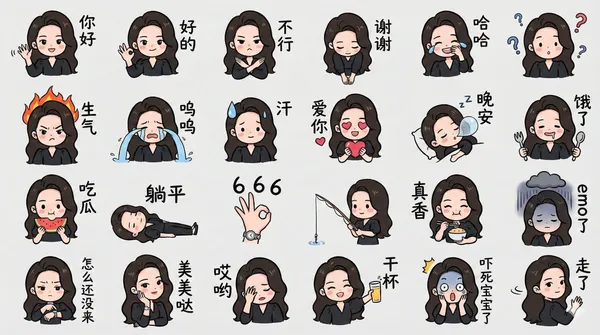
rate a chibi version of the character in the image as a LINE-style bust emoji, ensuring the headwear is accurate. Colored hand-drawn style, arranged in a 4x6 layout, featuring a variety of common chat phrases or related entertainment memes. Additional requirements: Do not replicate the original image. All text should be handwritten in simplified Chinese. The final image should be in 4K resolution with a 16:9 aspect ratio.
rate a chibi version of the character in the image as a LINE-style bust emoji, ensuring the headwear is accurate. Colored hand-drawn style, arranged in a 4x6 layout, featuring a variety of common chat phrases or related entertainment memes. Additional requirements: Do not replicate the original image. All text should be handwritten in simplified Chinese. The final image should be in 4K resolution with a 16:9 aspect ratio.
Verified prompt
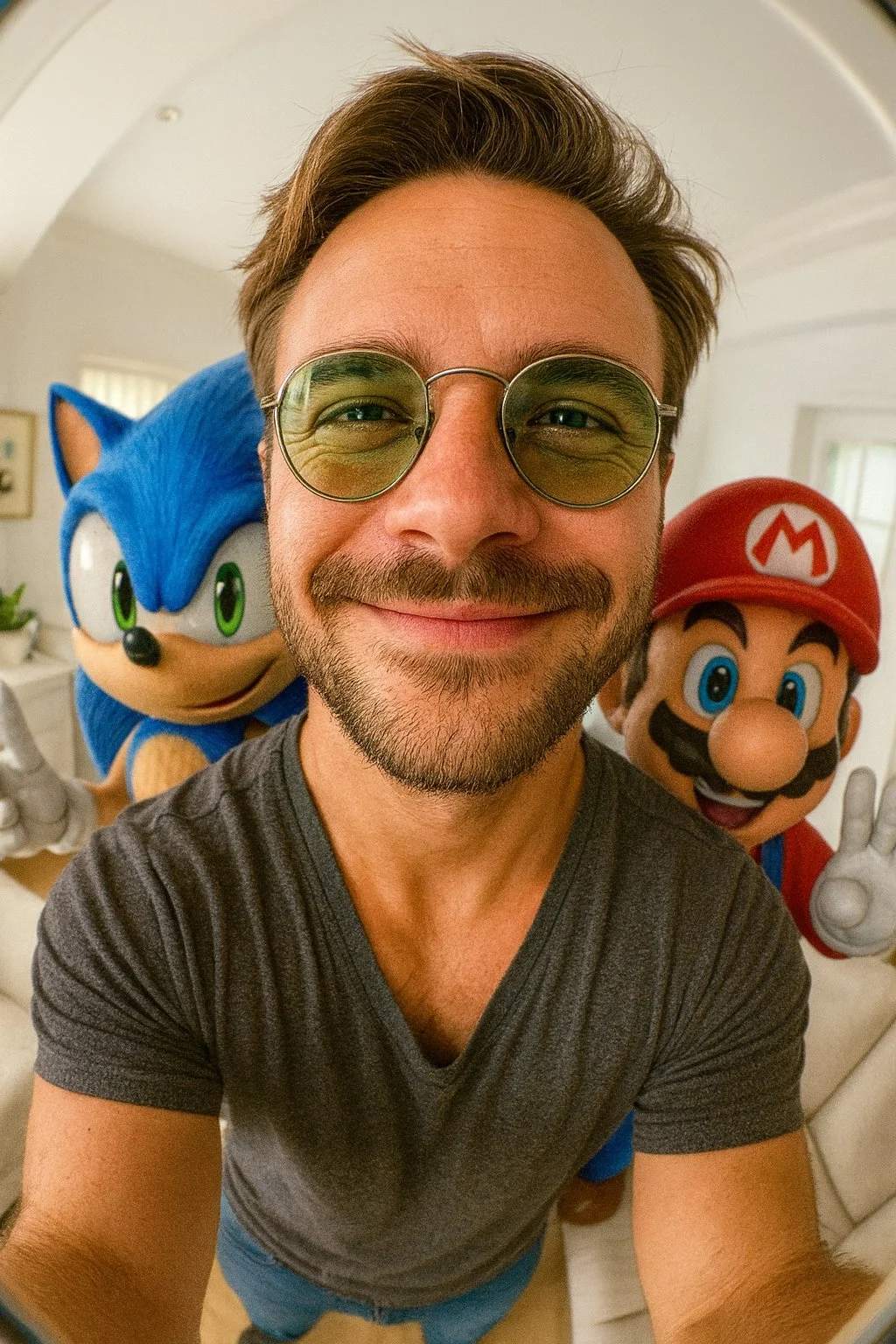
Selfie ultra-realista en formato vertical 9:16 con lente ojo de pez de mí junto a (Sonic y Mario). Ambientado en una sala de estar pequeña y luminosa con tonos blancos. Ángulo de cámara alto. Distorsión extrema de ojo de pez. Iluminación realista y cinematográfica. Personajes de anime integrados con realismo estilizado.
Selfie ultra-realista en formato vertical 9:16 con lente ojo de pez de mí junto a (Sonic y Mario). Ambientado en una sala de estar pequeña y luminosa con tonos blancos. Ángulo de cámara alto. Distorsión extrema de ojo de pez. Iluminación realista y cinematográfica. Personajes de anime integrados con realismo estilizado.
Verified prompt
Verified prompt
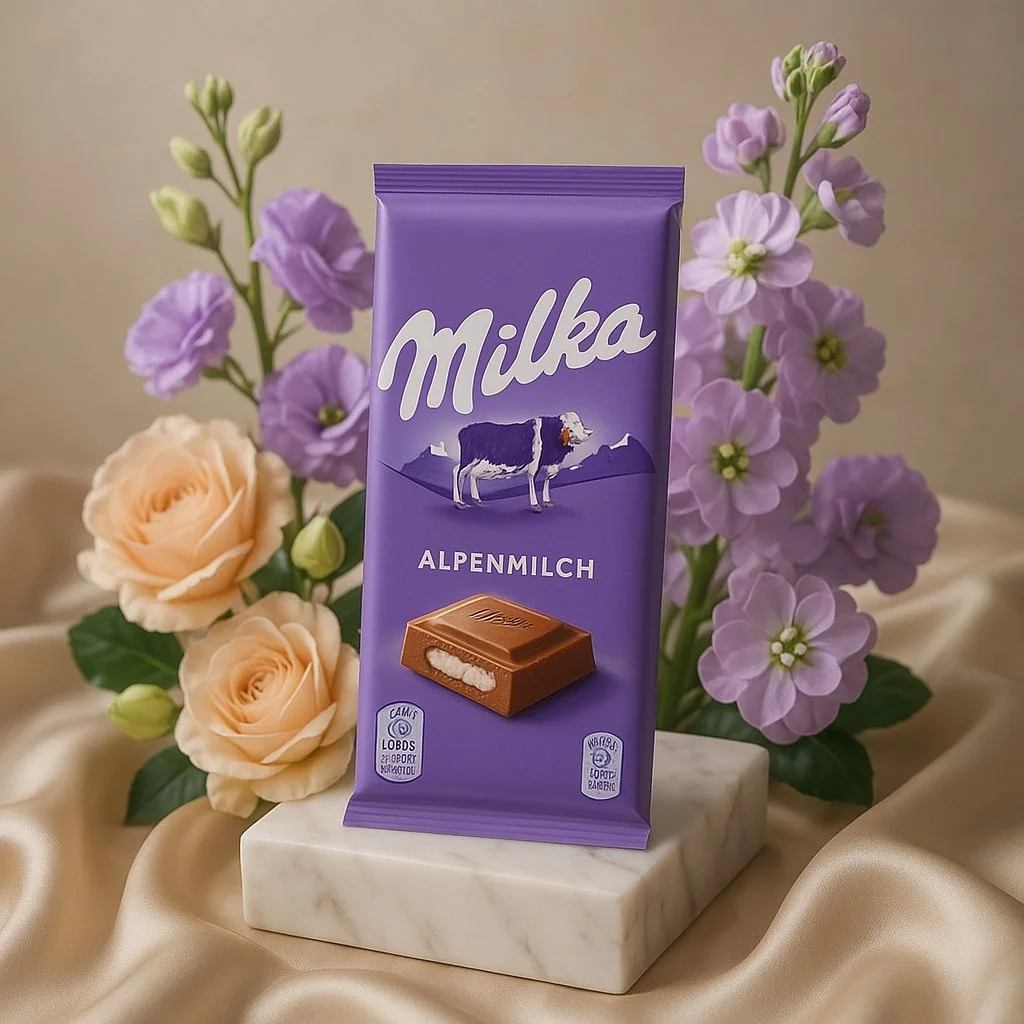
A high-end editorial photo of (PRODUCT NAME OR IMAGE) placed on a white marble pedestal, resting on champagne-colored silk. It is surrounded by pastel flowers whose type and color naturally harmonize with the product’s primary colors (COLOR PALETTE) — complementing and enhancing its tones. Soft natural light from the upper left. 3D realism, luxury product photography, shallow depth of field, 1:1 format.
A high-end editorial photo of (PRODUCT NAME OR IMAGE) placed on a white marble pedestal, resting on champagne-colored silk. It is surrounded by pastel flowers whose type and color naturally harmonize with the product’s primary colors (COLOR PALETTE) — complementing and enhancing its tones. Soft natural light from the upper left. 3D realism, luxury product photography, shallow depth of field, 1:1 format.
Verified prompt
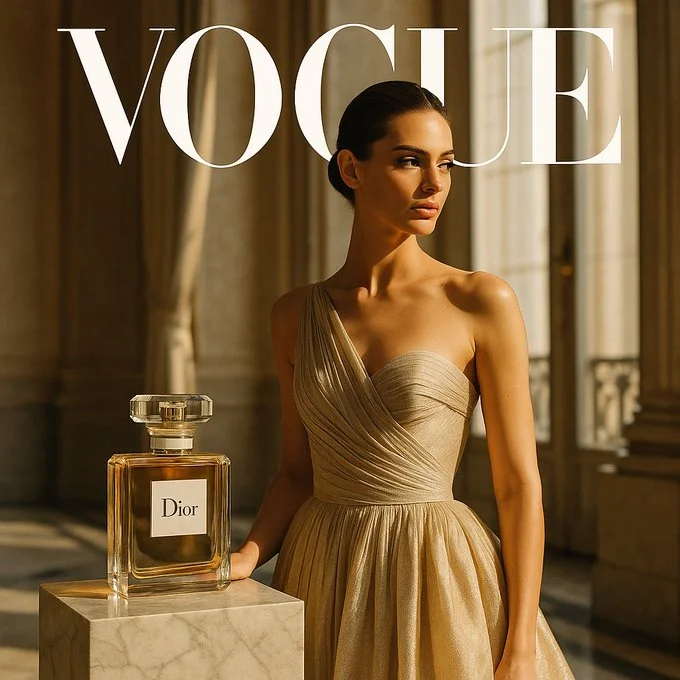
A hyper-realistic editorial concept for a collaboration between [BRAND] and [MAGAZINE BRAND]. Square 1:1 composition, shot in a sleek Parisian interior with marble floors and tall windows, golden afternoon light illuminating the scene. A single model in a couture gown poses gracefully beside a realistically sized [BRAND] perfume bottle with the [BRAND] logo clearly visible placed on a marble pedestal. Ultra-refined textures, cinematic realism, Vogue-style photography.
A hyper-realistic editorial concept for a collaboration between [BRAND] and [MAGAZINE BRAND]. Square 1:1 composition, shot in a sleek Parisian interior with marble floors and tall windows, golden afternoon light illuminating the scene. A single model in a couture gown poses gracefully beside a realistically sized [BRAND] perfume bottle with the [BRAND] logo clearly visible placed on a marble pedestal. Ultra-refined textures, cinematic realism, Vogue-style photography.
Verified prompt
More AI Image Generators
Explore our collection of specialized AI image generators designed for different creative needs and styles


Ultimate AI Image Generator: Text to Image, Life to Art!
Create AI Images from Text or Reference Images
Turn your ideas into breathtaking visuals with AI Image Generator and powerful AI Image Generator. Whether you're designing for personal projects or professional use, our Text to Image technology empowers you to create stunning, high-quality images in just a few clicks. No ads, no watermarks—just pure creativity from our leading AI Image Maker.
Start CreatingAI Image Generation from Text and References
Create images from text or use a reference image to guide the result. Choose a model and review the available settings before generating.
Advanced AI Image Generation & Customization
Describe your subject, setting, lighting, and style. Adjust the available size and quality settings, then review the credit cost before generating.
Describe Your Visual Style
Describe the medium, colors, lighting and mood you want. Compare the generated image with your idea, then adjust the wording to explore a different visual direction.
Refine Your Prompt
Review the generated composition, then revise your prompt to change specific details. Choose the available model settings and check the credit quote before creating another version.
Review and Download Results
Open completed results in History, inspect important details and download the image you want to use. Keep your prompt and settings so you can compare later versions.
Keep Your Prompt and Result Together
Write a prompt, choose a model, and review your results in History. Refine your description to explore a different composition or style.
User-Centric Design
A straightforward workspace for turning written ideas into images.
Why Choose AI Image Generator?

Explore Styles Through Your Prompt
Explore photographic, illustrated or abstract looks by describing the style in your prompt. Results vary by model and request; review each image before using it.
Describe the look you want, then refine your prompt as you compare results.
Versatile AI Image Generator for Every Creator's Vision
Create visual concepts for design, marketing, education, and personal projects. Start with text or a reference image and explore different approaches.


For Architects and Designers
Explore architectural concepts, materials, and lighting from a written description. Use the results to discuss visual direction and develop your design.

For E-Commerce Professionals
Explore product settings and campaign imagery. Check generated details against the real product before using an image in a listing or ad.

For Content Publishers
Create illustrations for articles and social posts. Describe your subject, composition, and brand colors to guide the result.

For Event Planners
Explore themes for invitations, promotional graphics, and venue concepts. Compare visual directions before producing final event materials.
4 Simple Steps to Create & Enhance Images with AI Image Generator
Add Your Input
Write a description, or select image-to-image mode and upload a reference. Include the details that matter most to your composition.
Customize Your Options
Choose a model and adjust its available size and quality settings. Check the required credits before generating.
Generate and Refine
Select Generate Image and follow the task in History. Review the result, then revise your prompt to create another version.
Export, Share, or Transform
Download a completed image from History and add it to your project. You can also use it as a reference on the video page.
Empowering Creativity Across Industries with AI Image Generator
Explore visual ideas for illustrations, marketing materials, presentations, and game concepts.
Digital Art & Illustration
Create illustrations and explore artistic styles from a text description. Adjust the subject, composition, and lighting to develop your idea.
Marketing & E-Commerce Visuals
Create visual concepts for ads, product showcases, and social posts. Review the result and adapt it to your campaign.
Educational Content & Presentations
Create custom illustrations for presentations and teaching materials. Use clear visual examples to explain an idea, and check generated details for accuracy.
Game Development
Explore character, environment, and prop concepts. Describe a consistent style to guide your visual direction.
Image Workflow Tips
Describe the subject, setting and composition clearly before adding style details.
Frequently Asked Questions about AI Image Generator
An AI image generator creates images from written descriptions or reference images. Your chosen model and settings determine the available output options.
Text-to-image models use your written description to generate a visual interpretation. Specific details about the subject, composition, and lighting can help guide the result.
Compare available models, adjust their supported settings, and keep completed images in History for review and download.
Write the medium, palette, lighting and composition in your prompt. There is no one-click style effect control on this page.
Revise your text prompt and generate another version, or use a supported reference image in image-to-image mode. This page does not provide object erasing, canvas expansion or photo restoration controls.
Yes! With AI Image Generator, images from the premium plan come with full commercial rights for your Text to Image creations.
Check your available credits without signing up. Each generation shows its credit cost before you submit it. Visit Pricing for subscription options.
You can start with a plain-language description. Add details about the subject, setting, lighting, and style as you refine your idea.
You can request a refund within 10 days of purchase if you have unused credits from that purchase and provide a clear reason, subject to our Refund Policy. If eligible, an unused purchase can be fully refunded; a partly used purchase is refunded in proportion to its remaining unused credits. Fully used purchases and free or promotional credits are not refundable.
Credit validity depends on the pack, subscription or promotion that issued them. Review the purchase terms and expiration dates in Settings > Credits. A renewal or new purchase does not extend older credits. Use credits before their stated expiration; do not assume unused subscription credits roll over indefinitely.
Credits charged for a task that is confirmed as failed due to a system error are returned automatically. A task that is still processing has not yet been confirmed as failed. Check its status and your credit history before submitting again. If a confirmed failure still shows an unresolved charge, email support@aisocialmediapostgenerators.com with the task ID.
AI results can vary, so a completed result that differs from your expectations is not automatically treated as a technical failure. Eligible completed image tasks can be submitted for credit refund review using the refund option where available; approval is required. For a video or another issue, contact support@aisocialmediapostgenerators.com with the task ID and details. A credit refund returns credits, not money to your payment method.
Email support@aisocialmediapostgenerators.com. For billing, include your account email and order ID; for generation, include the task ID, issue description and relevant screenshots. If you purchased as a guest, keep the original browser data and payment receipt so we can help locate the purchase.
Unleash Your Full Creative Potential with AI Image Generator
Create an image from a text description or supported reference. Review the model settings, check the credit quote and download completed results from History.