
Verified prompt
Verified prompt
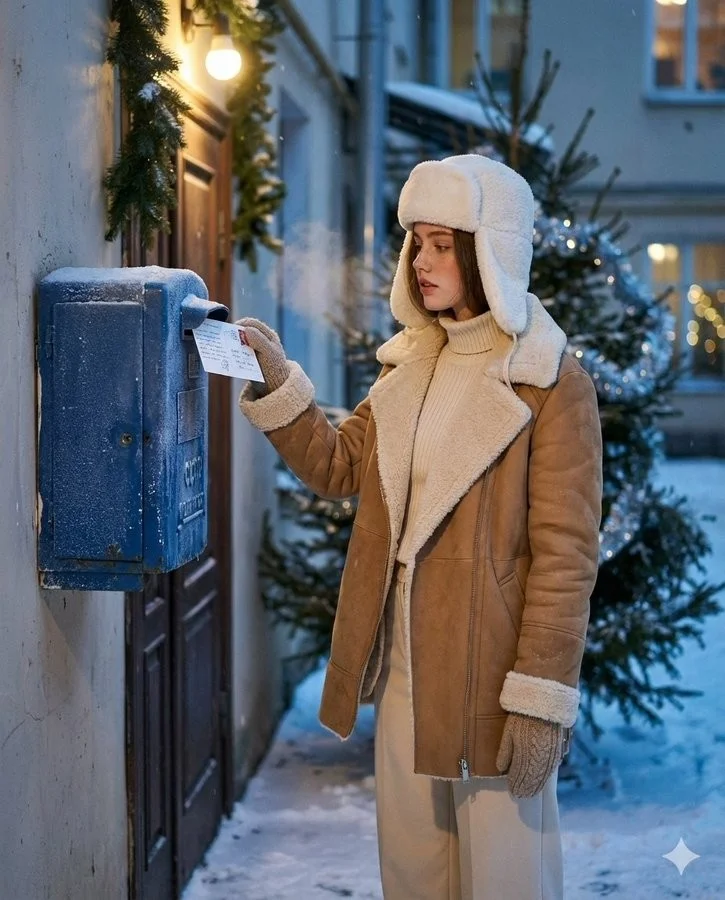
Create an ultra-realistic winter scene of a woman identical to the uploaded face reference (strictly preserve her face 1:1 no stylization or beautification). Scene and Composition: Soviet blue street mailbox bolted to a brick entryway or plastered wall; dusk with soft falling snow. Vertical 4:5 from waist to head. The woman stands side-on, gently tucks a handwritten New Year postcard into the slot (stamp visible); a wisp of vapor breath. Background: courtyard garlands and a nearby fir with sparse silver tinsel; warm doorway bulb; faint bokeh from distant windows. Natural, candid, cinematic moment. Outfit: Camel/tan double-faced sheepskin coat with plush cream fleece on collar and turn-back cuffs; cream rib-knit turtleneck + matching wide-leg trousers: white wool ushanka; knitted mittens; dark-brown shearling ankle boots. Natural nude makeup with real skin micro-texture. Look and Light: Teal and orange tone: warm sodium doorway lamp as key; cool blue ambient fill from snow; soft rim on ushanka/fleece; gentle halation on bulbs; shallow DoF with fine 35mm grain (Canon AE-1/Fujifilm X100V Classic Chrome vibe). Color and Texture: Frost on mailbox metal, paper fiber of postcard, knit and shearling detail. True-to-skin tones; no smoothing.
Create an ultra-realistic winter scene of a woman identical to the uploaded face reference (strictly preserve her face 1:1 no stylization or beautification). Scene and Composition: Soviet blue street mailbox bolted to a brick entryway or plastered wall; dusk with soft falling snow. Vertical 4:5 from waist to head. The woman stands side-on, gently tucks a handwritten New Year postcard into the slot (stamp visible); a wisp of vapor breath. Background: courtyard garlands and a nearby fir with sparse silver tinsel; warm doorway bulb; faint bokeh from distant windows. Natural, candid, cinematic moment. Outfit: Camel/tan double-faced sheepskin coat with plush cream fleece on collar and turn-back cuffs; cream rib-knit turtleneck + matching wide-leg trousers: white wool ushanka; knitted mittens; dark-brown shearling ankle boots. Natural nude makeup with real skin micro-texture. Look and Light: Teal and orange tone: warm sodium doorway lamp as key; cool blue ambient fill from snow; soft rim on ushanka/fleece; gentle halation on bulbs; shallow DoF with fine 35mm grain (Canon AE-1/Fujifilm X100V Classic Chrome vibe). Color and Texture: Frost on mailbox metal, paper fiber of postcard, knit and shearling detail. True-to-skin tones; no smoothing.
Verified prompt
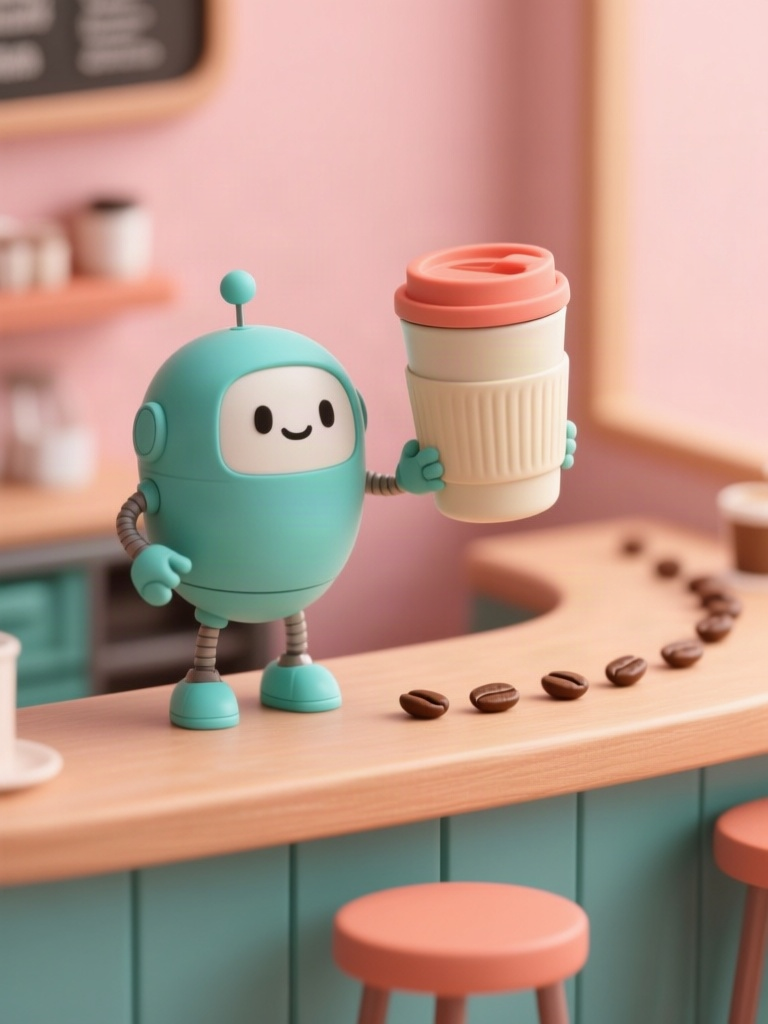
Create an original premium 3D cartoon illustration for a reusable travel mug campaign on Instagram, appealing to design-conscious US and European young adults. A small friendly round teal robot with exactly two arms and two legs proudly presents one cream ceramic travel mug with a coral silicone lid on a miniature cafe counter. A few coffee beans form a gentle curved leading line toward the product. Warm tactile clay-like surfaces, refined animated-feature lighting, soft peach background, subtle teal and coral accents, playful but sophisticated editorial art direction. Vertical composition with the robot and mug in the lower two-thirds, uncluttered blank upper third for later campaign copy. Eye-level medium shot, coherent hand-to-mug contact, consistent handle and lid, crisp edges, soft realistic contact shadows, beautiful indirect illumination. Original character, no imitation of any existing franchise, no letters, no logos, no watermark, no extra fingers or duplicate mugs.
Create an original premium 3D cartoon illustration for a reusable travel mug campaign on Instagram, appealing to design-conscious US and European young adults. A small friendly round teal robot with exactly two arms and two legs proudly presents one cream ceramic travel mug with a coral silicone lid on a miniature cafe counter. A few coffee beans form a gentle curved leading line toward the product. Warm tactile clay-like surfaces, refined animated-feature lighting, soft peach background, subtle teal and coral accents, playful but sophisticated editorial art direction. Vertical composition with the robot and mug in the lower two-thirds, uncluttered blank upper third for later campaign copy. Eye-level medium shot, coherent hand-to-mug contact, consistent handle and lid, crisp edges, soft realistic contact shadows, beautiful indirect illumination. Original character, no imitation of any existing franchise, no letters, no logos, no watermark, no extra fingers or duplicate mugs.
Verified prompt
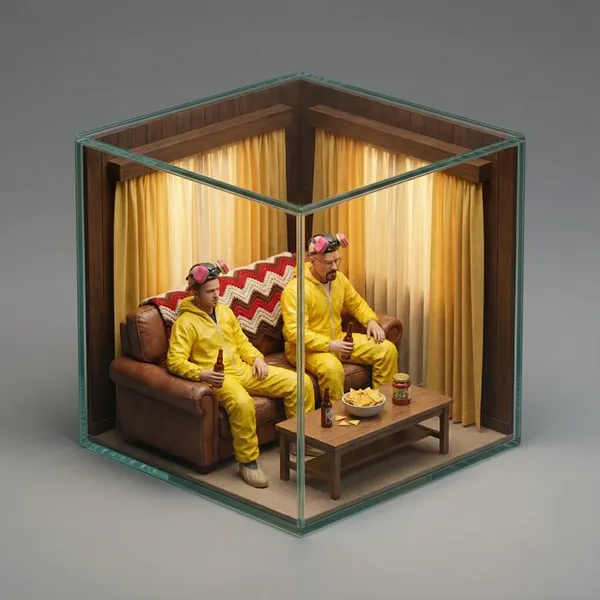
per-realistic isometric miniature diorama encased in a cubic enclosure. Structure: The cube features two solid back walls [describe the texture/material of the back walls, e.g., textured with brick, wood paneling, forest greenery, stone blocks] forming the [describe the setting type, e.g., urban backdrop, cozy room corner, dungeon cell], and two transparent glass front walls, creating a perfect cutaway view. The entire scene is strictly contained within this cube. Inside the cube is [SCENE DESCRIPTION: Describe the specific iconic movie scene environment. Mention key props, furniture, floor texture, and specific clutter that makes the scene recognizable]. Character: A photorealistic miniature person, representing [ACTOR NAME] as [CHARACTER NAME]. They are wearing [describe the iconic outfit/costume in detail]. The character is [ACTION: describe their pose/action, e.g., sitting, dancing, standing], with a [EXPRESSION] expression. [Optional: mention any specific hand-held props]. Materials & Textures: All elements feature hyper-realistic textures (e.g., [list 2-3 specific textures relevant to the scene, e.g., weathered wood, velvet fabric, rusted metal]). It looks like a masterfully crafted, museum-quality miniature model. Lighting: [ATMOSPHERE NAME]: [describe light sources and mood, e.g., warm golden sunlight, harsh fluorescent light, moody noir shadows], creating cinematic depth within the glass enclosure. Background: A clean, solid neutral grey background completely isolating the cube. No table texture, no blurred room surroundings, no external clutter. Camera: A detailed macro photograph from a slightly elevated isometric three-quarter view, centering on the front glass corner. High aperture to keep the entire miniature in focus.
per-realistic isometric miniature diorama encased in a cubic enclosure. Structure: The cube features two solid back walls [describe the texture/material of the back walls, e.g., textured with brick, wood paneling, forest greenery, stone blocks] forming the [describe the setting type, e.g., urban backdrop, cozy room corner, dungeon cell], and two transparent glass front walls, creating a perfect cutaway view. The entire scene is strictly contained within this cube. Inside the cube is [SCENE DESCRIPTION: Describe the specific iconic movie scene environment. Mention key props, furniture, floor texture, and specific clutter that makes the scene recognizable]. Character: A photorealistic miniature person, representing [ACTOR NAME] as [CHARACTER NAME]. They are wearing [describe the iconic outfit/costume in detail]. The character is [ACTION: describe their pose/action, e.g., sitting, dancing, standing], with a [EXPRESSION] expression. [Optional: mention any specific hand-held props]. Materials & Textures: All elements feature hyper-realistic textures (e.g., [list 2-3 specific textures relevant to the scene, e.g., weathered wood, velvet fabric, rusted metal]). It looks like a masterfully crafted, museum-quality miniature model. Lighting: [ATMOSPHERE NAME]: [describe light sources and mood, e.g., warm golden sunlight, harsh fluorescent light, moody noir shadows], creating cinematic depth within the glass enclosure. Background: A clean, solid neutral grey background completely isolating the cube. No table texture, no blurred room surroundings, no external clutter. Camera: A detailed macro photograph from a slightly elevated isometric three-quarter view, centering on the front glass corner. High aperture to keep the entire miniature in focus.
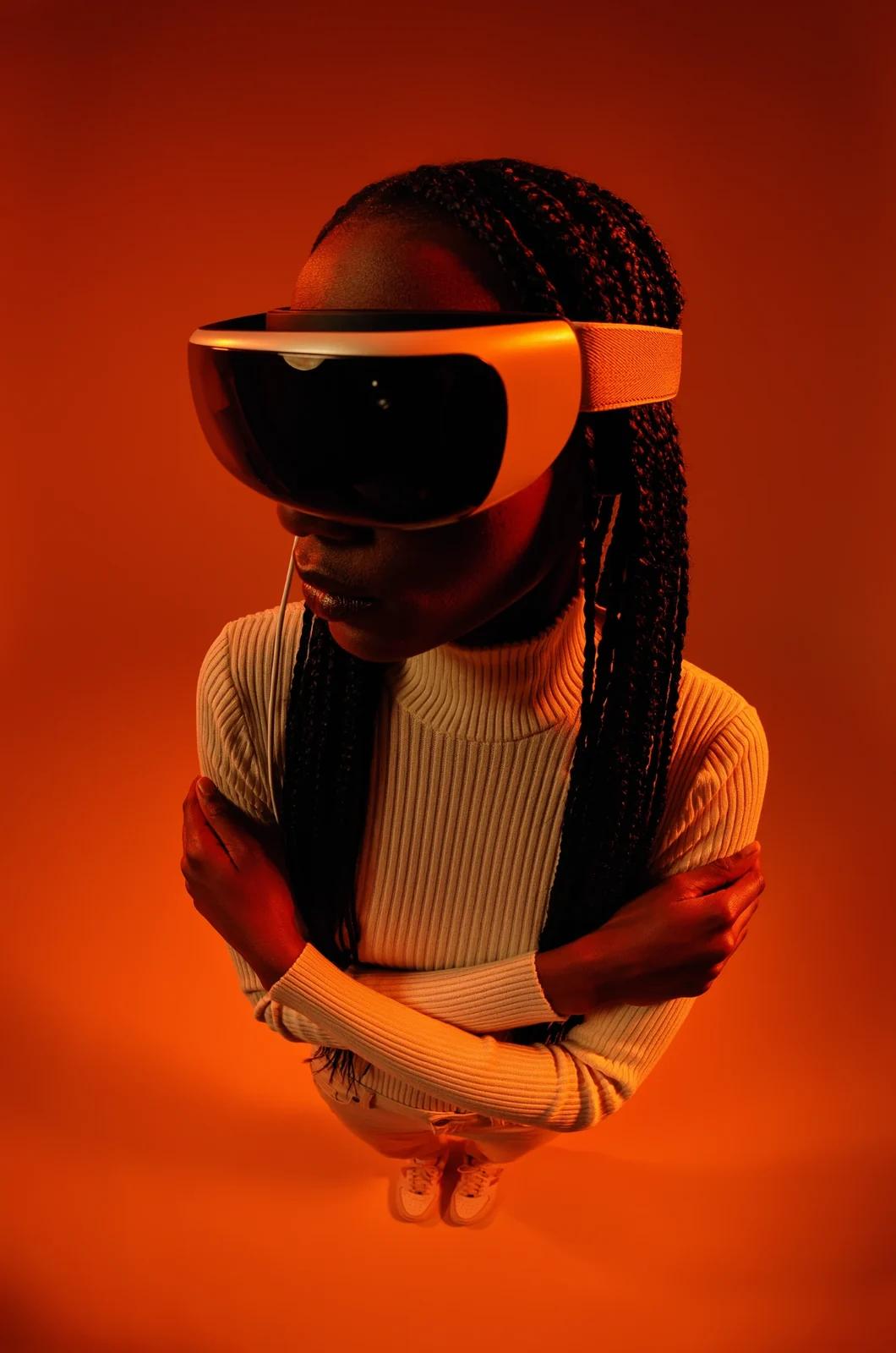
Verified prompt
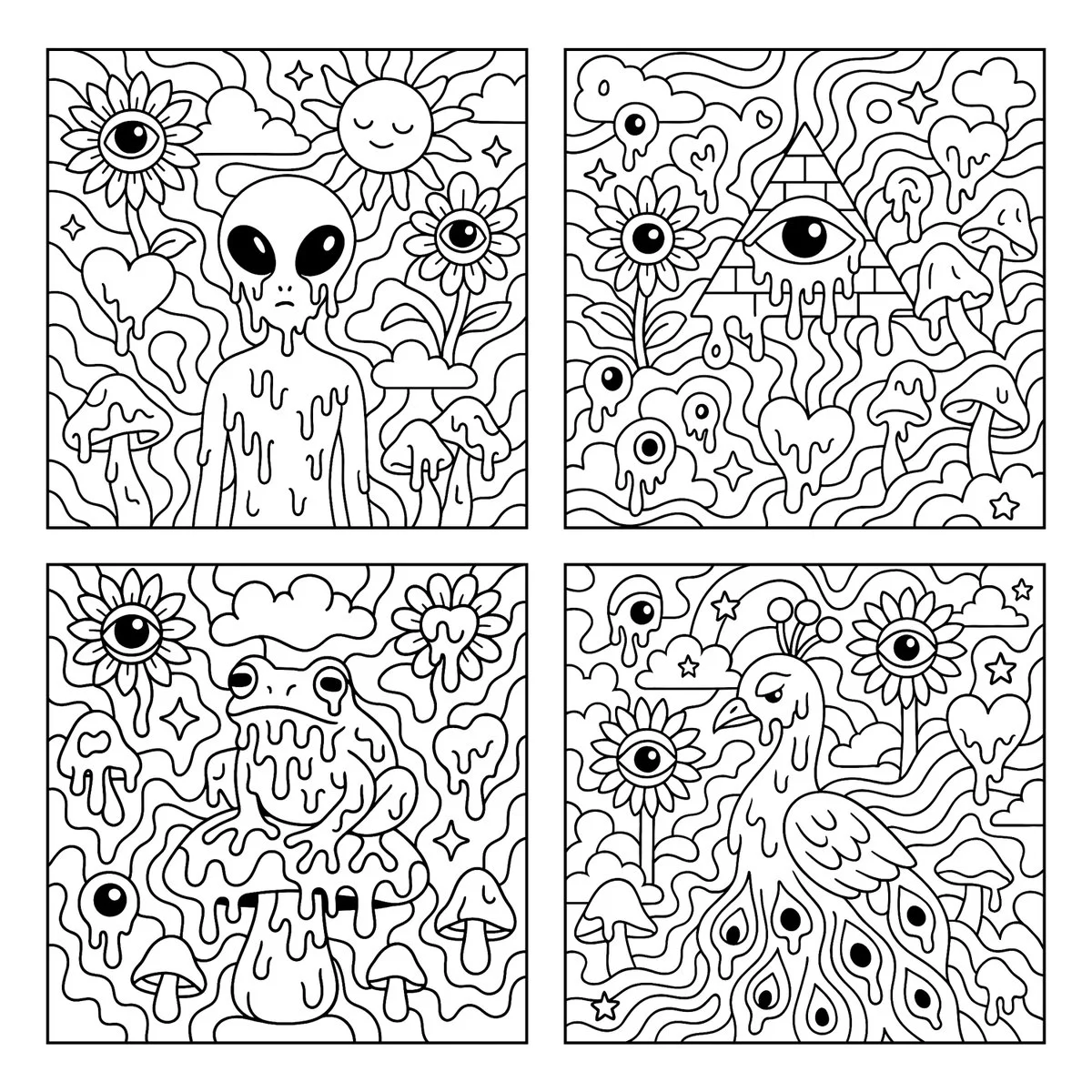
Verified prompt
Create a psychedelic black and white coloring page featuring melting [SUBJECT] in the center, surrounded by large, playful shapes and smooth flowing patterns. The background includes whimsical and surreal elements such as sunflowers with eyes, melting eyeballs, melting hearts, melting mushrooms, clouds, and stars. Use bold, clean outlines and fully enclosed shapes to create distinct sections for easy coloring. Avoid excessive fine detail or clutter. Keep the composition open, spacious, and fun. Square aspect ratio with a white background. No text or color.
Create a psychedelic black and white coloring page featuring melting [SUBJECT] in the center, surrounded by large, playful shapes and smooth flowing patterns. The background includes whimsical and surreal elements such as sunflowers with eyes, melting eyeballs, melting hearts, melting mushrooms, clouds, and stars. Use bold, clean outlines and fully enclosed shapes to create distinct sections for easy coloring. Avoid excessive fine detail or clutter. Keep the composition open, spacious, and fun. Square aspect ratio with a white background. No text or color.
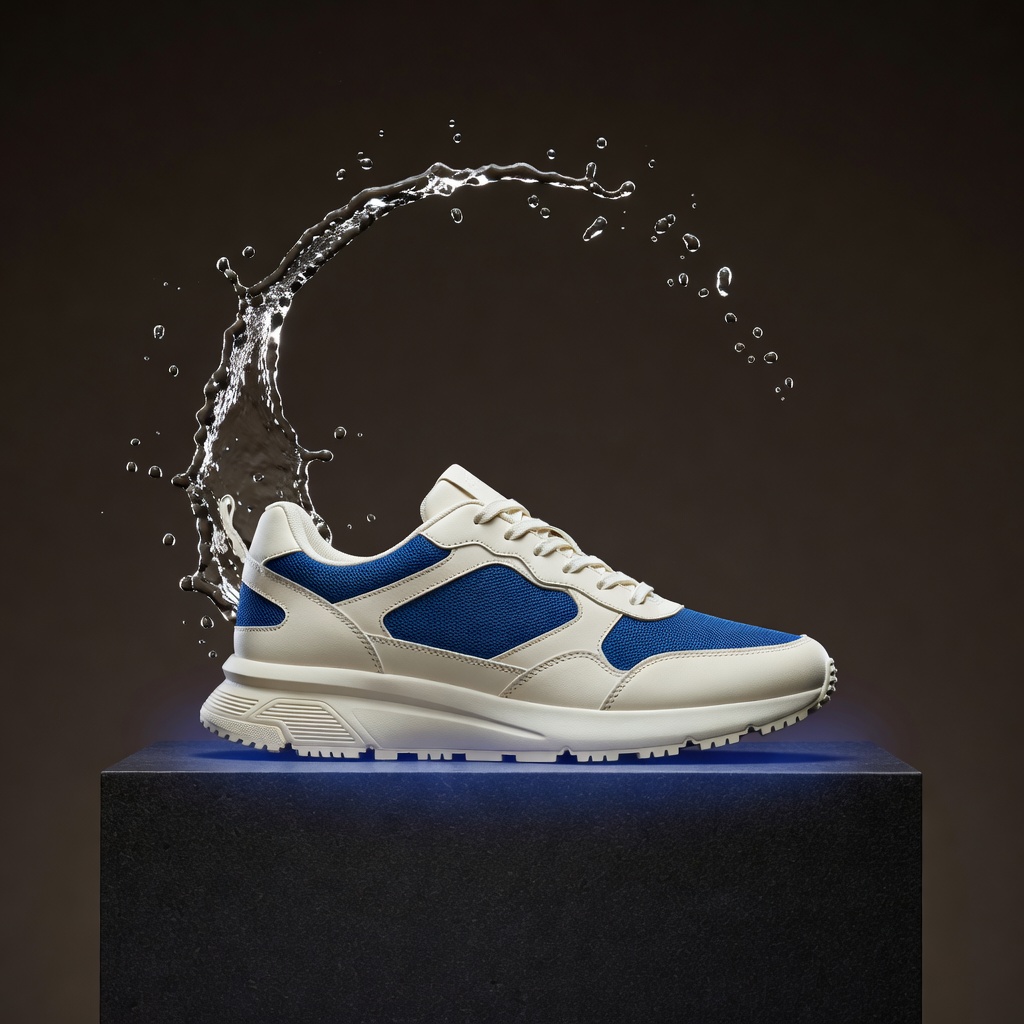
Verified prompt
A striking original luxury sneaker advertising still for an Instagram product launch aimed at US and European streetwear audiences. Exactly one unbranded ivory running sneaker with cobalt-blue mesh accents rests naturally on a low dark basalt pedestal. A sculptural crescent of clear splashing water curves behind the shoe without obscuring it; a subtle cobalt glow separates the silhouette from a warm charcoal studio background. Vertical composition with the entire sneaker visible in a refined three-quarter side view, product in the lower two-thirds, clean negative space above for future campaign typography. Photorealistic premium commercial photography, crisp woven fabric, realistic laces and rubber tread, physically believable water droplets frozen by a fast studio flash, dramatic but elegant rim light, controlled reflections, exquisite material detail, restrained cinematic contrast. Consistent shoe geometry, one shoe only, no logos, no text, no watermark, no duplicate laces, no impossible sole or clutter.
A striking original luxury sneaker advertising still for an Instagram product launch aimed at US and European streetwear audiences. Exactly one unbranded ivory running sneaker with cobalt-blue mesh accents rests naturally on a low dark basalt pedestal. A sculptural crescent of clear splashing water curves behind the shoe without obscuring it; a subtle cobalt glow separates the silhouette from a warm charcoal studio background. Vertical composition with the entire sneaker visible in a refined three-quarter side view, product in the lower two-thirds, clean negative space above for future campaign typography. Photorealistic premium commercial photography, crisp woven fabric, realistic laces and rubber tread, physically believable water droplets frozen by a fast studio flash, dramatic but elegant rim light, controlled reflections, exquisite material detail, restrained cinematic contrast. Consistent shoe geometry, one shoe only, no logos, no text, no watermark, no duplicate laces, no impossible sole or clutter.
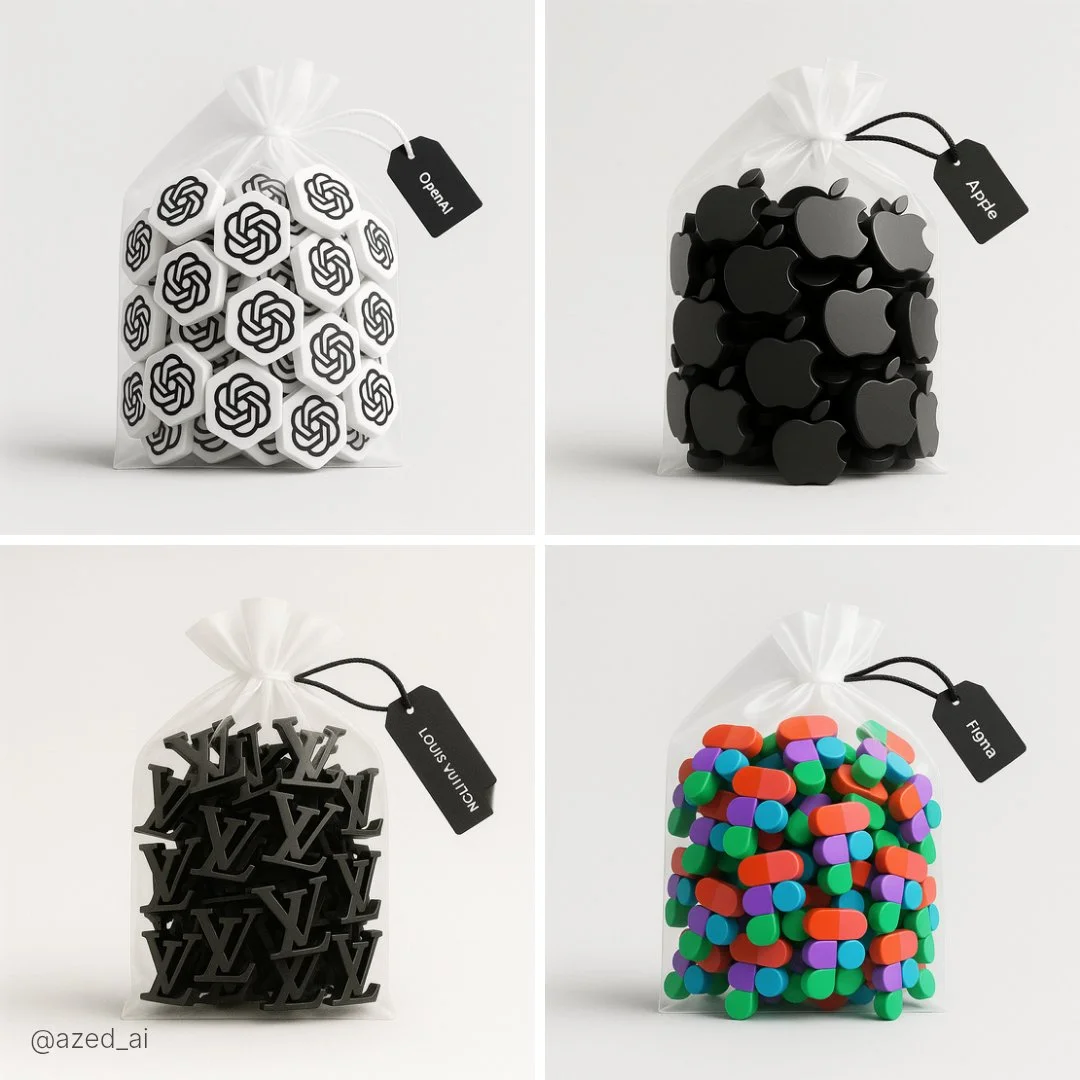
Verified prompt
A high-resolution photograph of a clear plastic drawstring bag placed on a light gray background. Inside the bag are multiple tiny 3D [subject] figures arranged neatly. The bag is tied with a soft white ribbon and has a black label tag that reads ‘[LABEL TEXT]’. Soft lighting and clean shadows emphasize the realistic textures and details
A high-resolution photograph of a clear plastic drawstring bag placed on a light gray background. Inside the bag are multiple tiny 3D [subject] figures arranged neatly. The bag is tied with a soft white ribbon and has a black label tag that reads ‘[LABEL TEXT]’. Soft lighting and clean shadows emphasize the realistic textures and details
Verified prompt
Verified prompt
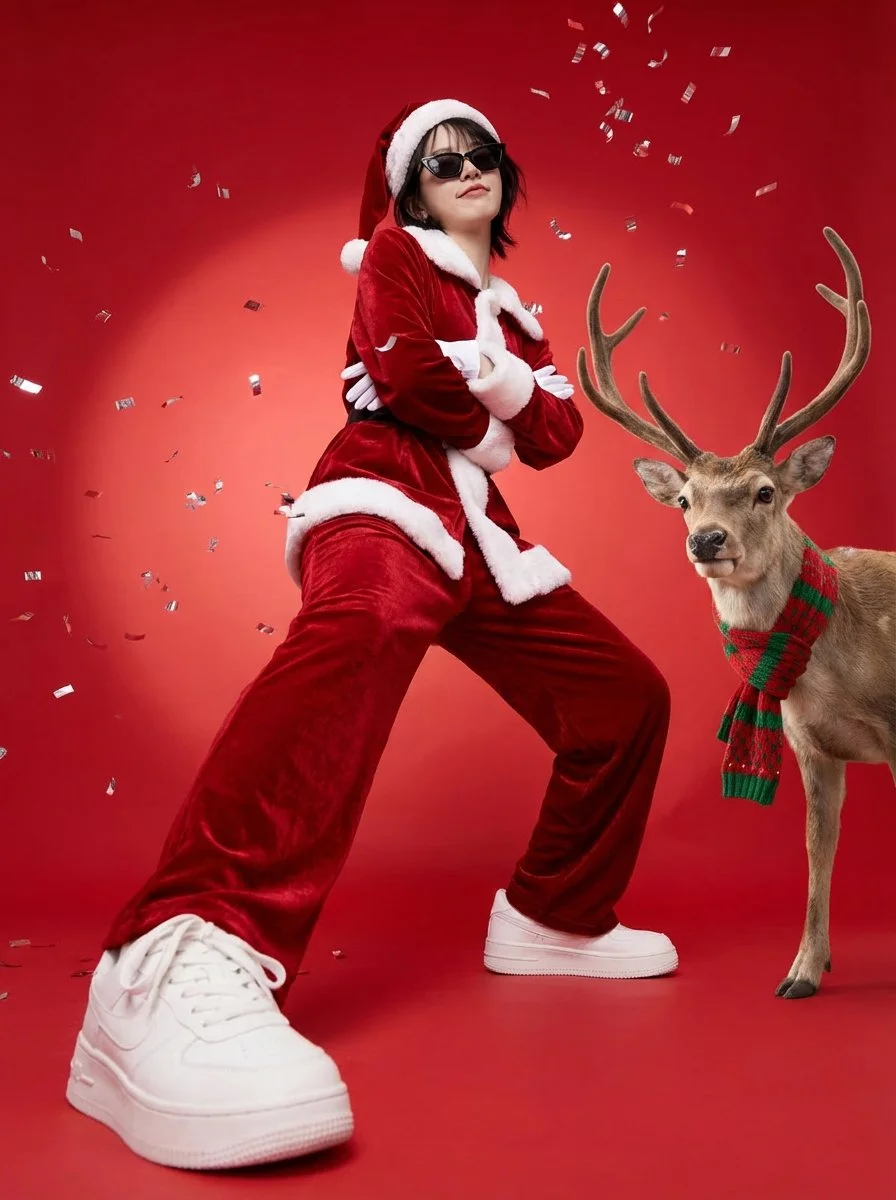
Create a full-body vertical 3:4 festive poster. Preserve identity strongly: same face structure, hairstyle, skin tone. POSE: grounded swagger power-stance with BOTH FEET ON THE FLOOR, wide stance. Arms firmly crossed over chest. Smug confident sassy expression. WARDROBE: rich red velvet Santa suit with white fur trim, Santa hat, white gloves, stylish black sunglasses, white sneakers. SCENE: seamless bright red studio backdrop with soft spotlight gradient. Metallic silver confetti. REINDEER: place one realistic reindeer on subject's right side with cozy red-and-green knitted scarf. Commercial studio lighting, low-angle wide lens (20-28mm).
Create a full-body vertical 3:4 festive poster. Preserve identity strongly: same face structure, hairstyle, skin tone. POSE: grounded swagger power-stance with BOTH FEET ON THE FLOOR, wide stance. Arms firmly crossed over chest. Smug confident sassy expression. WARDROBE: rich red velvet Santa suit with white fur trim, Santa hat, white gloves, stylish black sunglasses, white sneakers. SCENE: seamless bright red studio backdrop with soft spotlight gradient. Metallic silver confetti. REINDEER: place one realistic reindeer on subject's right side with cozy red-and-green knitted scarf. Commercial studio lighting, low-angle wide lens (20-28mm).
Verified prompt
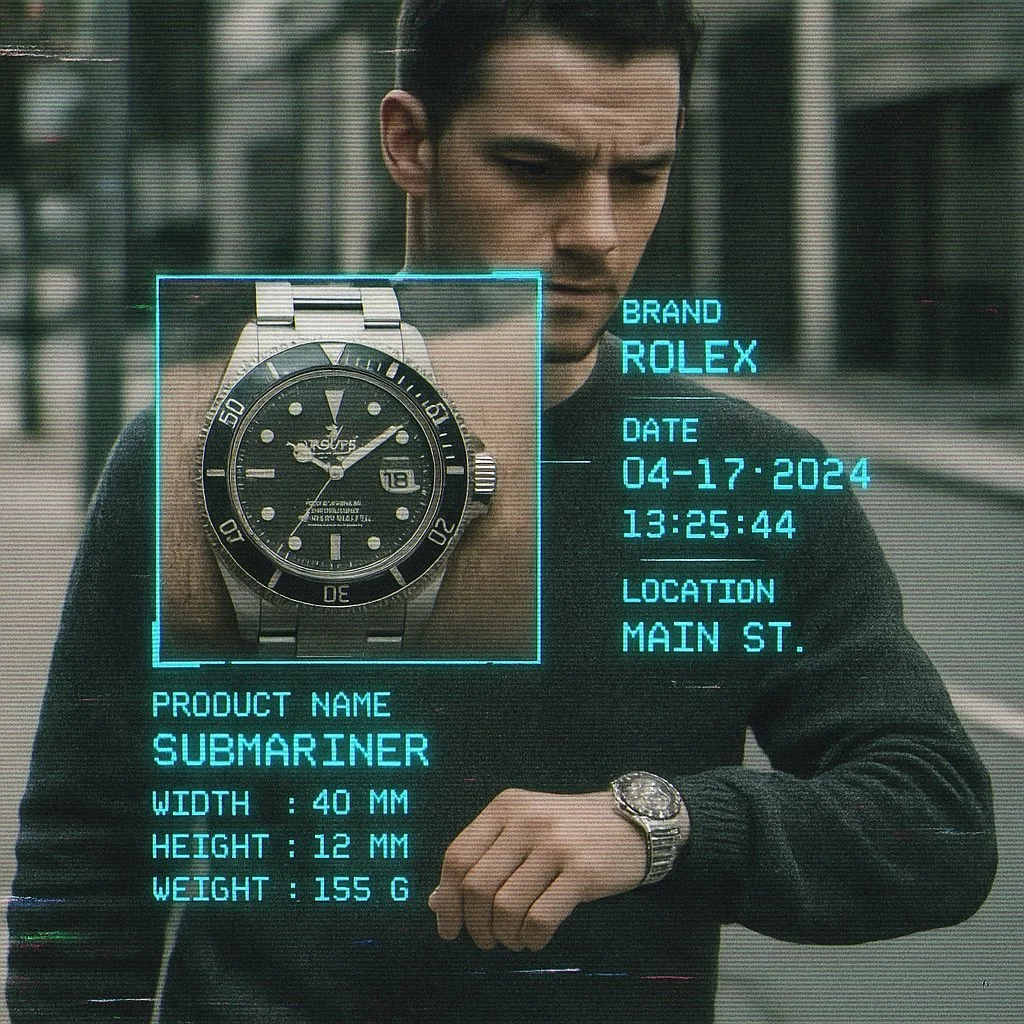
Create image with 1:1 ratio A cctv footage, A closed up view of focus woman carrying [brand] [product] on street, a square zoomed window on the product, sci fi analyzing overlay UI with infos like brand name, date, time, location name, in brand color monospaced font, product name, width, height, weight, etc, vhs effect, glitch effect, film grainy
Create image with 1:1 ratio A cctv footage, A closed up view of focus woman carrying [brand] [product] on street, a square zoomed window on the product, sci fi analyzing overlay UI with infos like brand name, date, time, location name, in brand color monospaced font, product name, width, height, weight, etc, vhs effect, glitch effect, film grainy
Verified prompt
More AI Image Generators
Explore our collection of specialized AI image generators designed for different creative needs and styles


Ultimate AI Image Generator: Text to Image, Life to Art!
Create AI Images from Text or Reference Images
Turn your ideas into breathtaking visuals with AI Image Generator and powerful AI Image Generator. Whether you're designing for personal projects or professional use, our Text to Image technology empowers you to create stunning, high-quality images in just a few clicks. No ads, no watermarks—just pure creativity from our leading AI Image Maker.
Start CreatingAI Image Generation from Text and References
Create images from text or use a reference image to guide the result. Choose a model and review the available settings before generating.
Advanced AI Image Generation & Customization
Describe your subject, setting, lighting, and style. Adjust the available size and quality settings, then review the credit cost before generating.
Describe Your Visual Style
Describe the medium, colors, lighting and mood you want. Compare the generated image with your idea, then adjust the wording to explore a different visual direction.
Refine Your Prompt
Review the generated composition, then revise your prompt to change specific details. Choose the available model settings and check the credit quote before creating another version.
Review and Download Results
Open completed results in History, inspect important details and download the image you want to use. Keep your prompt and settings so you can compare later versions.
Keep Your Prompt and Result Together
Write a prompt, choose a model, and review your results in History. Refine your description to explore a different composition or style.
User-Centric Design
A straightforward workspace for turning written ideas into images.
Why Choose AI Image Generator?

Explore Styles Through Your Prompt
Explore photographic, illustrated or abstract looks by describing the style in your prompt. Results vary by model and request; review each image before using it.
Describe the look you want, then refine your prompt as you compare results.
Versatile AI Image Generator for Every Creator's Vision
Create visual concepts for design, marketing, education, and personal projects. Start with text or a reference image and explore different approaches.


For Architects and Designers
Explore architectural concepts, materials, and lighting from a written description. Use the results to discuss visual direction and develop your design.

For E-Commerce Professionals
Explore product settings and campaign imagery. Check generated details against the real product before using an image in a listing or ad.

For Content Publishers
Create illustrations for articles and social posts. Describe your subject, composition, and brand colors to guide the result.

For Event Planners
Explore themes for invitations, promotional graphics, and venue concepts. Compare visual directions before producing final event materials.
4 Simple Steps to Create & Enhance Images with AI Image Generator
Add Your Input
Write a description, or select image-to-image mode and upload a reference. Include the details that matter most to your composition.
Customize Your Options
Choose a model and adjust its available size and quality settings. Check the required credits before generating.
Generate and Refine
Select Generate Image and follow the task in History. Review the result, then revise your prompt to create another version.
Export, Share, or Transform
Download a completed image from History and add it to your project. You can also use it as a reference on the video page.
Empowering Creativity Across Industries with AI Image Generator
Explore visual ideas for illustrations, marketing materials, presentations, and game concepts.
Digital Art & Illustration
Create illustrations and explore artistic styles from a text description. Adjust the subject, composition, and lighting to develop your idea.
Marketing & E-Commerce Visuals
Create visual concepts for ads, product showcases, and social posts. Review the result and adapt it to your campaign.
Educational Content & Presentations
Create custom illustrations for presentations and teaching materials. Use clear visual examples to explain an idea, and check generated details for accuracy.
Game Development
Explore character, environment, and prop concepts. Describe a consistent style to guide your visual direction.
Image Workflow Tips
Describe the subject, setting and composition clearly before adding style details.
Frequently Asked Questions about AI Image Generator
An AI image generator creates images from written descriptions or reference images. Your chosen model and settings determine the available output options.
Text-to-image models use your written description to generate a visual interpretation. Specific details about the subject, composition, and lighting can help guide the result.
Compare available models, adjust their supported settings, and keep completed images in History for review and download.
Write the medium, palette, lighting and composition in your prompt. There is no one-click style effect control on this page.
Revise your text prompt and generate another version, or use a supported reference image in image-to-image mode. This page does not provide object erasing, canvas expansion or photo restoration controls.
Yes! With AI Image Generator, images from the premium plan come with full commercial rights for your Text to Image creations.
Check your available credits without signing up. Each generation shows its credit cost before you submit it. Visit Pricing for subscription options.
You can start with a plain-language description. Add details about the subject, setting, lighting, and style as you refine your idea.
You can request a refund within 10 days of purchase if you have unused credits from that purchase and provide a clear reason, subject to our Refund Policy. If eligible, an unused purchase can be fully refunded; a partly used purchase is refunded in proportion to its remaining unused credits. Fully used purchases and free or promotional credits are not refundable.
Credit validity depends on the pack, subscription or promotion that issued them. Review the purchase terms and expiration dates in Settings > Credits. A renewal or new purchase does not extend older credits. Use credits before their stated expiration; do not assume unused subscription credits roll over indefinitely.
Credits charged for a task that is confirmed as failed due to a system error are returned automatically. A task that is still processing has not yet been confirmed as failed. Check its status and your credit history before submitting again. If a confirmed failure still shows an unresolved charge, email support@aisocialmediapostgenerators.com with the task ID.
AI results can vary, so a completed result that differs from your expectations is not automatically treated as a technical failure. Eligible completed image tasks can be submitted for credit refund review using the refund option where available; approval is required. For a video or another issue, contact support@aisocialmediapostgenerators.com with the task ID and details. A credit refund returns credits, not money to your payment method.
Email support@aisocialmediapostgenerators.com. For billing, include your account email and order ID; for generation, include the task ID, issue description and relevant screenshots. If you purchased as a guest, keep the original browser data and payment receipt so we can help locate the purchase.
Unleash Your Full Creative Potential with AI Image Generator
Create an image from a text description or supported reference. Review the model settings, check the credit quote and download completed results from History.