
Image Design Brief: Plan a Feed Post, Story and Motion Handoff
Create an image design brief for a social feed, adapt it to a story, and record the separate decisions needed for a motion handoff.
What's new on this page
- 2026-10-29 — Page published. Clarified the guide’s search focus, added a practical FAQ and replaced the embedded video with an image.
An image design brief can carry one campaign message across a feed image, a story and a possible motion piece, while giving each format its own composition. Start with the audience and message, then specify the deliverables and checks for each placement.
A social campaign needs a clear asset brief before a finished picture enters the publishing calendar. Decide the approved copy, destination-specific crop, and separate action plan for anything that moves. This guide builds an original campaign handoff worksheet around those decisions.
Image design brief: start with one message and three deliverables
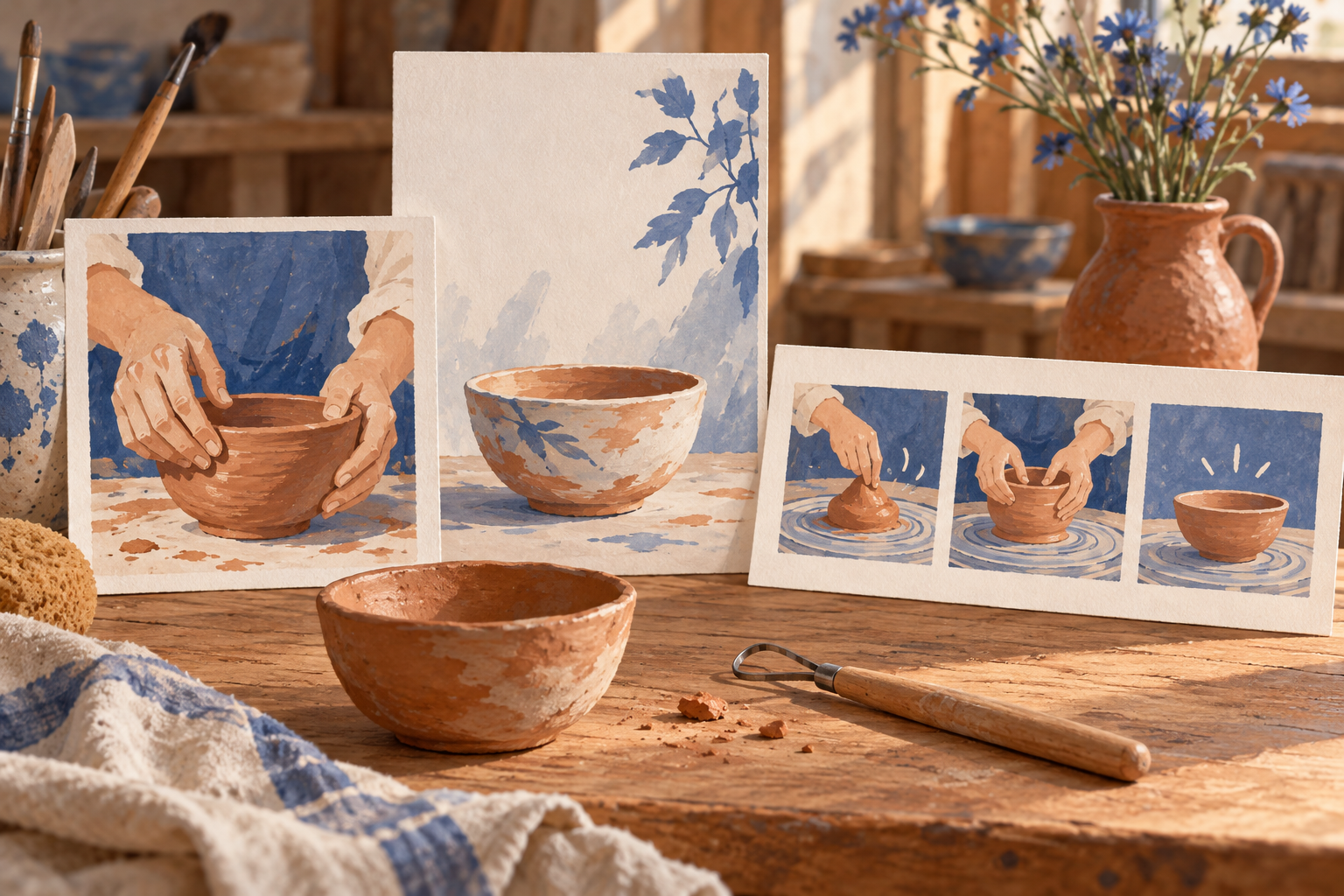
Imagine a fictional pottery studio opening a weekend beginner session. The message is simple: newcomers can try making a small bowl. The campaign needs a feed image, a vertical story, and a short moving visual. Those are three compositions with a shared purpose, not three automatic exports of one successful image.
Before writing a prompt, decide what each piece has to accomplish:
-
Deliverable: Feed image; Reader's immediate question: Is this activity for someone like me?; Content to prioritize: A clear beginner-friendly scene and a short headline
-
Deliverable: Vertical story; Reader's immediate question: What should I do next?; Content to prioritize: An uncluttered subject, verified details, and space for the publishing interface
-
Deliverable: Moving visual; Reader's immediate question: What does the activity feel like?; Content to prioritize: One readable action with a stable subject and a deliberate ending
The studio, class, and examples here are invented planning material. There is no generated campaign being offered as a measured result. You can replace the scenario with your own event while keeping the distinct purpose of each deliverable.
Write a complete image brief
A social image brief should identify the audience, subject, composition, and intended message. Avoid asking for a whole marketing campaign when you only need one still. That larger request conceals decisions about copy and placement that someone must eventually make.
For the feed image, our suggested starting brief is:
Create a welcoming editorial image for a beginner pottery session. Show adult hands shaping a small clay bowl on a worktable, with one simple tool beside it. Use soft daylight, warm neutral colors, and a calm background. Keep the bowl and hands clear. Leave an uncluttered area above the table for a short headline that will be added in an editor. The scene should feel approachable rather than like a luxury product advertisement.
Leaving the headline for an editor is a deliberate workflow choice in this example. It keeps copy approval separate from illustration selection. If you choose to generate text inside the image, provide the exact approved wording and check it in the exported file. An attractive preview cannot confirm a date, a price, or a booking link.
Do not include a fictional testimonial or imply that a generated scene documents a real attendee. Use a conceptual scene for concept communication and actual authorized photographs when the claim depends on something that happened at your business.
Recompose the story instead of stretching the feed image
A vertical canvas changes where the viewer's eye travels. For the pottery story, keep the bowl near the middle and reduce secondary table objects. Reserve space for the text and controls you will add in the publishing tool. Preview that destination rather than relying on a universal safe-zone number.
A separate suggested story brief could be:
Plan a vertical pottery-workshop illustration with a single small clay bowl as the central subject. Let a pair of adult hands enter from the lower sides. Keep the upper background quiet and the edges free of important tools or text. Preserve the warm daylight and modest studio materials of the campaign. Do not add labels, watermarks, or invented event details.
The shared ingredients are the bowl, lighting, and studio mood. The arrangement changes because the deliverable has a different job. Compare the two drafts for a recognizable campaign relationship, then inspect each independently for clipping and readability. Similar color alone is not enough if one image suddenly implies a different activity.
Write the motion handoff as a new decision
A still-image brief needs a separate motion plan before it can guide a video request. If you want a moving visual, prepare a motion brief for a video workflow and verify that workflow's selected mode and inputs.
For the pottery scenario, begin with a modest action: hands make one gentle shaping movement while the bowl remains in view. Decide whether the camera stays still. Describe the ending so the clip does not finish halfway through an unexplained transition. Avoid combining a spinning camera, changing room, new outfit, and intricate hand action in the first request.
This suggested motion note is deliberately narrower than the still-image brief:
Keep the camera fixed on the worktable. The hands make one small shaping movement around the rim of the bowl, then pause. Preserve the bowl's position and the warm daylight. Keep the background quiet throughout the shot.
It has not been run as a generation test. Its purpose is to make the acceptance decision observable: does the action remain understandable, and does the scene stay coherent from beginning to end? If a model introduces a new object or changes the hand structure, record the discrepancy before revising the input.
Assign approvals to the right artifact
A compact campaign folder can contain four items: the approved message, the still-image brief, the motion note, and the final exports. Give each export a short review record. The person approving wording should see the exact published copy; the person reviewing motion should watch the entire clip.
Review the exported media at the destination size. Check the beginning and ending of a video, text contrast, any unexpected audio, and whether important objects survive the crop. A browser preview and a downloaded file may be used differently in your publishing workflow, so verify the deliverable you actually intend to upload.
Keep commercial claims outside the image until they are confirmed. For the fictional workshop, the final booking time and price come from the organizer. Neither an image model nor a visually polished template can verify those facts for you.
Continue in SocialImage with the supported workflow
For a still concept, use the SocialImage image workspace. For a separate motion request, open the video workspace and choose the mode actually available to your account. Choose the workspace that matches the deliverable you are preparing.
Review the displayed model settings and credit estimate before generating. The pricing page explains the current purchasing options; this guide does not promise a universal free trial, fixed completion time, or a particular export allowance.
The finished handoff should let another teammate answer three questions without guessing: what message is approved, what must remain consistent, and what changes between the feed image, story, and clip? Once those answers are explicit, each draft can be judged for its intended placement instead of being approved simply because it looks polished.
Frequently asked questions
Can one image design brief cover both a feed post and a story?
Yes, if it preserves the shared message while recording the crop, reading order and available space for each placement. Recompose the story instead of stretching a feed image.